15
WebdynSunPM – User guide — Version 1.0
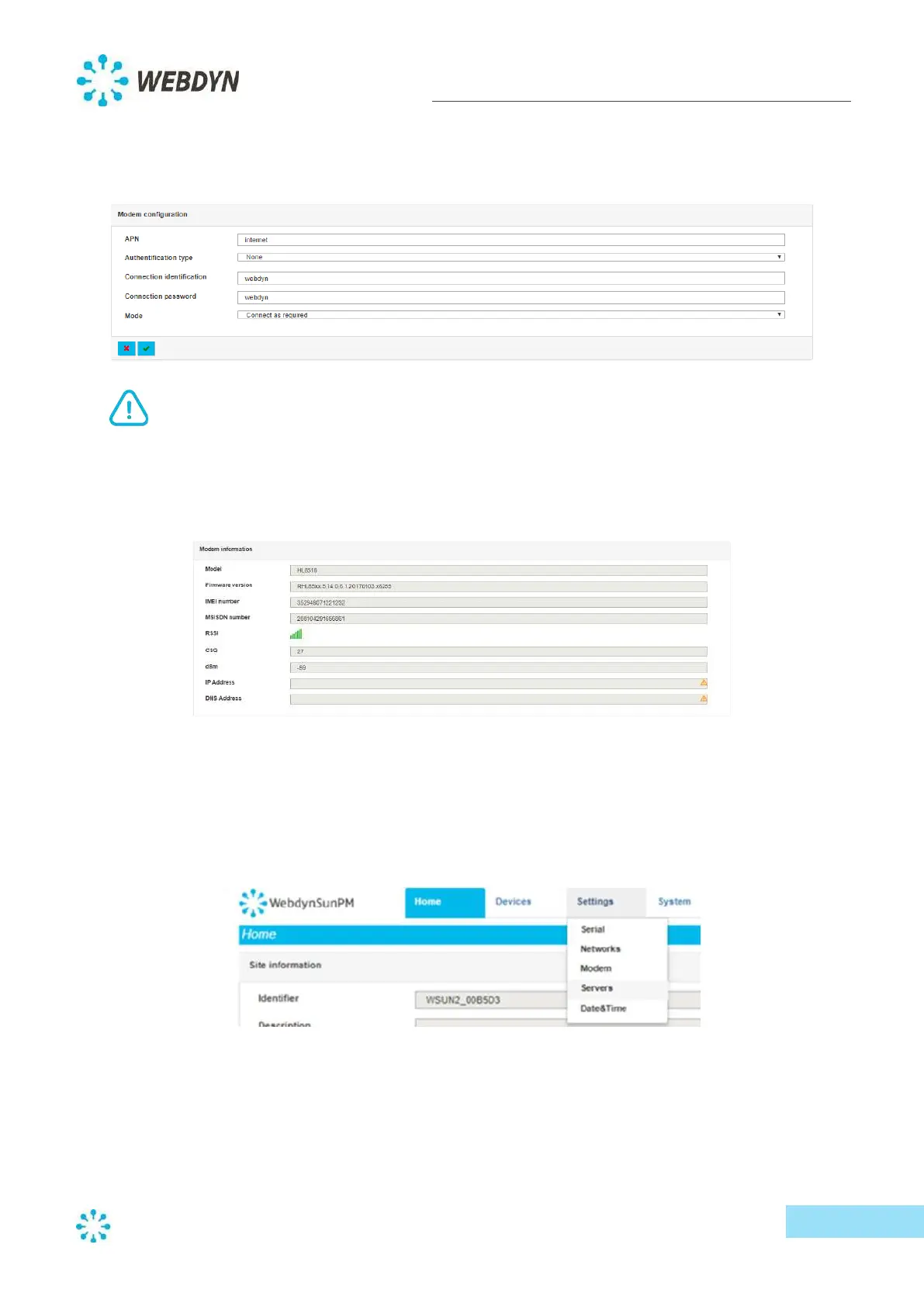
- Enter the access point name (APN) to be used, then the connection ID and password (if
required, otherwise these fields can be left blank), and set the connection mode to "Connect
as required".
If you need more help regarding what information to enter, please contact your SIM card
provider.
- Check that the received signal strength level (RSSI) is strong enough. You need at least two
bars. If it’s lower, the signal will not be strong enough to guarantee communication.
5.3.4 Server configuration
The WebdynSunPM concentrator supports configuration of one or two servers for data and alarm
storage, as well as the management of configuration and commands.
- From the "Settings" menu, select "Servers".
By default, the first server is enabled, but not configured. Therefore, you need to set the parameters
to match your installation and the server. To do this, complete the following steps.
- Select your server connection type:
o Ethernet



 To Next Page