45
WebdynSunPM – User guide — Version 1.0
10 Scripts
10.1 Introduction
The WebdynSunPM concentrator includes a script engine (Lua) for advanced users to integrate local
actions through predefined algorithms or those they have implemented.
The Lua interpreter integrates Lua functions, as well as APIs specific to the WebdynSunPM
concentrator, allowing access to the concentrator's data (devices, etc.).
10.2 Script management
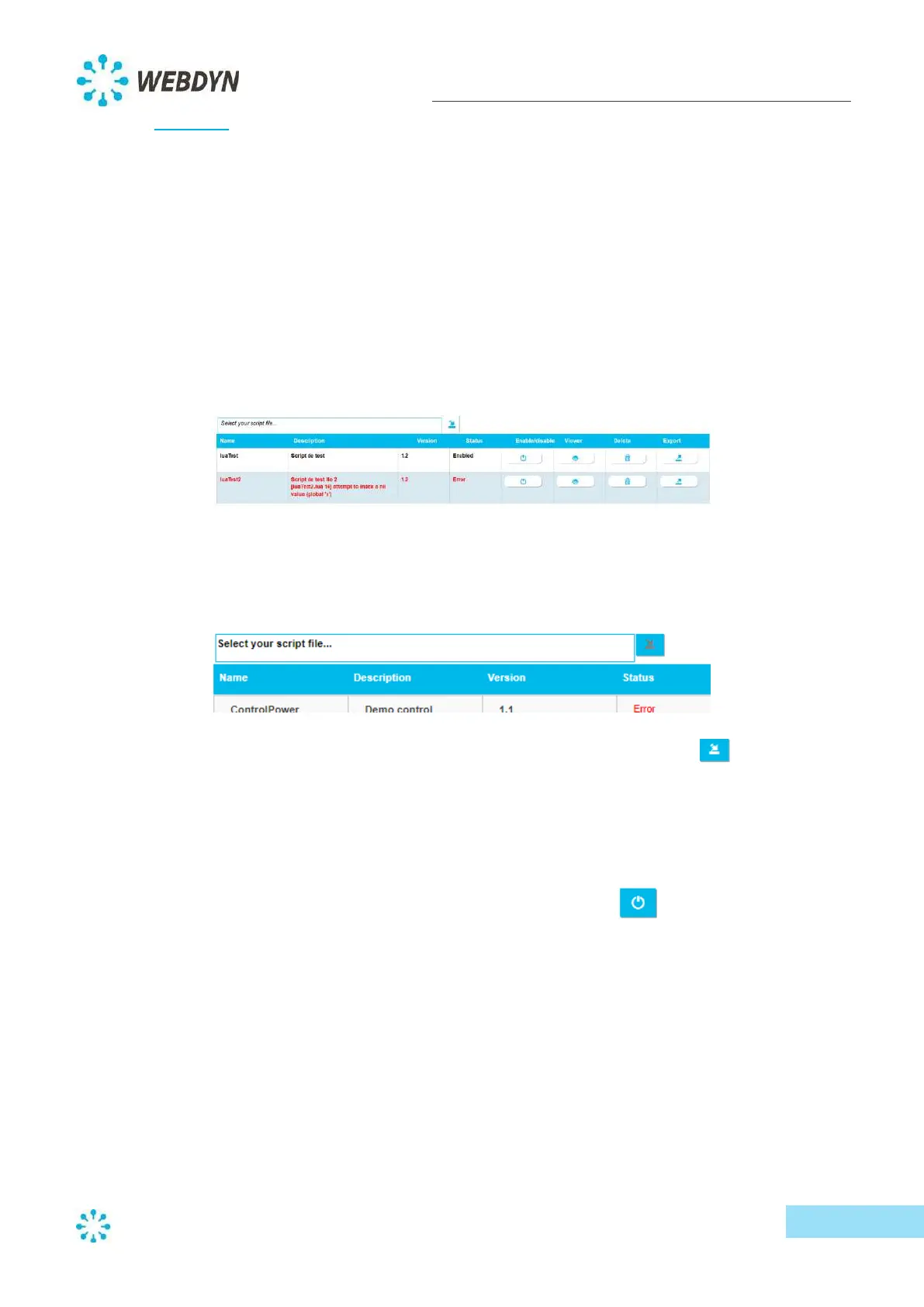
Scripts can be managed through the embedded web interface. Script management is available from
the "System" menu, then the "Scripts" submenu.
10.2.1 Script import
To import a script, click on the text "Select your script file…".
Select the file containing the script (with a ".lua" extension), then click on the upload button.
By default, the imported script will be disabled, so you will need to activate it to make it operational
(see the steps below).
10.2.2 Script activation/deactivation
You can activate and deactivate imported scripts with the enable/disable button.
If a script error is detected during activation, the script remains disabled and its status changes to
"Error".



 To Next Page