36
WebdynSunPM – User guide — Version 1.0
8.2 Device configuration
8.2.1 Local configuration
8.2.1.1 Add a device
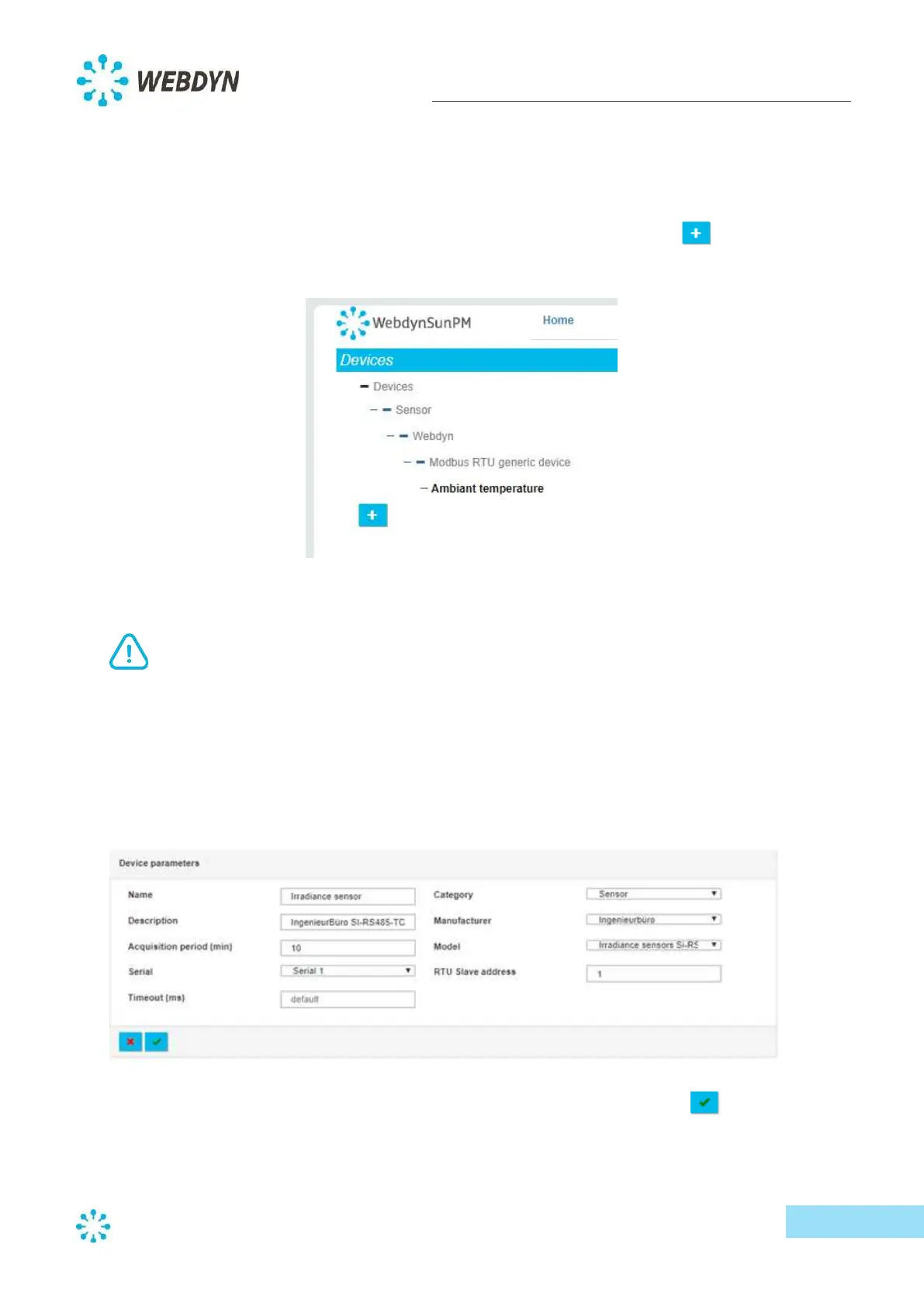
Select the "Devices" menu to display the Devices window, then click on the plus symbol in the
bottom left corner of your screen.
The configuration page for your new device will appear on the right. Start by naming your device.
We recommend that device names use only standard characters without accents, spaces or
punctuation to ensure compatibility with most servers. Some servers may not accept some
special characters (& # / \ etc.).
Add a description for your device (optional), and set the acquisition period (default = 10 minutes).
Select the category of your device, along with the manufacturer and model. The dropdown list
content will update based on your choices, and additional information may be required.
With the new device details entered, validate the new device by clicking on the tick symbol.



 To Next Page