28
WebdynSunPM – User guide — Version 1.0
6.4.2 Modem
The WebdynSunPM concentrator has a modem which is compatible with 2G et 3G networks.
- 2G: EDGE, GSM, GPRS (B1 and B8)
- 3G: HSPA (B1 and B8)
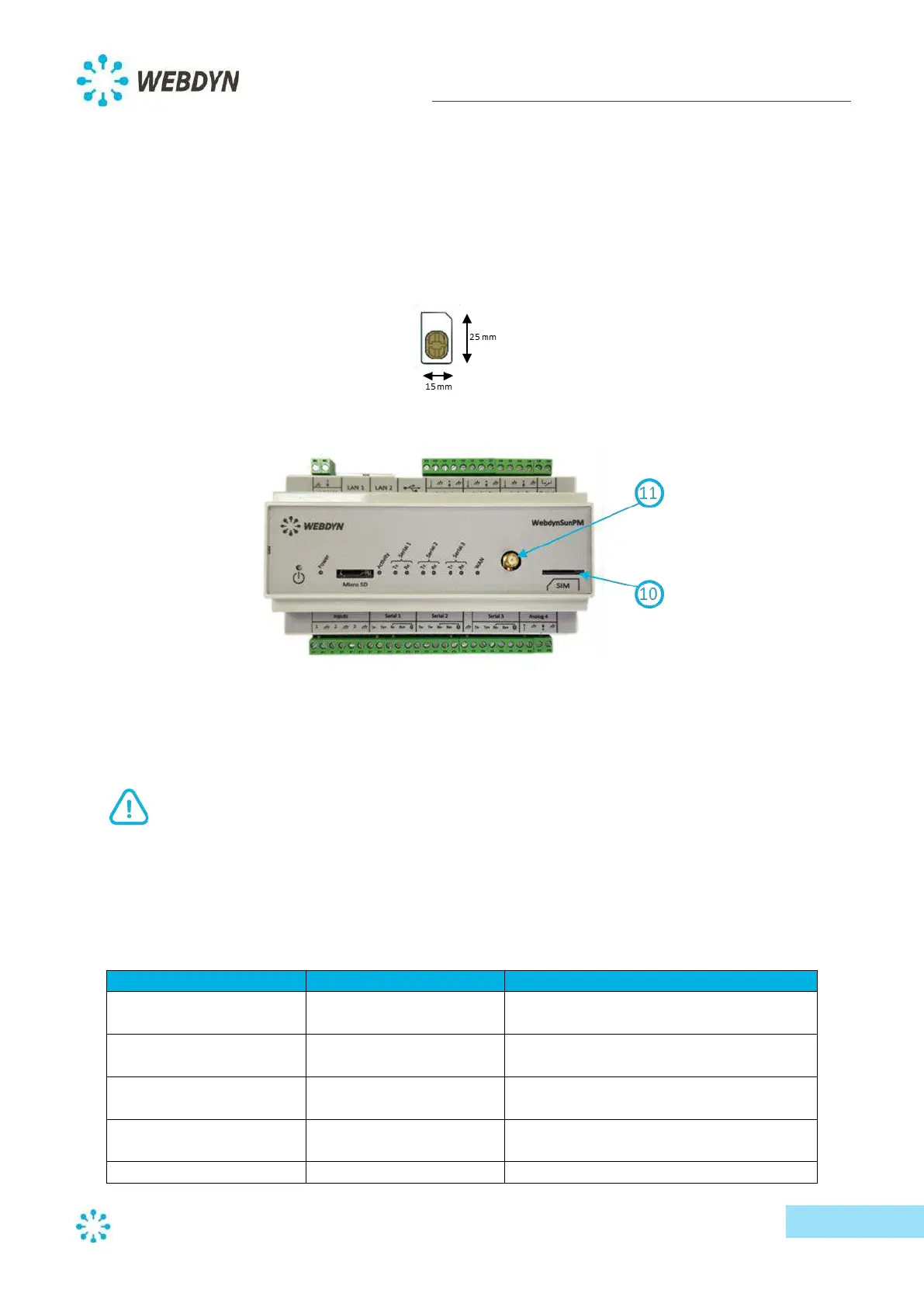
The concentrator is compatible with all commercial operators and all SIM cards in mini SIM format
(2FF).
The SIM card can be inserted into the front panel of the product via a push-push mechanism.
The elbow antenna supplied with the product can be connected to the SMA female connector on the
front panel of the product.
If the WebdynSunPM concentrator is mounted in a metal enclosure or somewhere that
hinders proper signal reception, the use of a remote antenna is strongly recommended.
Make sure you use an antenna compatible with the connector and its frequencies.
Modem configuration is mandatory if you wish to connect via this interface.
Modem setting are shown below:
This parameter defines how the PIN code
on the SIM card is managed
PIN code to be used if the PIN code
management mode is set to "Manual"
Access Point Name to connect to the
internet



 To Next Page