38
WebdynSunPM – User guide — Version 1.0
8.2.1.3 Edit device settings
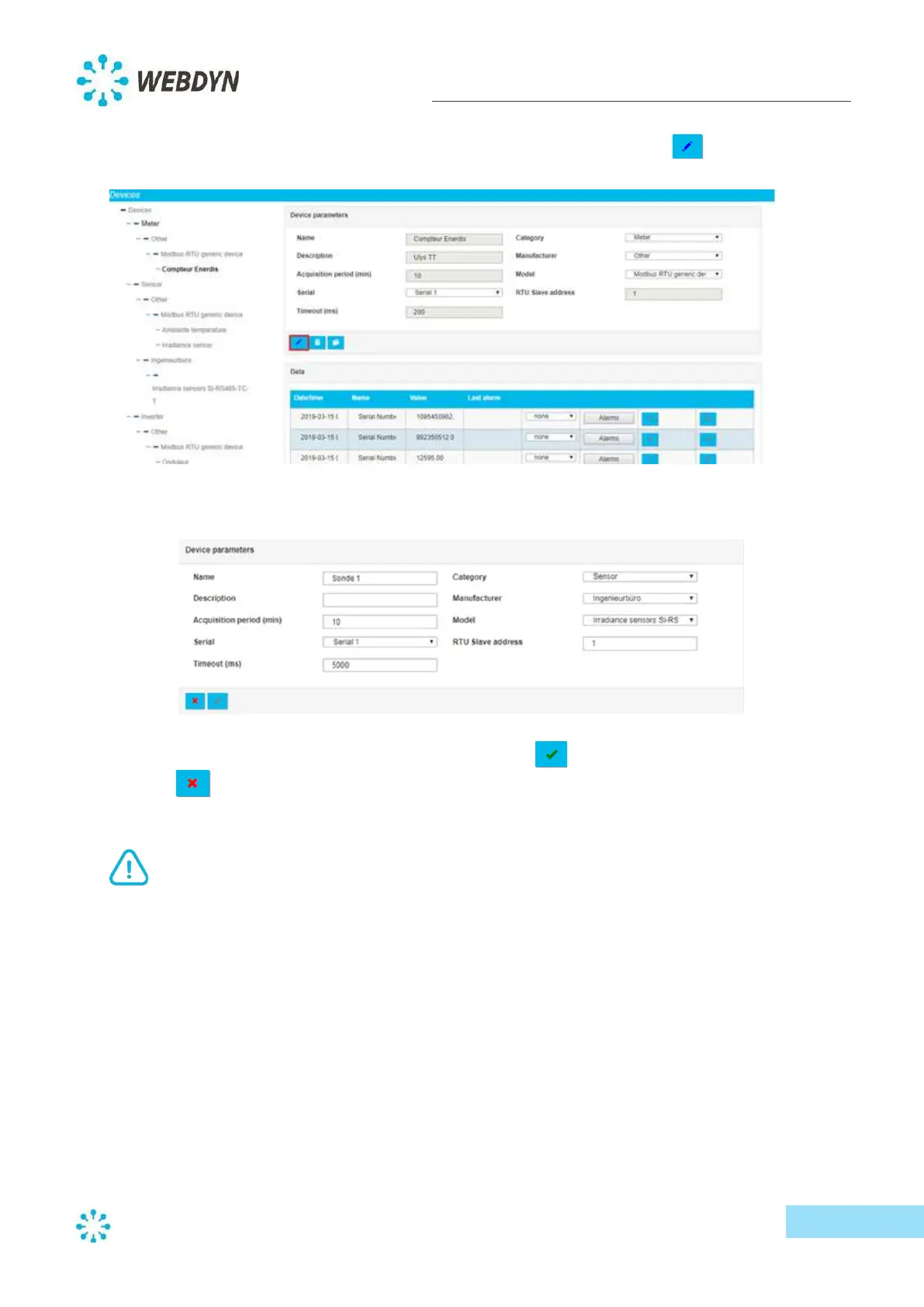
You can edit a device by selecting it from the device list, then clicking on the edit button
.
The device details will be displayed to the right of the device list, in edit mode.
Modify the fields you wish to change, then click on the tick button
to confirm the changes, or
the cross button to cancel any changes you made.
The category, manufacturer and model cannot be changed in edit mode.



 To Next Page