Pro-EC44 2-Loop Graphical Profile Controller & Recorder
Pro-EC44 Product Manual - 59540-2 September 2014 Page 71
Two Point Calibration
This method is used where an error is not constant across the range.
Separate offsets are applied at two points in the range to eliminate both “zero” and “span”
errors. To use:
1. Measure and record the error at a low point in the process.
2. Measure and record the error at a high point in the process.
3. Go to the first two point input calibration screen.
a. Enter the desired low point value as the Calibration Low PV value.
b. Enter an equal, but opposite value to the observed error as the Calibration Low
Offset to correct the error at the low point.
4. Go to the second two point input calibration screen.
a. Enter the desired high point as the Calibration High PV value.
b. Enter an equal, but opposite value to the observed error as the Calibration High
Offset to correct the error at the high point.
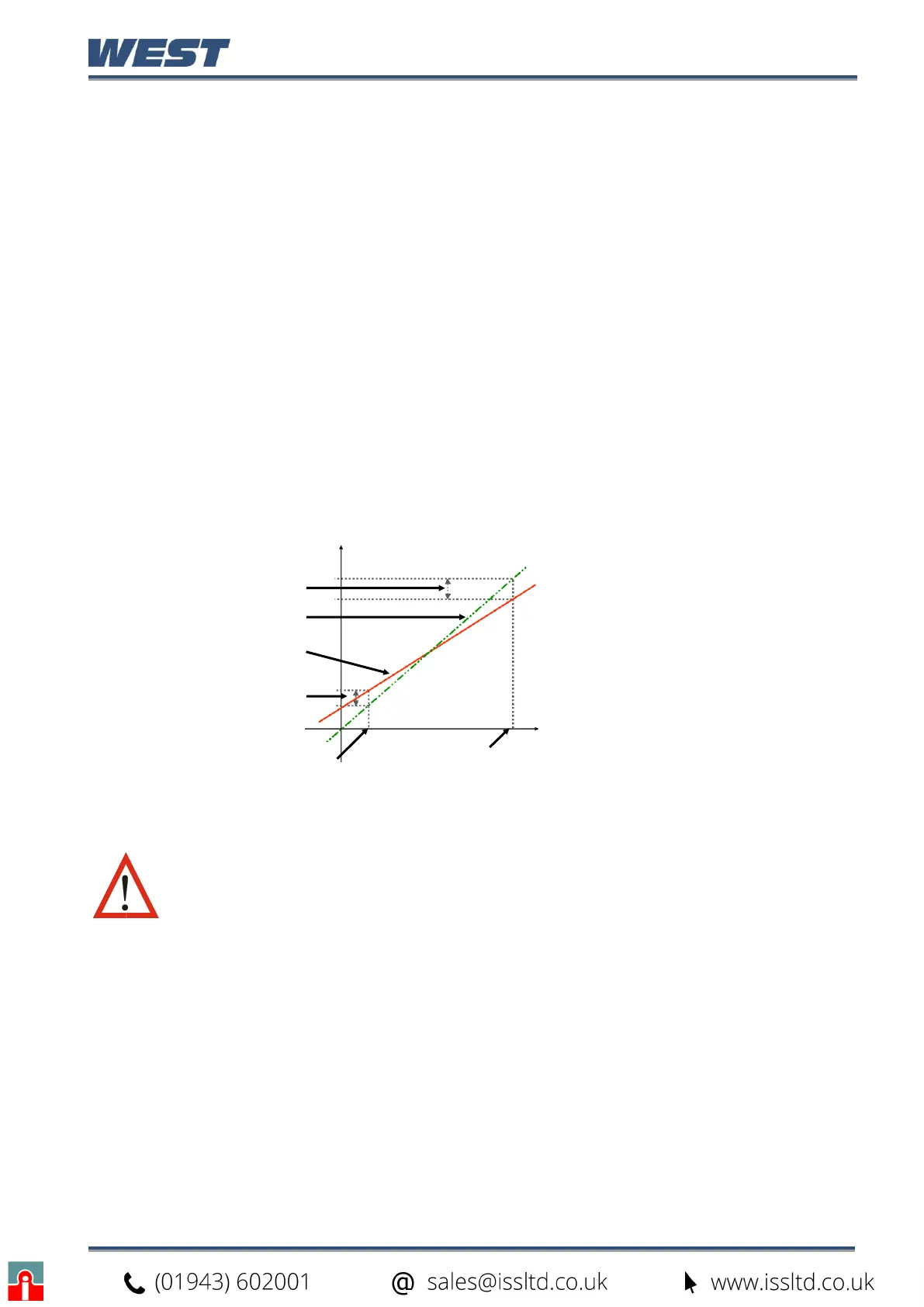
This example shows a positive Low
Offset and a negative High Offset. For
example:
If the process displays a low end error
where +0.5 displays as 0.0, an offset
of +0.5 corrects the value to +0.5
A high end value of 100.0 with a -1.7
offset would read 98.3.
There is a linear relationship between
these two calibration points.
Figure 45. Two Point Calibration
CAUTION: Choose values as near as possible to the bottom and top of
your usable span to achieve maximum calibration accuracy. The effect of
any error can grow at values beyond the chosen calibration points.
New Displayed Value
Calibration High
Process Value
Process Value


 To Next Page