User Guide
4. Management
4.8 Partially Populated Enclosures
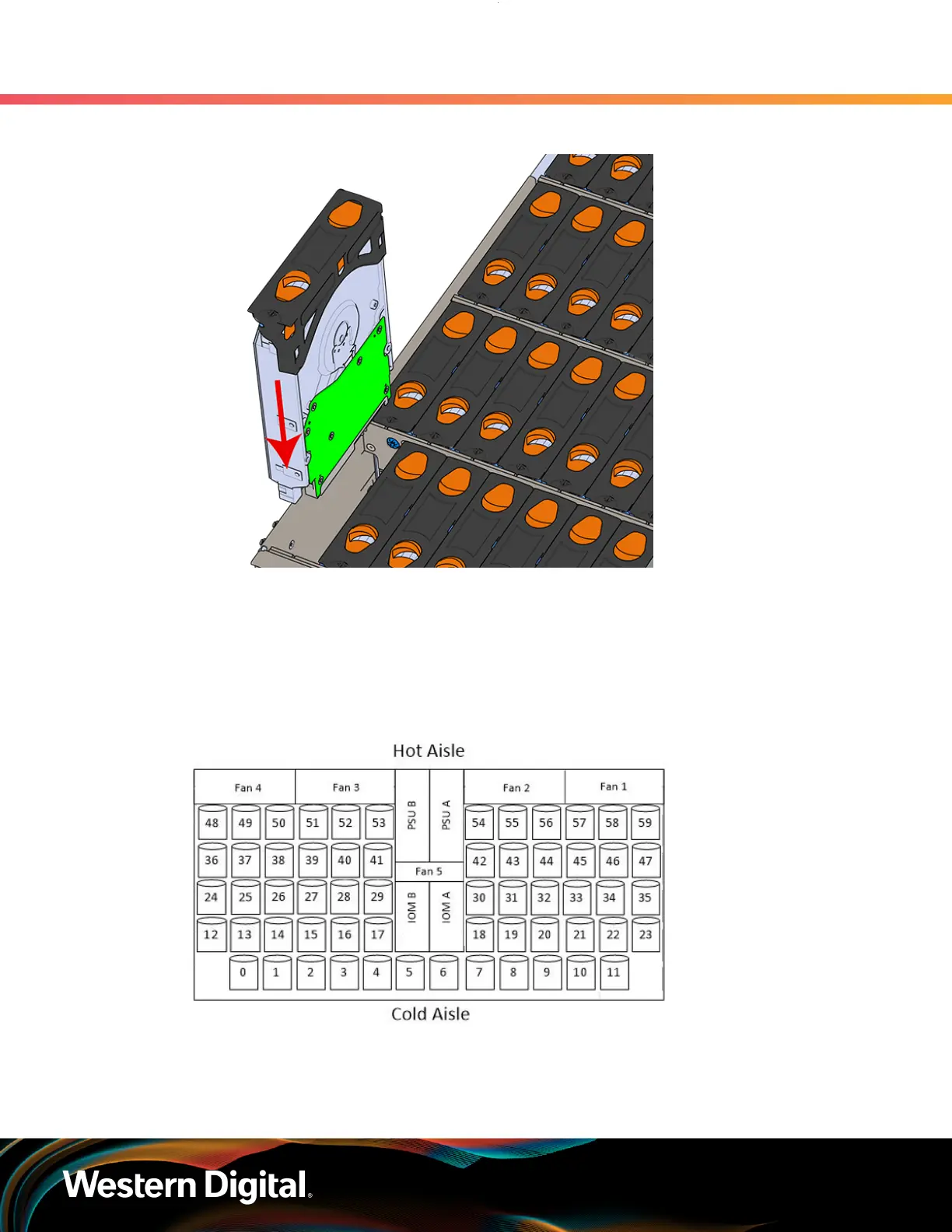
Figure 206: Installing a 3.5in HDD Assembly
d. Pinch the latch release and carefully press downward to seat the 3.5in HDD Assembly the
rest of the way.
Step 5 : Install each drive in the same way the first was installed. Make sure to follow the drive layout
shown in the following image.
Figure 207: Drive Layout
Step 6 :
Push the enclosure back into the rack to ensure proper cooling.
220















 To Next Page