User Guide
3. Support
3.3 PSU Replacement
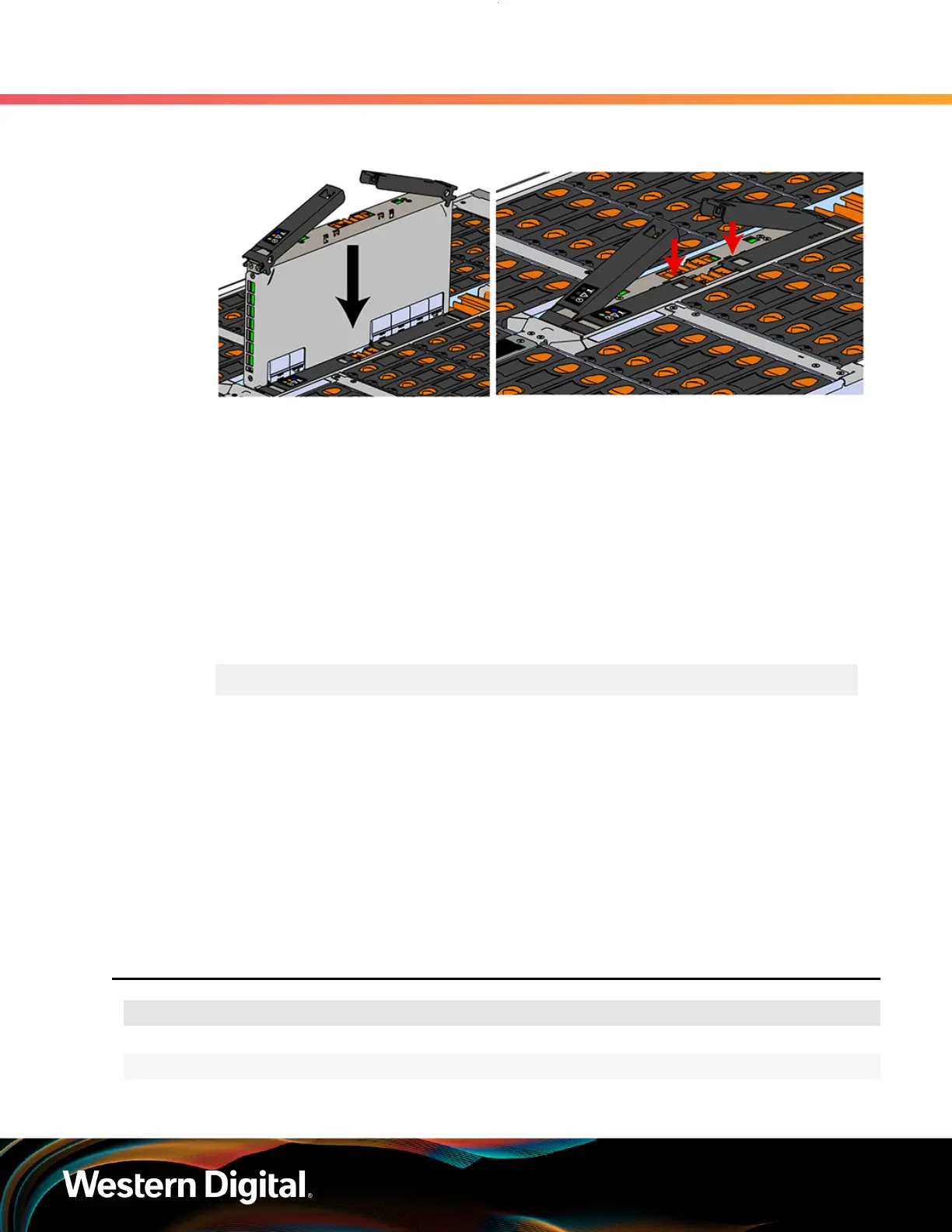
Figure 42: Installing the IOM
d. When the IOM is lowered fully, apply light pressure with both hands evenly on the IOM body,
not the handles, to seat the IOM in the connector. If the IOM won’t seat correctly, DO NOT
FORCE IT. Instead, back the IOM out, check the pins to make sure none are damaged, and
try again.
e. Once the IOM is seated properly in the slot, close the handles until they latch closed.
Step 6 :
Push the chassis back into the rack. Verify that the fans have slowed to their regular RPM. This
ensures that the enclosure is back to its proper cooling settings.
Step 7 : Check the fault LEDs on the IOM or on the enclosure's front and rear LED panels to determine if
there is a firmware mismatch between the replacement IOM and the IOM that was not replaced.
a.
If the fault LED is illuminated, open a command prompt on the host server and issue the
following command using SG3_utils.
sg_ses <dev> -p 3
Remember to replace the <dev> field with the appropriate value related to the IOM in slot
A.
b. Scan the output for the ESCE element status descriptor. If it is critical, then there is a
firmware mismatch.
c. To fix the firmware mismatch, perform an upgrade to the current firmware revision by
following the upgrade instructions here: Firmware Upgrade (page 161)
Step 8 :
If zoning was configured via the WDDCS Tool, OOBM, sg_senddiag, or SMP zoning commands,
these methods require each IOM to be configured individually. Configure zoning on the new IOM
before the system is put back into production. For instructions on zoning, please see Zoning
(page 180).
3.3
PSU Replacement
Replacement Requirements
Personnel Required 1
Avg. Replacement Time 1 min
Max Replacement Time 5 min
62















 To Next Page