User Guide
3. Support
3.7 CMA Replacement
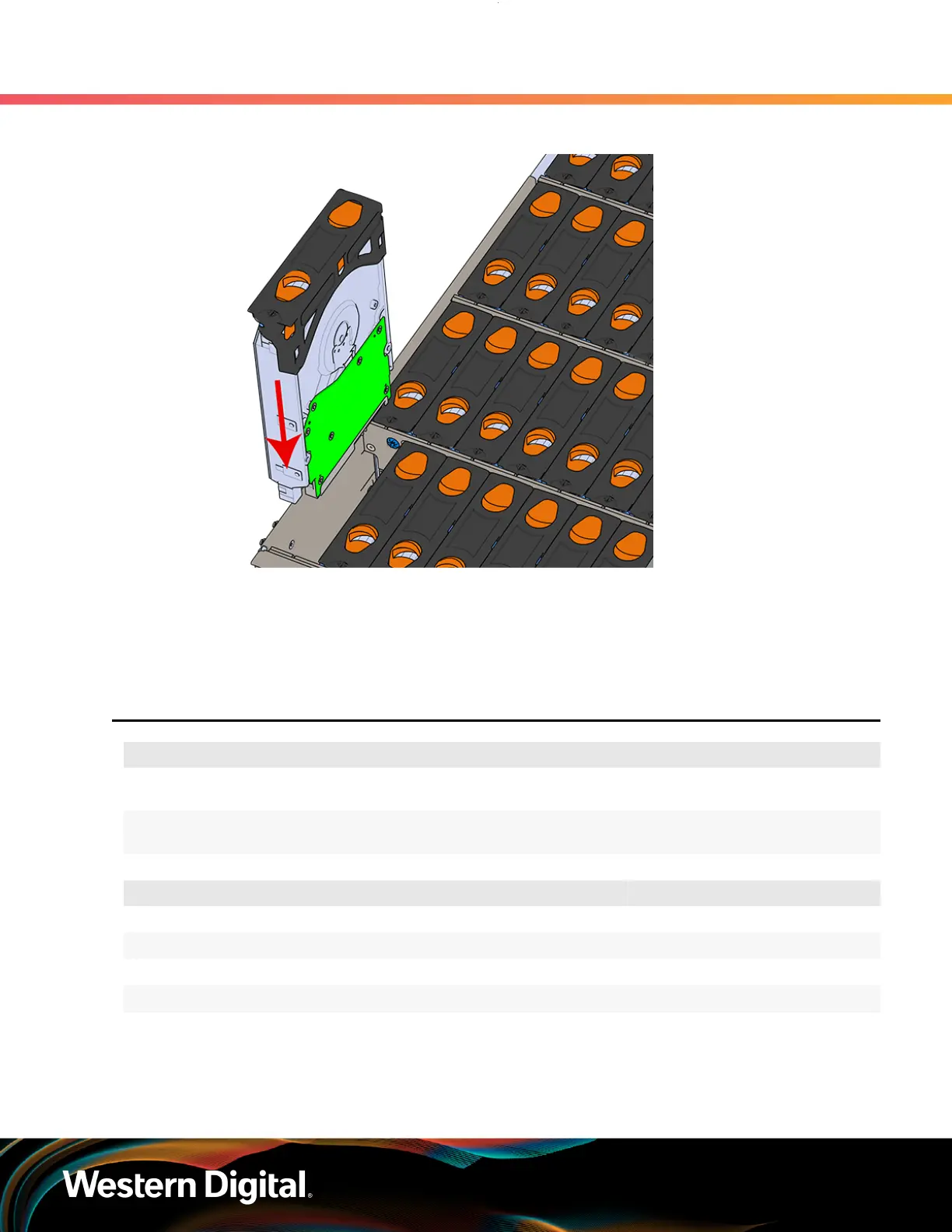
Figure 62: Installing a 3.5in HDD Assembly
d. Pinch the latch release and carefully press downward to seat the 3.5in HDD Assembly the
rest of the way.
Step 6 :
Push the enclosure back into the rack to ensure proper cooling.
3.7
CMA Replacement
Replacement Requirements
Personnal Required
1
Avg. Replacement Time
15m
Max Replacement Time
Tool Required vs. Recommended
# 2 Philips Screwdriver Required
Cable Ties (for configurations with greater than 10 total cables) Recommended
Tape Measure Recommended
Low-Profile M4 x 3.2mm Philips screws Recommended
Step 1 : Place the CMA(s) into the service position.
a. Unlatch the CMA(s) at the elbow connector by pressing the blue release button to unlatch
the connector from the rail.
75















 To Next Page