User Guide
3. Support
3.7 CMA Replacement
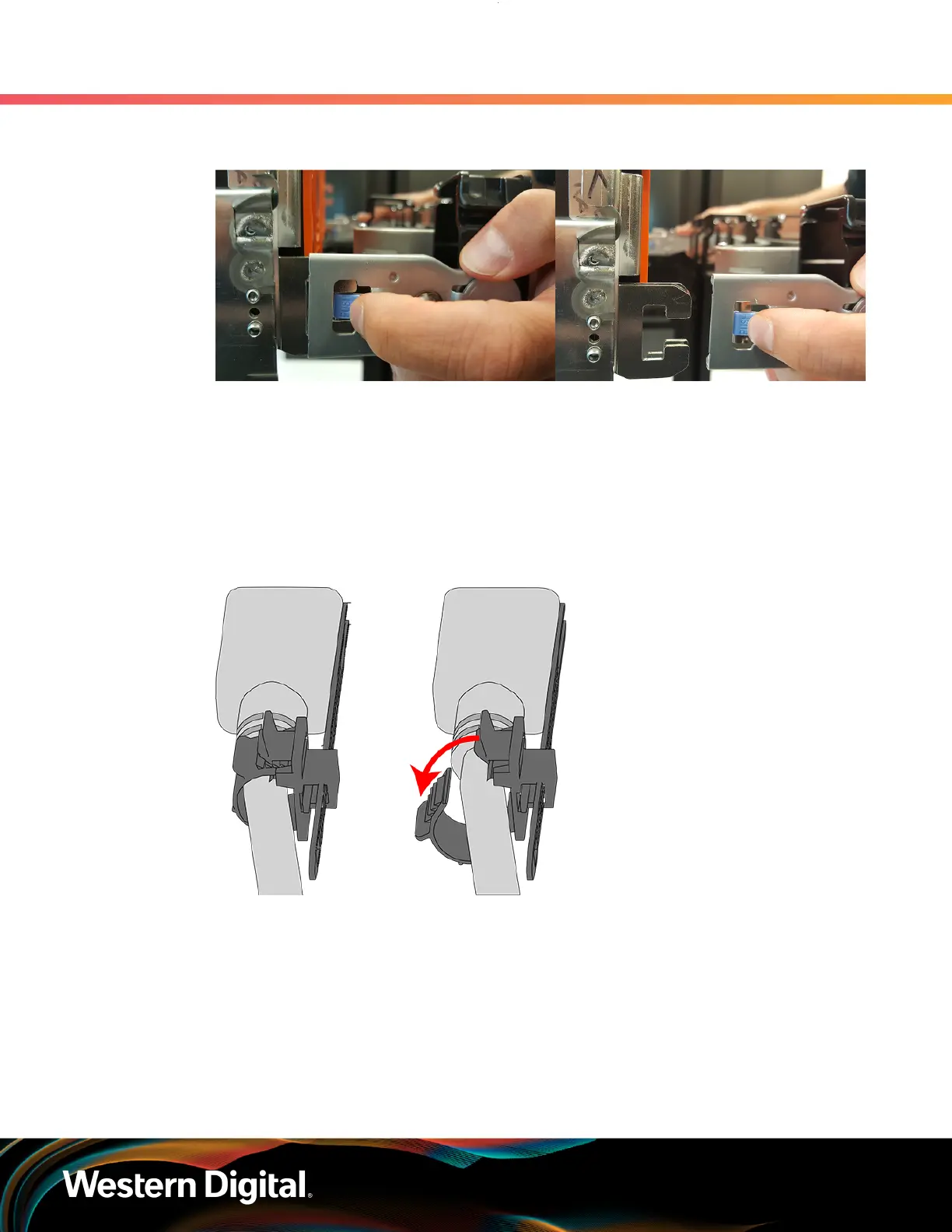
Figure 63: Unlatching a CMA Connector
b. Swing the CMA(s) away from the enclosure.
c. The CMA arm(s) should be extended away from the enclosure.
Step 2 : Disconnect the Enclosure from power.
a. Locate the redundant PSUs at the rear of the enclosure.
b.
Detach the cable retention clip from both power cords.
Figure 64: Cable Retention Mechanism
c. Power down the enclosure by disconnecting both power cables, one from each PSU.
Step 3 :
Disconnect the remaining cables from the enclosure.
Step 4 : Uncable the CMA(s).
a. Open all of the baskets on the CMA.
76



 To Next Page