User Guide
3. Support
3.3 PSU Replacement
Tool # Needed
Required vs.
Recommended
None N/A N/A
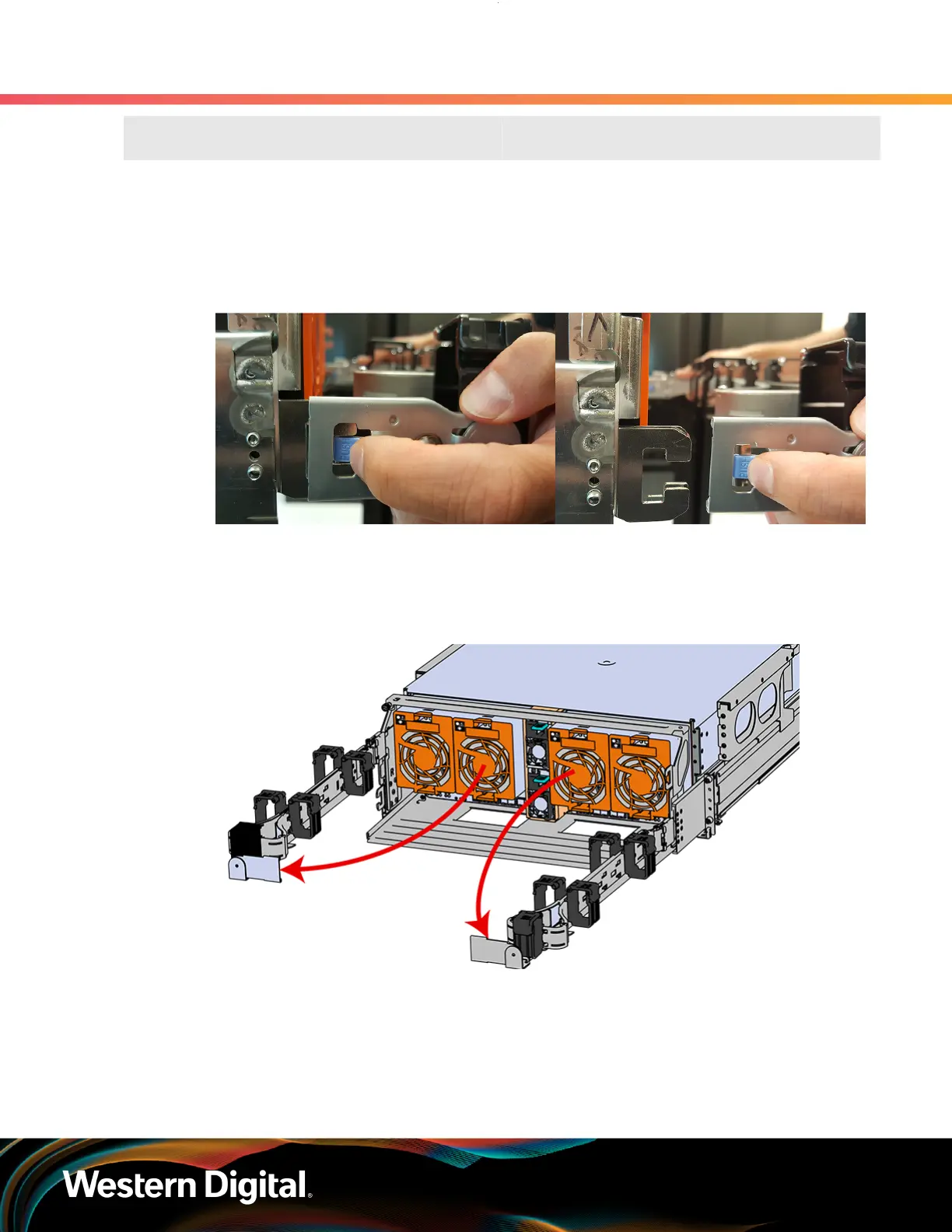
Step 1 : Place the CMA(s) into service position.
a. Unlatch the CMA(s) from the rail at the elbow connector by pressing the blue release button.
Figure 43: Unlatching a CMA Connector
b. Swing the CMA(s) away from the enclosure.
c.
The arm(s) should be extended away from the enclosure as shown in the following example.
Figure 44: CMA(s) in service position (Cables not shown)
Step 2 :
Locate the faulty PSU by finding the amber LED lit at the rear of the enclosure.
Step 3 : Detach the retention clip from the PSU cable.
63















 To Next Page