User Guide
3. Support
3.2 IOM Replacement
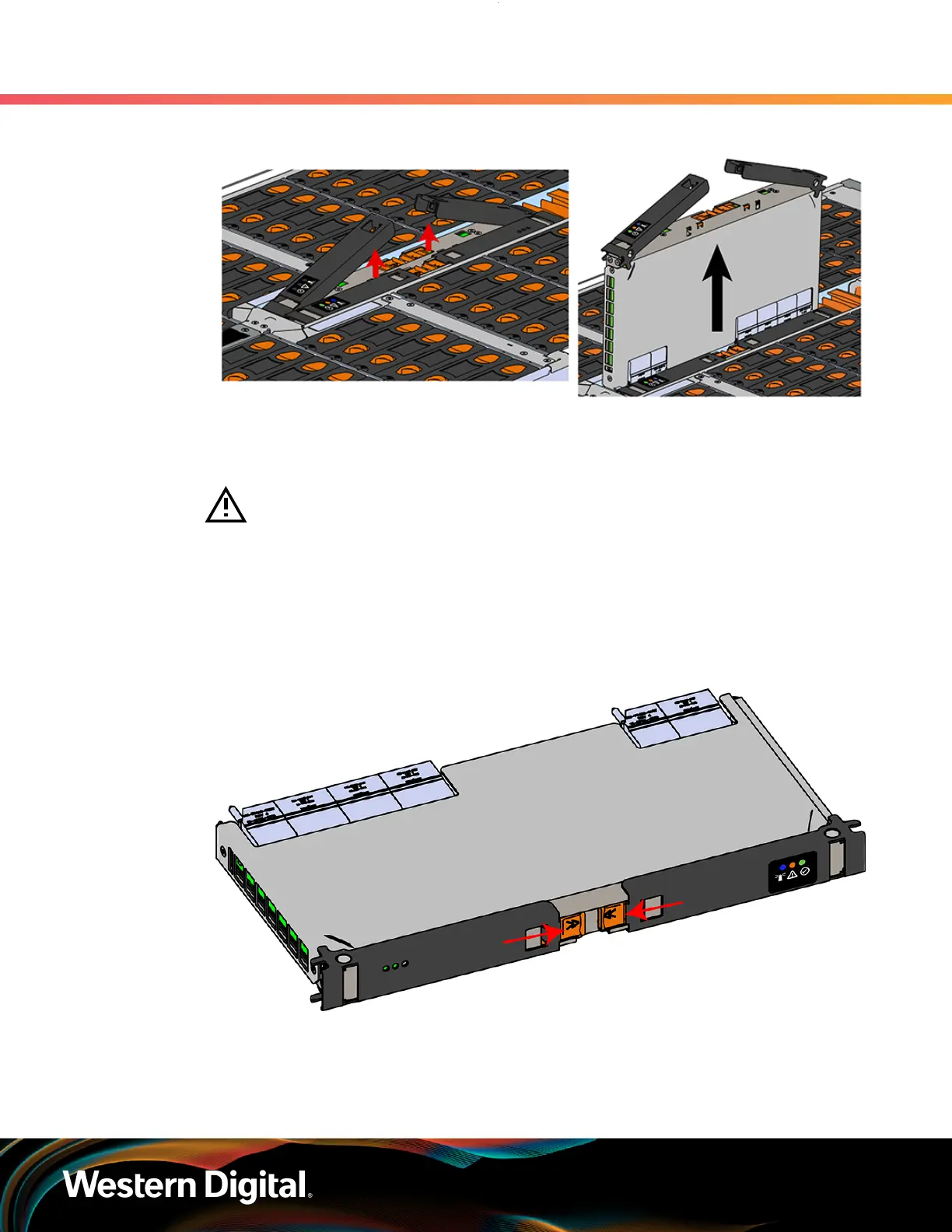
Figure 40: Removing IOM
Step 4 :
Remove the new IOM from its packaging.
Step 5 : Install the IOM.
Caution: If a pin on the IOM’s internal connectors is bent or damaged, the IOM will
have to be replaced. For this reason it is imperative that the IOM is not forced into
position, that it is inserted straight, and that the directions for installing the IOM are
followed exactly.
a.
Ensure that the handles on the IOM are not latched. To unlatch them, press the latch release
in the direction shown in the following image.
Figure 41: Unlatching IOM Handles
b. Align the IOM with the empty slot on the top of the chassis so that the arrow on the IOM
latch release is facing toward the side shown in the following image.
c.
Slowly lower the IOM into the empty slot while being careful to keep it level. Do not to force
it.
61















 To Next Page