User Guide
3. Support
3.2 IOM Replacement
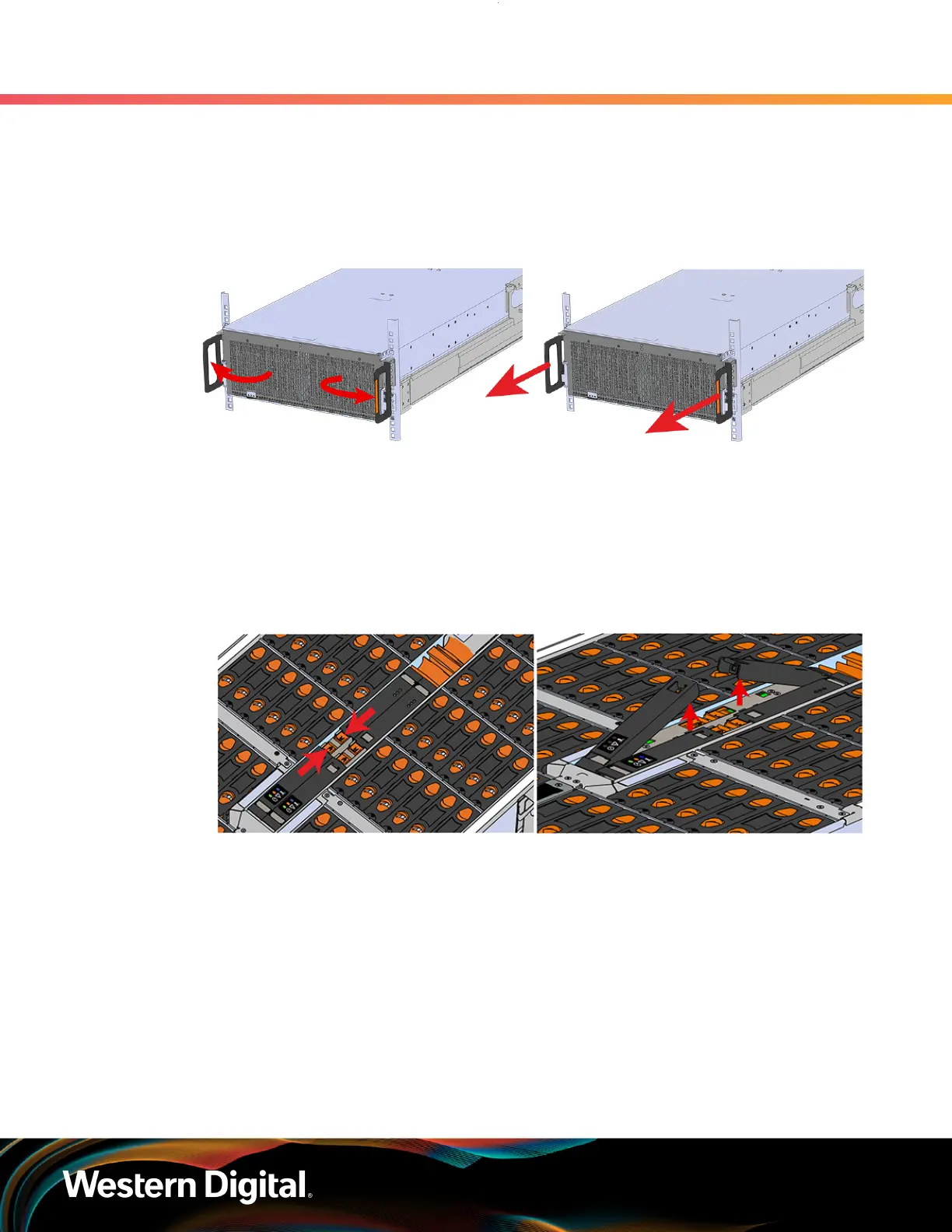
Step 1 : Grasp both handles at the front of the enclosure and pull with even pressure to extend the
chassis out of the rack until it is stopped by the safety latches. The safety latches will prevent the
enclosure from coming out of the rack completely and the cover will remain in the rack attached
to the rear alignment brackets.
Figure 38: Chassis Handle Operation
Step 2 :
Locate the faulty IOM by the amber LED that will be lit on top if there is a fault or by activating
the identify LED on the IOM being replaced.
Step 3 : Uninstall the IOM(s).
a. Locate the latch release on the IOM and press it in the direction shown in the following
image.
Figure 39: Unlatching the IOM
b.
Grasp both handles, one handle in each hand, and lift evenly with both hands to ensure the
IOM comes out straight. This will prevent any damage to the pins on the internal connectors.
60















 To Next Page