User Guide
3. Support
3.7 CMA Replacement
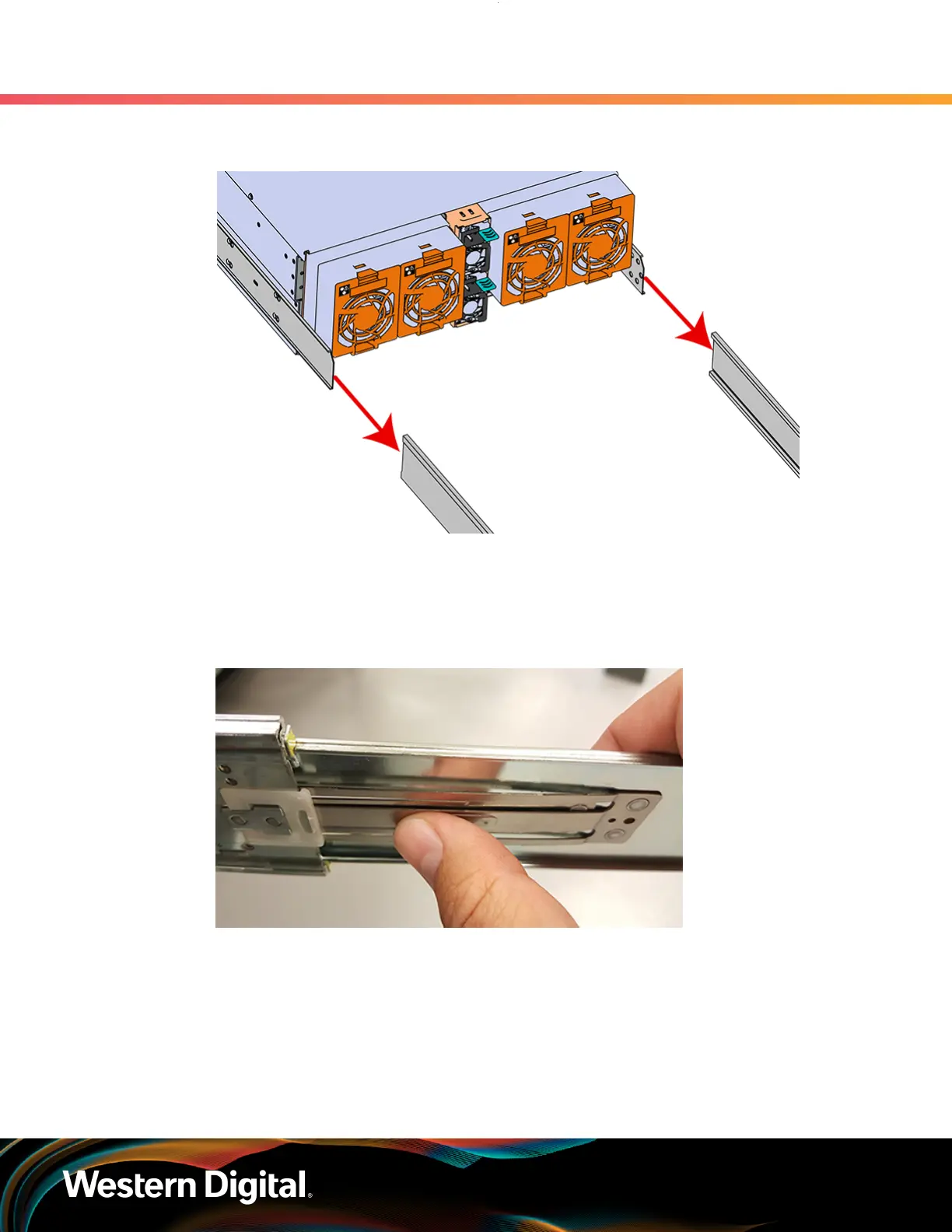
Figure 73: Installing the Chassis
d.
Once the rails are mated properly, slide the enclosure into the rack until it is stopped by the
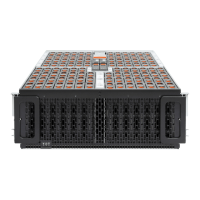
safety catch on the rails. Push the release lever on the safety latch (located on the side of
each of the rails), and push the enclosure the rest of the way into the rack.
Figure 74: Safety Latch Release
e. As the chassis is slid into the rack, position one installer at the rear of the rack to ensure that
the pegs on the sides of the cover will slide correctly into the rear cover alignment brackets
on both sides of the rack. If the chassis does not install smoothly or snags, check that the
rear cover alignment brackets are not interfering with the chassis sidewalls, and try again.
Step 12 : Install the CMA(s).
82







 To Next Page