page 1 – 3
IP-12/IP-16 / Dec 2014
GENERAL INFORMATION
Control Surface Placement
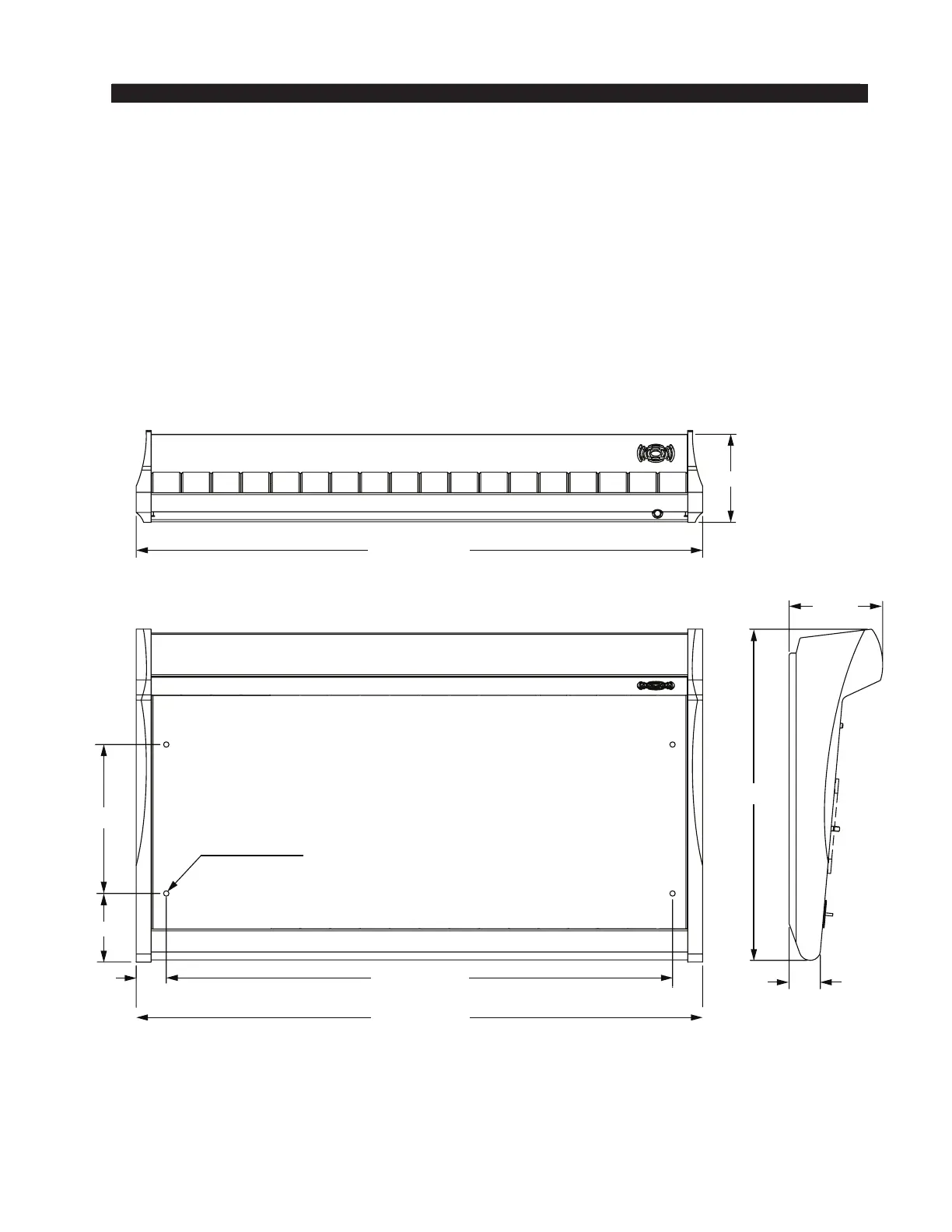
The IP-12/IP-16 audio control surface is designed for countertop mounting. Although
the rubber feet on the bottom keep the surface from being easily moved when simply
placed on the counter, holes have been provided so that screws may be used to mount the
surface securely to the countertop. Locate the IP-12/IP-16 on the counter, and remove
the screws that hold the rst and the last modules in place (two per module). Carefully
remove these modules from the frame. Attach the mainframe to the counter top, using
the holes provided in the bottom of the chassis and screws appropriate to the counter
material, and reinstall the removed modules.
16-11/16"
4-11/16"
1-9/16"
22-1/2" for IP-12
19-1/2" for IP-12
1-1/2"
7-1/2"
3-7/16"
4 HOLES D=3/16";
USE #8 SCREWS
22-1/2" for IP-12
4-7/16"
28-1/2" for IP-16
28-1/2" for IP-16
25-1/2" for IP-16



 To Next Page