page 2 – 11
IP-12/IP-16 / Dec 2014
SURFACE CONFIGURATION
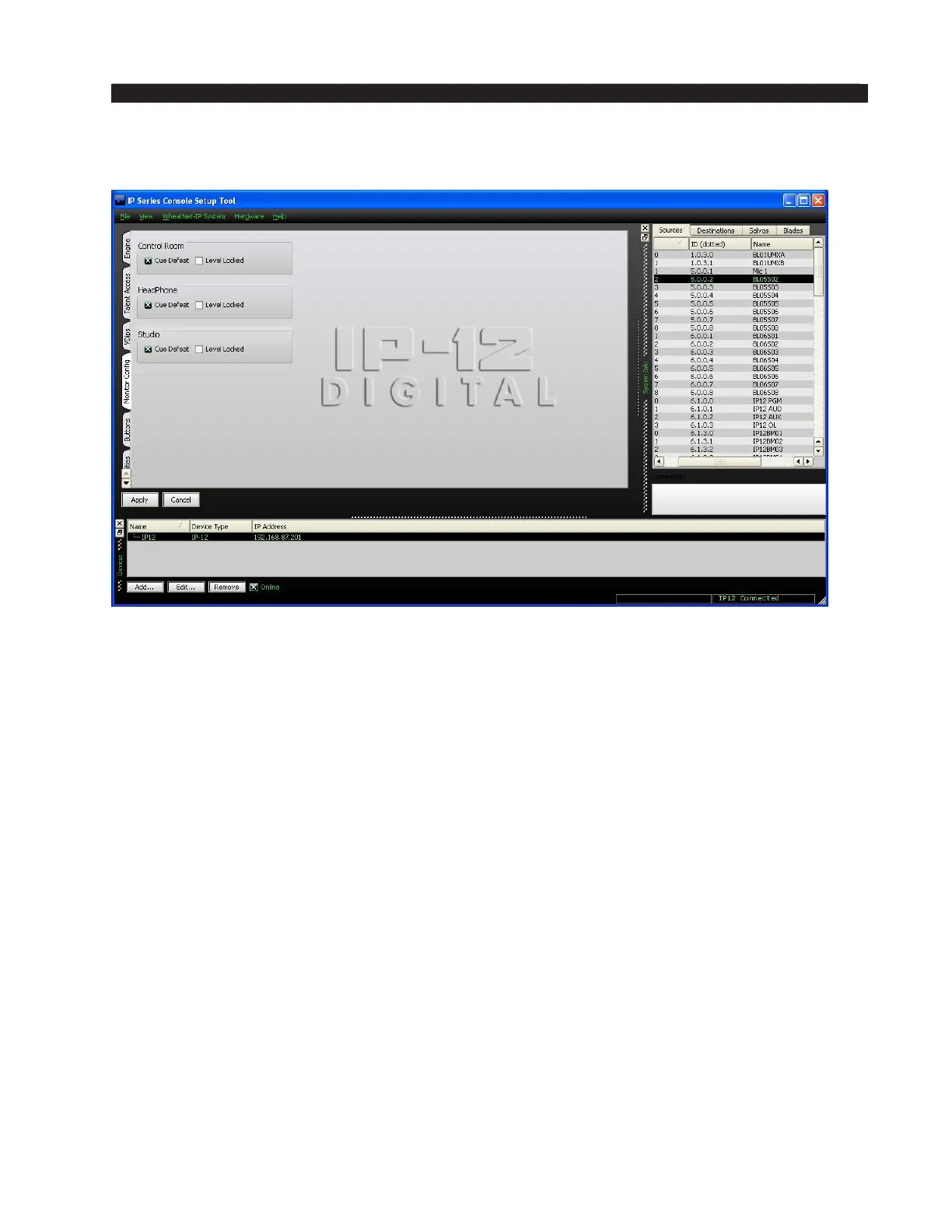
Monitor Config Tab
The Control Room, Headphone, and Studio monitor outputs are normally interrupted
with cue audio whenever a fader is switched into cue. However, if the Cue Defeat box
is checked for a given monitor, then cue will no longer interrupt that monitor output.
The output levels of the three monitors normally follow their respective level controls
on the CR-12 Control Room Module and the SC-12 Studio Control Module. But it is
possible to lock the level of each of the monitors.
Using the studio monitor as an example, adjust the STUDIO level control on the
SC-12 to the desired level, then check the Level Locked box in the Studio section of
the Monitor Cong tab. The monitor output will remain at the xed level regardless
of any changes in the STUDIO level control position. If at a later time you decide to
unlock the level, the level will still be unchanged until the next time the STUDIO knob
is moved, at which point it will follow the knob once again.
After making changes you must click Apply for the changes to take effect. If you’ve
made a change and decided you don’t want to make that particular change after all you
can click Cancel, which will cancel any changes you made since entering the Monitor
Cong tab, or since you last clicked Apply.



 To Next Page