page 2 – 8
IP-12/IP-16 / Dec 2014
SURFACE CONFIGURATION
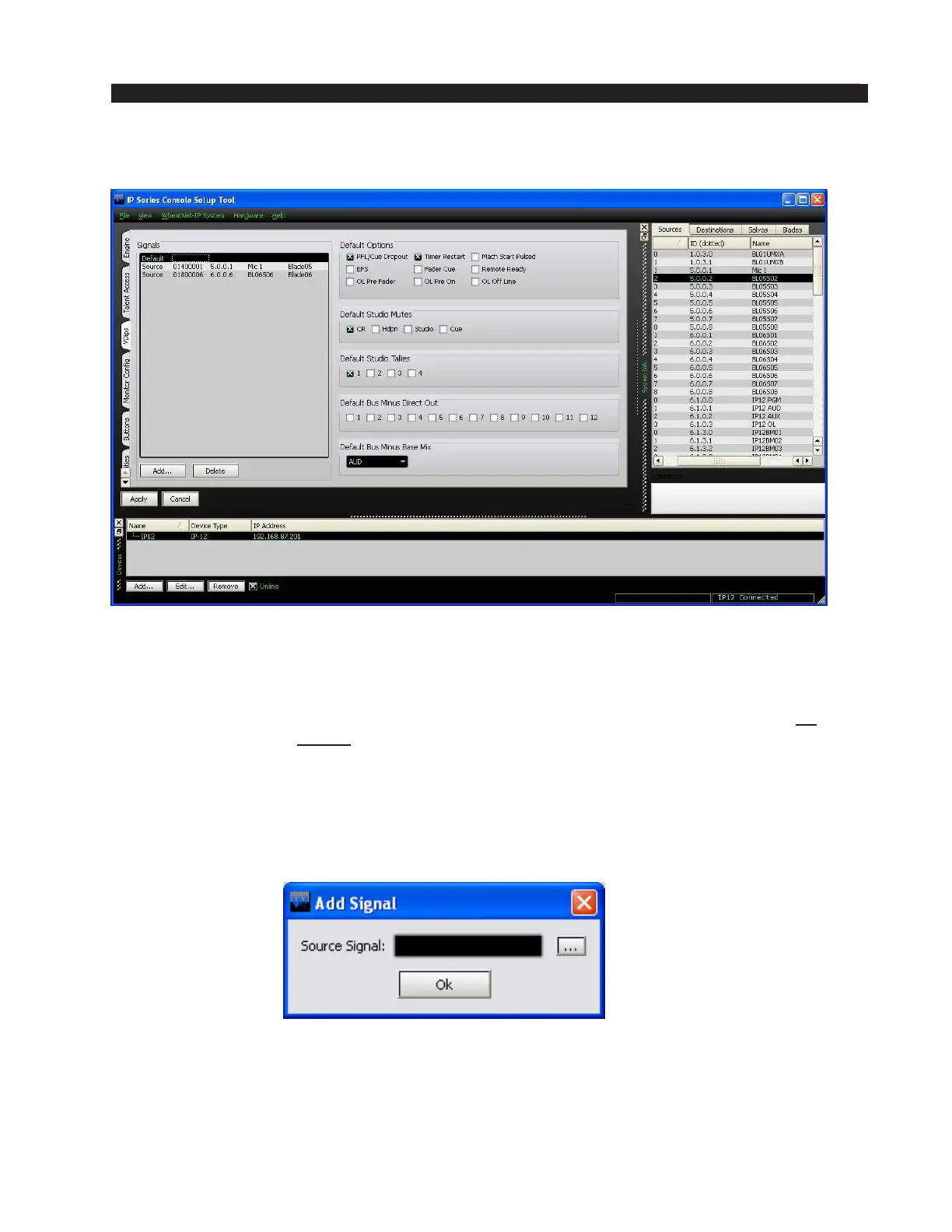
VDips Tab
Many surface functions, such as Mute, Tally, and Machine Start Pulsed, are
programmed from the VDips tab. VDip settings are attributes of the Source signal and
will follow the signal onto different faders of the surface, or even other surfaces.
When the IP-12/IP-16 GUI is rst started, the VDips tab Signals list contains only
one item, Default. If you select Default you will be editing the VDip settings of all
sources in the system, except those you have specically overridden.
If you want to edit the VDip settings of a specic signal to be different than the
default settings you rst need to add the signal to the Signals list. Click the Add... button
to bring up the Add Signal dialog.
Click the button with the three dots (ellipsis) to the right of the Source Signal eld
to bring up the Source Picker dialog.



 To Next Page