page 1 – 5
IP-12/IP-16 / Dec 2014
GENERAL INFORMATION
Connections
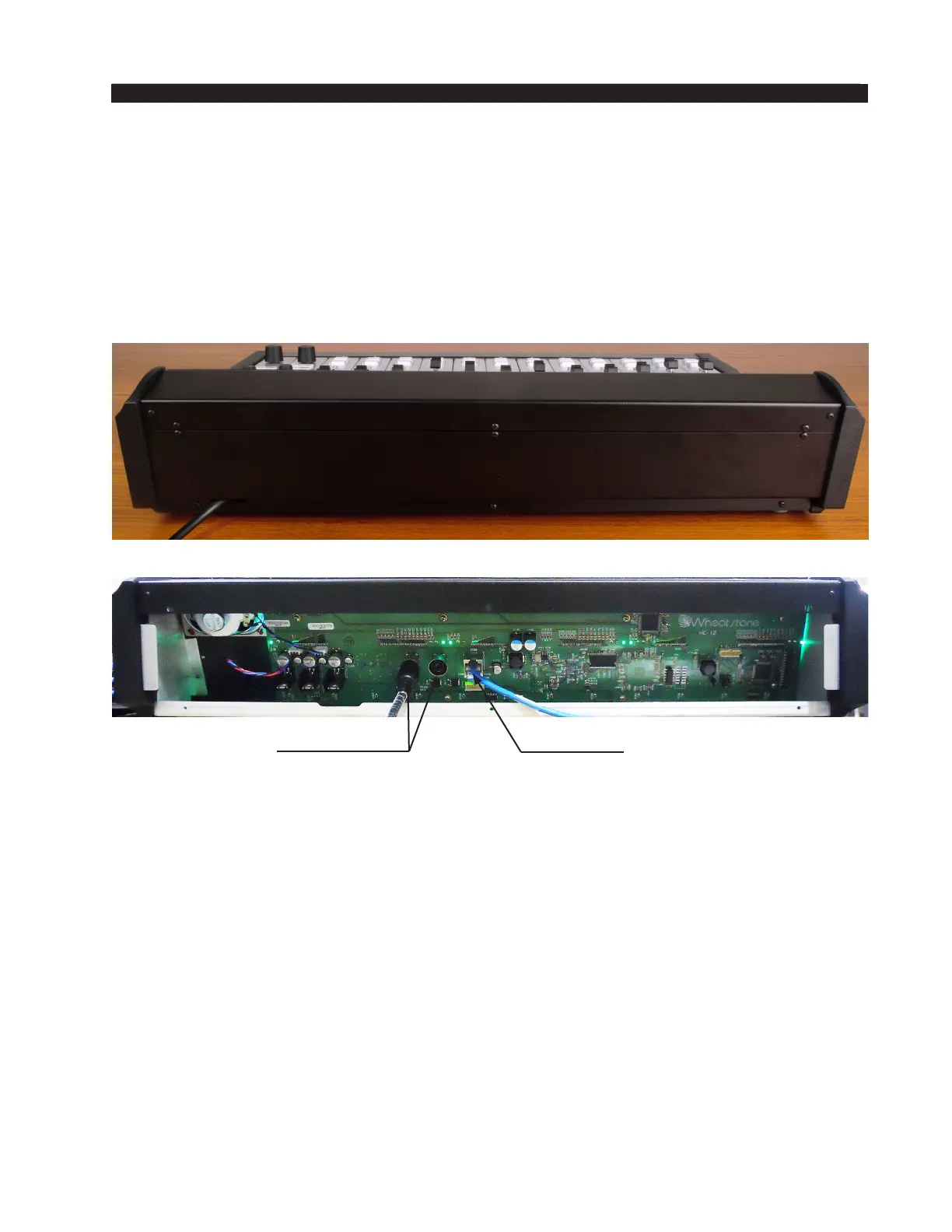
The rear panel has two 5-pin DIN power supply connectors, mounted on the Host
Controller card, for power supply connections.
The rear panel also has an RJ-45 connector that provides the control surface connection
to a standard Ethernet network switch.
Unscrew the control surface’s rear panel to access these connectors. Note that there
is clearance at the bottom of the rear panel for cable passage.
Energizing
Assuming the IP-12/IP-16 control surface is properly placed, and its power supply
correctly connected to the console, you may now energize the power supply adapter by
plugging it into the AC mains. The control surface’s switches and meterbridge displays
will assume factory default settings.
Note: To de-energize the console, unplug the power supply adapter’s AC cord from
the AC mains. Never de-energize the console by disconnecting the cable that connects
the console and power supply adapter together.
Network
Connector
Power Supply
Connectors



 To Next Page