page 3 – 8
IP-12/IP-16 / Dec 2014
IP-12 CONTROLS AND FUNCTIONS
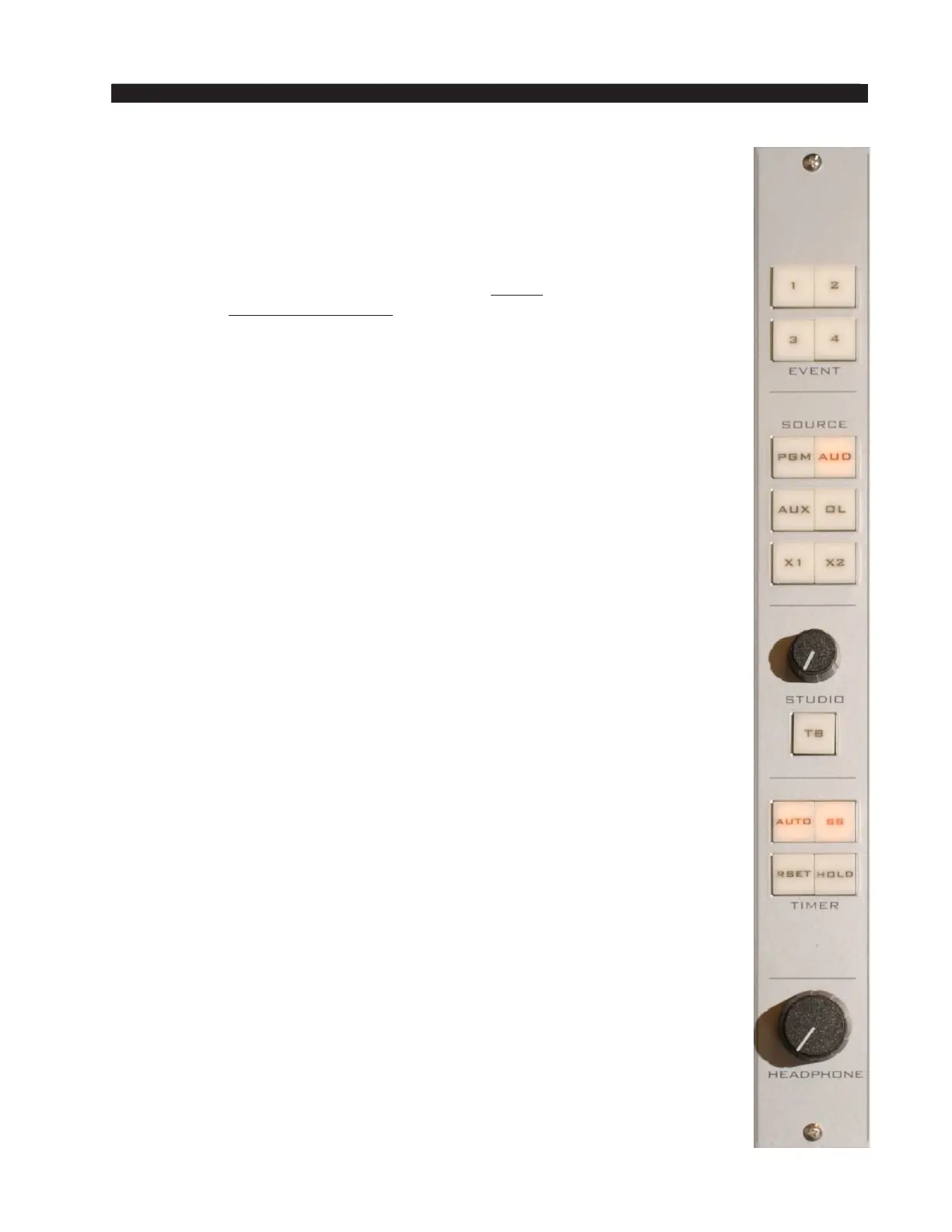
HEADPHONE Level Control
The HEADPHONE level control determines the overall loudness of the
headphone output signal, which monitors the same source (PGM, AUD, AUX,
OL, X1, or X2) as the Control Room speakers.
The headphone output signal appears at the HEADPHONE JACK, located
beneath the armrest near the right side of the control surface. The jack is
provided as a place to plug in user-supplied stereo headphones having an
impedance of 60 Ohms or higher.
The IP-12/IP-16 may be congured so that the HEADPHONE level control
has no effect.
TIMER Buttons
The control surface timer is provided with an AUTO-RESTART function
so that input modules can automatically reset the timer display (located on the
meterbridge) to zero and start a new count, allowing the announcer to easily
track his own pace. The AUTO button must be lit to enable this function,
and signals must be congured as well to determine which ones, if any, will
trigger the auto restart.
The S/S (start/stop) button halts the timer, holds the last count, and then
restarts and accumulates the count when depressed again
—
perfect for compiling
tapes of desired duration.
RESET has a dual-mode capability:
- if you depress it while the timer is counting, the display will instantly
reset to zero and start a fresh count;
- if the timer is already stopped, depressing this button will reset the timer
to zero, where it will hold until start is pressed.
The HOLD button allows you to hold the display for a longer viewing
duration, while still allowing the counter to continue in the background.
Releasing the button will then display the current count.
EVENT Buttons
The IP-12/IP-16 includes a snapshot save and recall feature that saves all
of the surface’s switch settings to a unique Event le. These saved Events
may be recalled as required at any time.
To recall an Event, press and hold the appropriate EVENT button 1, 2, 3,
or 4 until it lights, release the button, then press it again. An Event will not
change the status of a channel that is ON when the Event is recalled.
To save an Event, press and hold the appropriate EVENT button until it
lights, then continue holding it until it ashes. The current surface switch
settings at the time the save is done will be reestablished when that Event is
recalled, except for any channels that are on at the time of recall.
User access privileges may be congured to limit access to Save and/or
Take Events in the Talent Access tab of the IP Series Console Setup Tool GUI.



 To Next Page