page 3 – 3
IP-12/IP-16 / Dec 2014
IP-12 CONTROLS AND FUNCTIONS
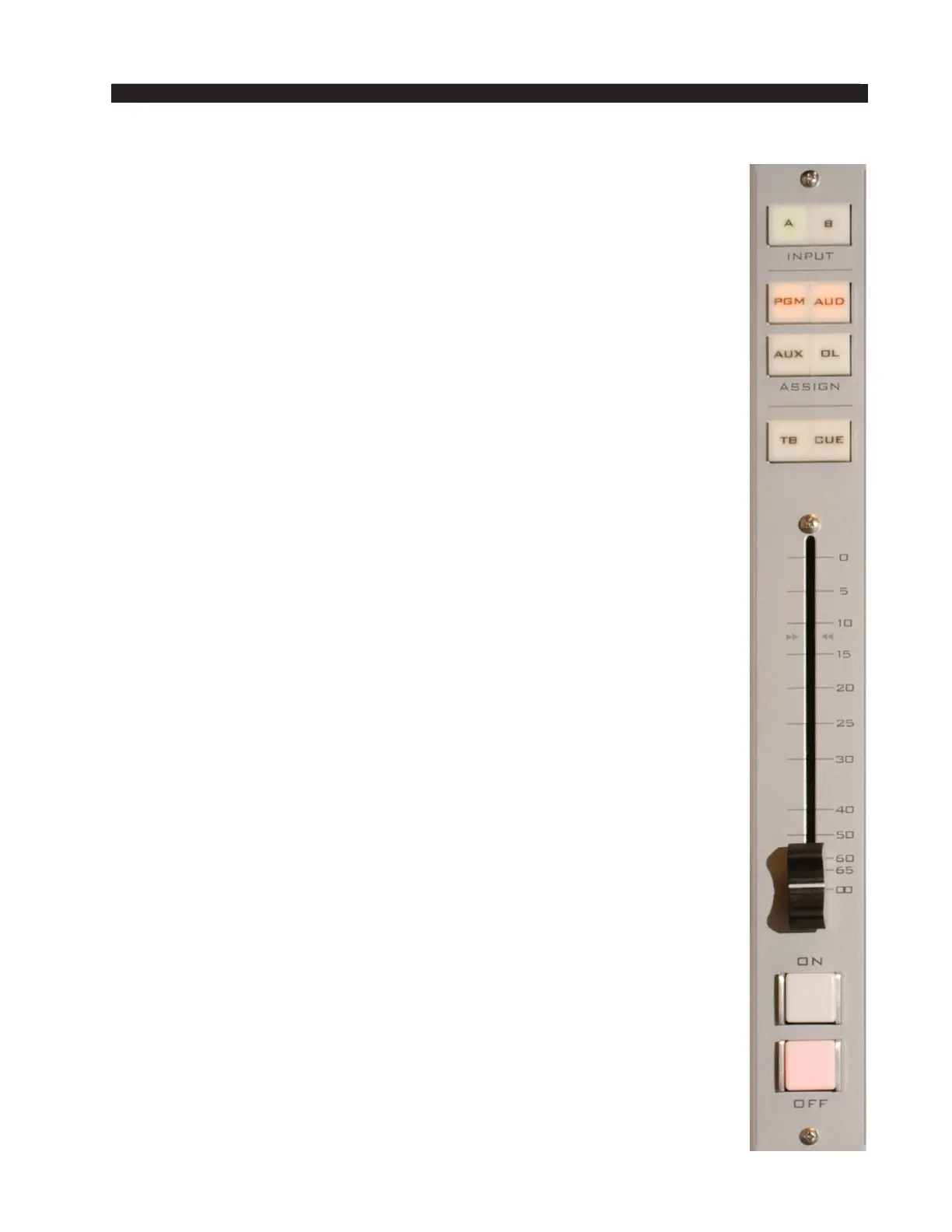
Assign Switches
Output switches assign the selected source signal to any combination
of the surface’s four stereo outputs – PGM (program), AUD (audition),
AUX (auxiliary), and OL (off line). The button will be lit when the source
is assigned to its respective bus. To remove a source from the bus, press the
button again; the light will go off to indicate that the source is no longer
assigned to that bus.
User access privileges may be congured to limit Bus Assignment on the
Talent Access tab of the IP Series Console Setup Tool GUI.
The OL Bus
The OL Bus has a special function in relation to a channel’s Bus Minus
output. Each signal that can be assigned to a channel will specify which bus
(PGM, AUD, AUX, or OL) provides the base Bus Minus mix (that is, which
bus the Bus Minus output is a mix-minus of) when that channel is on. When
the channel is off, however, the base Bus Minus mix may be the same as
when the channel is on, or may be congured to utilize the OL bus instead.
This allows the Bus Minus output to have different content when the channel
is off than it does when the channel is on.
Both the base Bus Minus mix and the use of the OL bus as base when
the channel is off are congured in the VDip settings (see the section VDips
Tab in chapter 2).
TB Switch
The TB switch routes the TB audio, typically the operator’s microphone, to
the BUS MINUS output for that channel, allowing the operator to talkback to
the talent hearing that BUS MINUS signal. To set the TB audio source, make
a crosspoint between the desired source and the destination signal IP12TkBk.
CUE Switch
The CUE switch assigns the selected source to the CUE bus, letting the
control surface operator monitor the channel’s pre-fader signal.
Fader
Channel output level is set by a 100mm, professional, conductive plastic
linear fader.
Channel ON Switch
The channel ON switch turns the channel signal ON and res any channel
ON (START) logic to the fader’s source signal. The switch LED lights to
indicate the channel is ON.
Channel OFF Switch
The channel OFF switch turns the channel signal OFF and res any
channel OFF (STOP) logic to the fader’s source signal. The switch LED
lights to indicate the channel is OFF.



 To Next Page