page 2 – 13
IP-12/IP-16 / Dec 2014
SURFACE CONFIGURATION
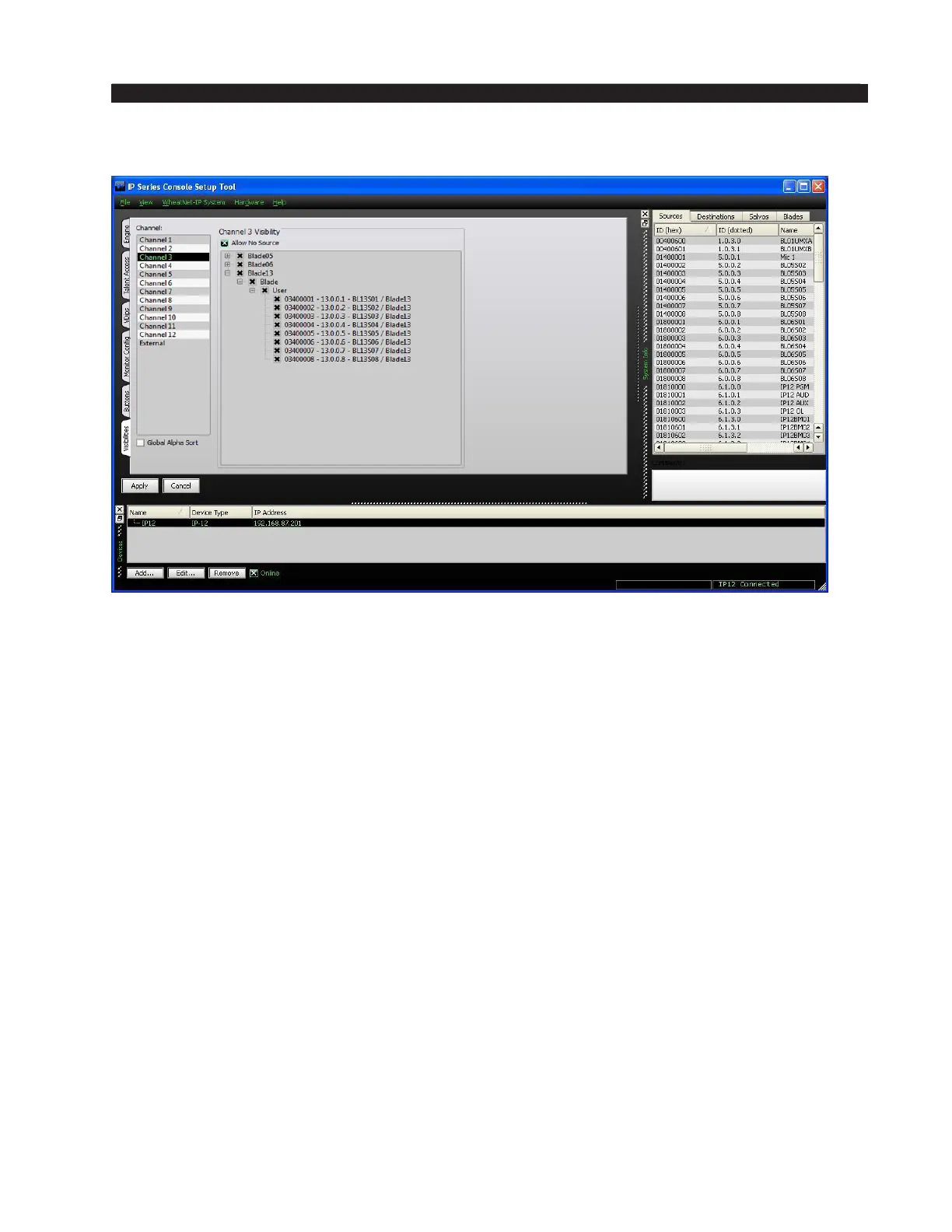
Visibilities Tab
Visibilities – Use the Visibility Option setting to limit the sources the user sees
when dialing up a source on the IP-12/IP-16. This feature is helpful, especially in large
systems with lots of signals.
Scroll up and down the Channel list, check or uncheck signals as desired for that
channel, and click the Apply button to save the visibility options. If you have made
changes and then decided you don’t want to put the changes into effect, click Cancel.
This will cancel any changes you made since entering the screen or since clicking
Apply, whichever happened most recently.
Check the Global Alpha Sort box to sort the list of channels in alphanumeric order
when selecting sources on the IP-12/IP-16.
Check Allow No Source if you want NOSOURCE to be allowed for that channel.
If NOSOURCE is not allowed then the channel must always have a source selected.
Right-clicking in the Channel area of the Visibilities tab pops up a menu with some
useful shortcuts on it:
• Copy – Choose this item to copy the visibility settings of the currently selected
channel.
• Paste – Choose this item to paste visibility settings that have been copied from
one channel to the currently selected channel.
• Paste All – Choose this item to paste visibilities that have been copied from one
channel to all channels.
• All – Choose this item to select all signals in the system to be visible to the currently
selected channel. This also puts a check in the Allow No Source check box.
• None – Choose this item to deselect all signals for the currently selected channel.
This also removes the check, if present, in the Allow No Source check box.



 To Next Page