page 3 – 7
IP-12/IP-16 / Dec 2014
IP-12 CONTROLS AND FUNCTIONS
Studio Control Module (SC-12)
In addition to the Control Room, there may be a Studio in which one or
more performers will be assembled, usually with microphones so that their
voices can become part of the mix. Speakers may be provided in the Studio
to allow the talent to listen to the console bus outputs at times that they are
not actually on air. These speakers are fed from the control surface’s stereo
Studio output.
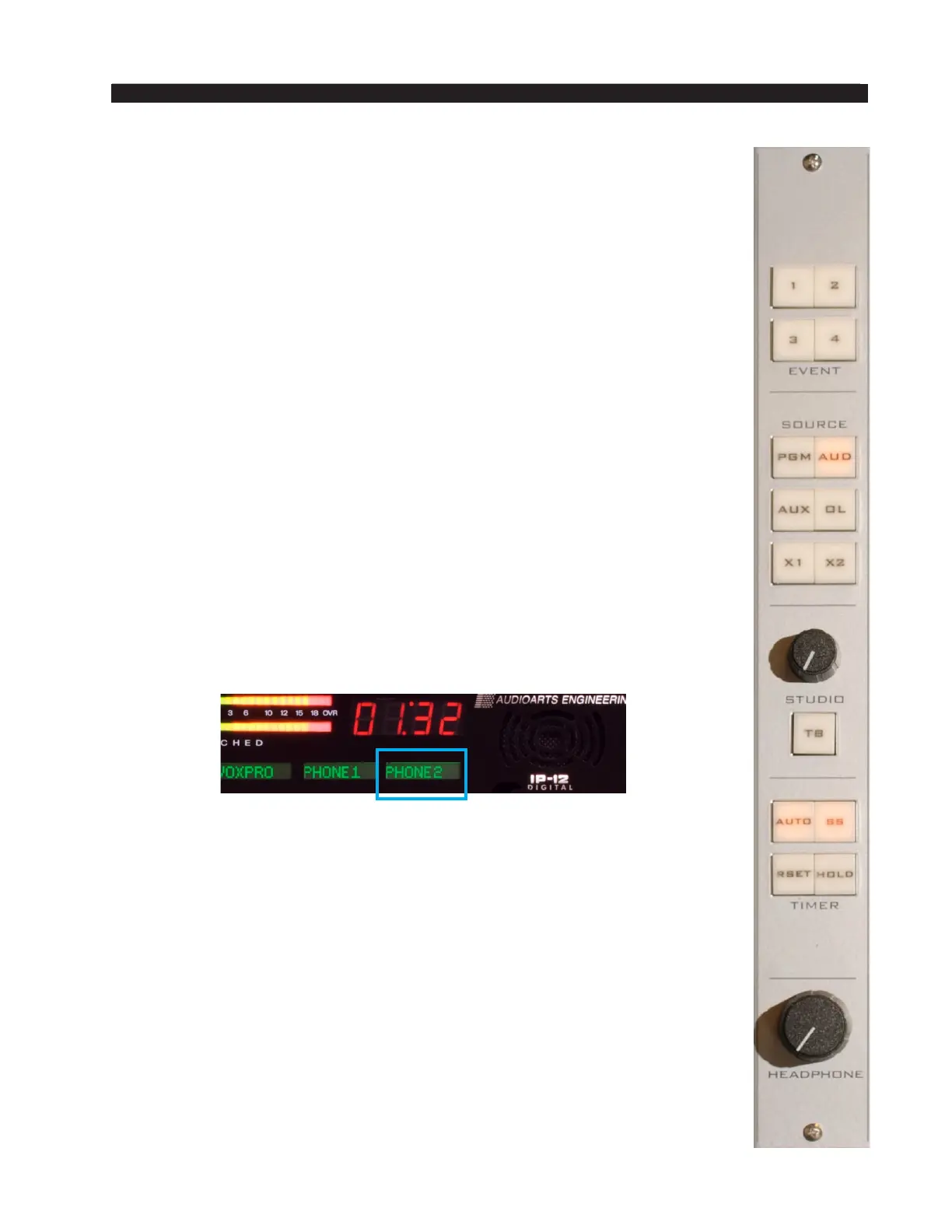
The studio monitor consists of STUDIO and HEADPHONE level controls,
a TB (talkback) button, four EVENT buttons, six monitor source select buttons
(PGM, AUD, AUX, OL, X1 and X2), and timer controls.
Source Select Switches
The Studio Control monitor output has its own bank of source select
switches which select the audio signal sent to the Studio speakers. This bank
includes dedicated switches for selecting PGM (program), AUD (audition),
AUX (auxiliary), or OL (off line), and two programmable sources X1 and X2.
Simply press the desired switch to listen to that output bus or external source
signal. The button will be lit when the monitor is assigned to its respective bus.
Programming External Source Switches
External switches X1 and X2 may be programmed to select any allowed
source in the system. Press and hold the button to be programmed until it
ashes, then rotate the ENCODER on the CR-12 module until the desired
source appears in the channel 12 display, then press TAKE (which is also
ashing) to nish programming the button.
Depending on how the IP-12/IP-16 is congured, you may be able to
select any source in the system or you may have a limited choice of sources
for the external switches.
STUDIO Level Control
The STUDIO level control determines the overall loudness of the signal
being monitored as it appears in the Studio speakers. The IP-12/IP-16 may
be congured so that this level control has no effect by locking the Studio
outputs on the Monitor Cong tab of the IP Series Console Setup Tool GUI.
TB (Talkback) Button
The TB button lets the operator’s microphone signal interrupt the normal
feed to the studio speakers, allowing the operator to talk to the performers
in the Studio. Note that the Talkback source, typically the board operator’s
mic, must rst be cross connected to the surface’s TB input.



 To Next Page