page 3 – 5
IP-12/IP-16 / Dec 2014
IP-12 CONTROLS AND FUNCTIONS
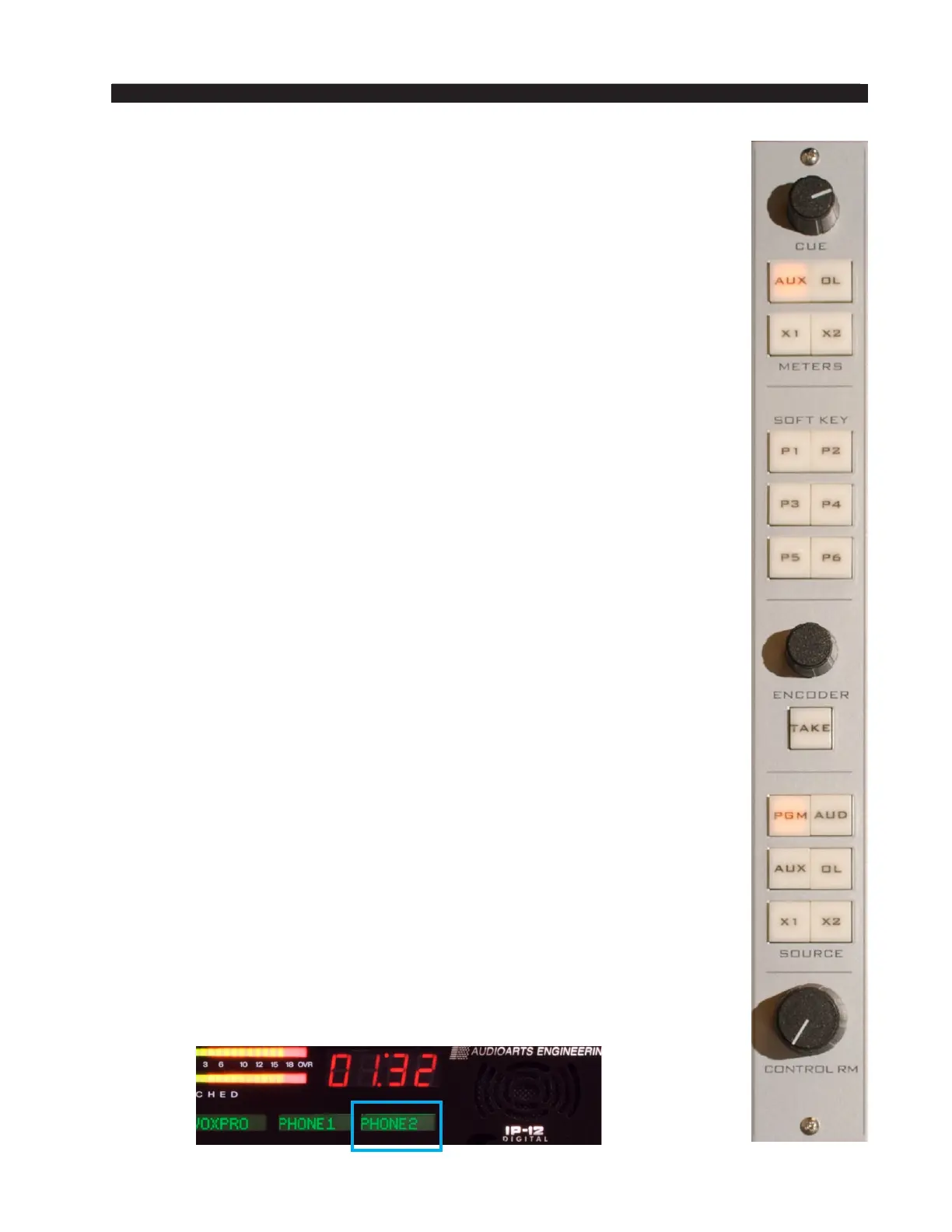
ENCODER And TAKE Controls
The ENCODER knob serves as a Source signal selector for fader strips.
When the A or B button is pressed and held for programming, and has
started to ash on the desired fader strip, the ENCODER knob is used to select
the desired source. By turning this knob, the available inputs are displayed in
the 8-character SOURCE display on the meterbridge for the selected chan-
nel. When the desired input source is scrolled into the SOURCE window,
pressing the TAKE button will cause that source to be programmed for the
selected button (A or B) on that channel. If you fail to press the TAKE, the
display will revert to its original setting after a timeout of approximately four
seconds, and the original source remains in effect.
This operation may be denied to a user in the Talent Access tab of the
IP Series Console Setup Tool GUI.
Pressing and holding the ENCODER knob for several seconds will
cause some software version and conguration information to be displayed
across several of the channel source displays. While in this state, turning the
ENCODER knob will cycle through the following items (depending on the
IP-12/IP-16’s software version this list may change):
• IP-12/IP-16 IP Address
• IP-12/IP-16 MAC Address
• IP-12/IP-16 Gateway Address
• IP-12/IP-16 Subnet Mask
• Console BLADE IP Address
• IP-12/IP-16 FPGA Version
In the event that you need to discuss an issue with Wheatstone Technical
Support you may be asked for some or all of this information.
Source Select Switches
The Control Room monitor output has its own bank of source select
switches which select the audio signal sent to the Control Room speakers
and the headphones. This bank includes dedicated switches for selecting
PGM (program), AUD (audition), AUX (auxiliary), or OL (off line), and two
programmable sources X1 and X2. Simply press the desired switch to listen
to that output bus or external source signal. The button will be lit when the
monitor is assigned to its respective bus.
Programming External Source Switches
External switches X1 and X2 may be programmed to select any allowed
source in the system. Press and hold the button to be programmed until it
ashes, then rotate the ENCODER until the desired source appears in the
channel 12/16 display, then press TAKE (which is also ashing) to nish
programming the button.



 To Next Page