page 2 – 6
IP-12/IP-16 / Dec 2014
SURFACE CONFIGURATION
IP-12 / Feb 2013
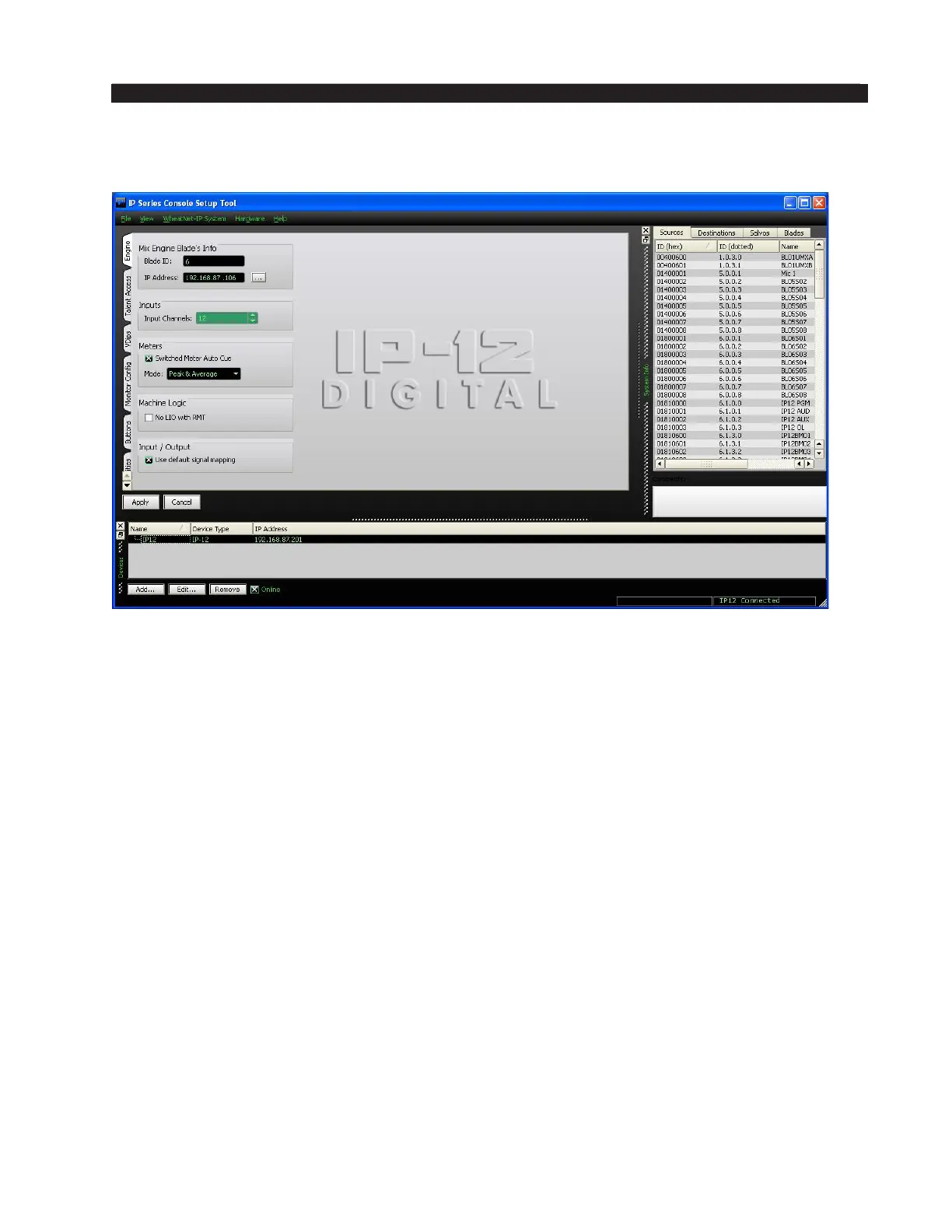
Engine Tab
Mix Engine Blade’s Info – In this section you will set the Mix Engine BLADE ID
and the IP Address of the the Engine to which the surface will connect.
Inputs – Not Used.
Meters – The switched meter on the surface’s meterbridge displays the signal level
of a user selected source or the Cue signal level when an input fader’s CUE switch is
activated. To activate the Auto Cue function check the Switched Meter Auto Cue box.
Use the Mode dropdown box to choose from Peak & Average, Peak Only, or Average
Only.
Machine Logic – The purpose of this option is to allow the privileged operator to
determine the conditions under which START and STOP signals are sent in response
to a command to turn a channel ON or OFF. Channel ON and OFF commands can
come from two different sources:
• Surface – a channel can be turned ON or OFF by a surface action, such as pressing
the ON or OFF switch, or moving a fader if EFS has been enabled
• Remote (RMT) – a channel can be turned ON or OFF by sending it a command
from a system Logic I/O card via the RemOn and RemOff functions.
When the No LIO with RMT check box is checked, LIO signals are globally
blocked for all input faders if the channel ON and OFF commands are initiated from
the system Logic I/O card.
Input/Output – In most cases, you will want the Use default signal mapping checkbox
to be checked, to insure that signals are properly mapped. This insures that the surface
signals appear at the designated connectors on the Console BLADE. If you want to
re-arrange or re-purpose the signals, leave this checkbox unchecked.



 To Next Page