page 2 – 12
IP-12/IP-16 / Dec 2014
SURFACE CONFIGURATION
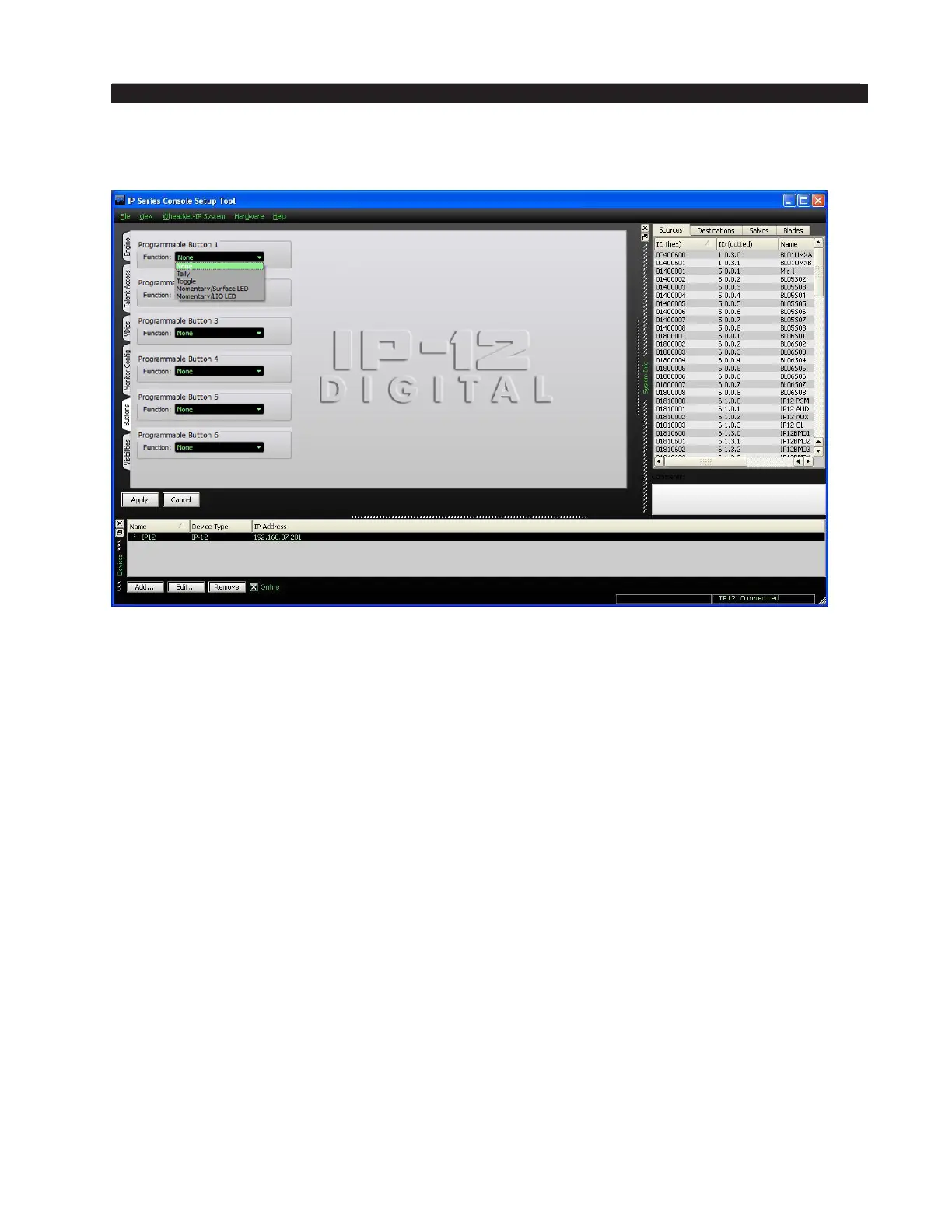
Buttons Tab
The CR-12 Control Room Module has, among its controls, six SOFT KEY buttons
with indicating LEDs, labeled P1, P2, P3, P4, P5, and P6. These buttons are also known
as Programmable Buttons, and are designed to perform user-programmable functions.
The Buttons tab is used to set up each button at a basic level of functionality by
using the Function drop-down box on the Buttons tab for the particular button 1 – 6
being used. The choices are:
• None – in this mode button presses are ignored and the button does not light
• Tally – in this mode button presses are ignored – the button illumination is controlled
by a logic signal programmed to do so
• Toggle – in this mode the button acts like a toggle, with one press turning it on
and the next press turning it off – the button is illuminated by the surface when in
the on state and is not illuminated in the off state
• Momentary/Surface LED – in this mode the button has a momentary action, on
while pressed and off when released – the button’s illumination is controlled by
the surface, being lit while the button is pressed
• Momentary/LIO LED – in this mode the button has a momentary action, on
while pressed and off when released – the button’s illumination is controlled by
a logic signal programmed to do so
It’s important to note that, although basic functionality is set here, in all cases except
None there will be additional conguration, needed to complete the desired functionality,
that must be done in the optional Navigator software. Refer to the WheatNet‑IP Audio
Over IP Network manual for details.



 To Next Page