POSITIONIT POSITIONERS
PM-01011-A 1-3
October 2023
• Stowed refers to a customer-set preset position which the positioner moves the
payload to a desired pan and tilt position for travel or safe storage. The customer
should set this as preset [1].
• Unstowed refers to a customer-set preset position which the positioner moves the
payload to a desired pan and tilt position from the stowed position. The customer
should be sure the positioner can be safely moved to this position from the stowed
position without causing damage. The customer should set this as preset [2].
Directions
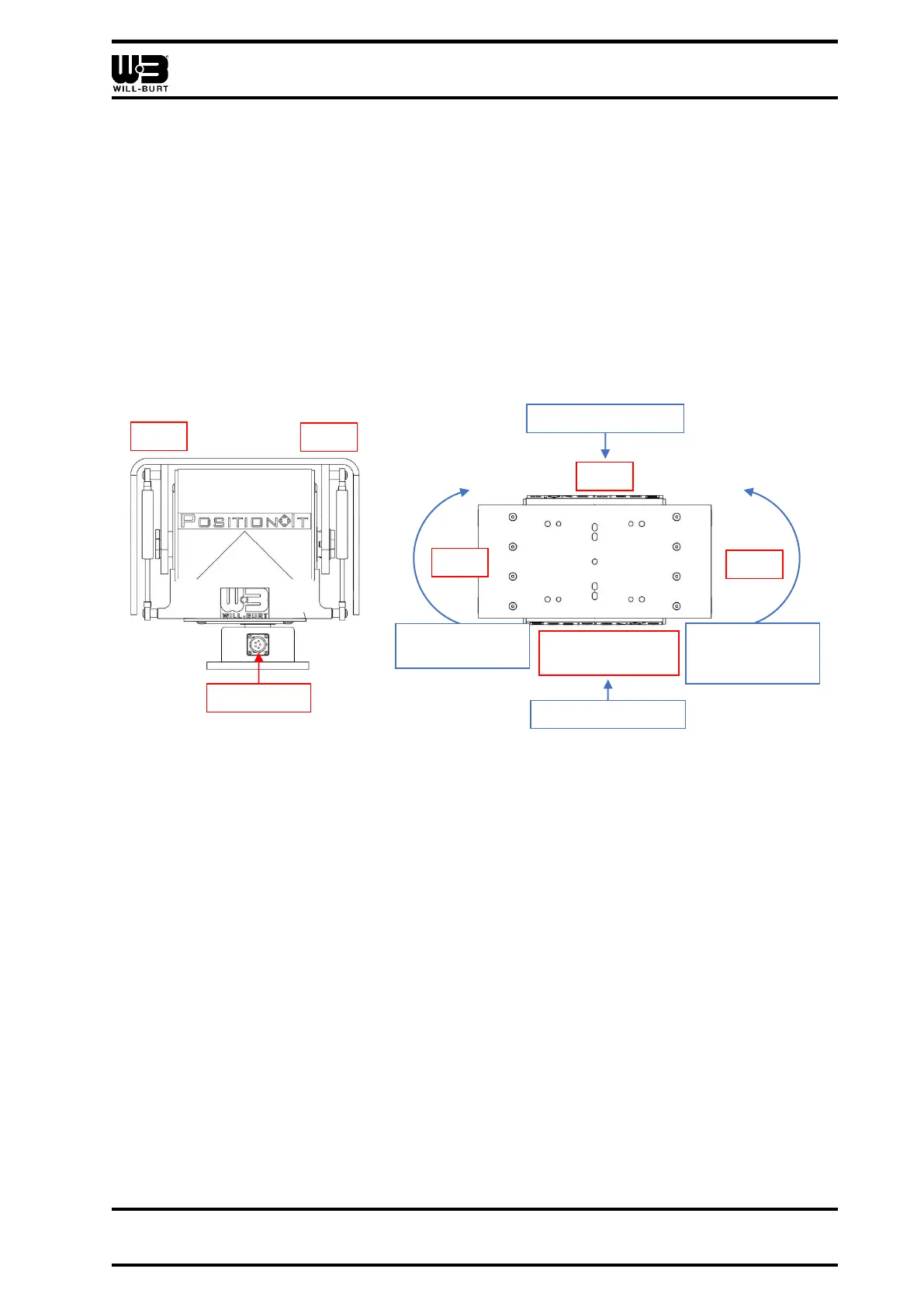
• When operating the positioner, directions are given as follows:
Figure 1-2 Positioner Directions (PI-150 Shown)
• When using the default joystick:
o Pushing the joystick forward will tilt the positioner towards the rear
o Pulling the joystick back will tilt the positioner towards the front
o Moving the joystick to the right will rotate the joystick clockwise
o Moving the joystick to the left will rotate the joystick counterclockwise
Symbols:
• Characters inside < > as in <Success!> represent text that appears on the display
screen.
• Characters inside [ ] as in [1] represent buttons or keys being used.
• Arrows as in “▲, ►, ▼, ◄” represent the direction(s) the positioner is moving in.
These arrows are shown on the display screen of the default joystick controller (P/N:
5098901).



 To Next Page