107
WPS-365-DVR-9CH & 16CH Installation and Users Manual
e-mailfeaturewillnotbeoperable.Donotentergenerictextinthiseld.
•MAILTO#1-5
The DVR can send e-mails originated from triggered events to up to ve different e-mail addresses.
Enter the appropriate e-mail addresses in these elds.
•ATTACHMENT
This feature offers the ability to attach a picture from the corresponding camera to the e-mail being
sent. Optional picture sizes for the attachment can be set to Original to match the recorded resolution
or set to QCIF (Quarter CIF is 176 x 144 pixels) to reduce the size of the attachment. Select N/A to disable
attachments.
NOTE:IftheDVR’sresolutionissettoHalfD1,pictureattachmentsinthee-mailwillappear“squished”
sincetheDVRreducesthehorizontallinesofresolutionbyhalf(thereforereducingstoragespaceand
bandwidthrequirements).Thisonlyeffectse-mailsandnotnoticeablein.h.264liveorrecorded
playbackvideo.
•PUSHALARM
This feature has no function for this model of DVR
9.3.14. RS-232/485
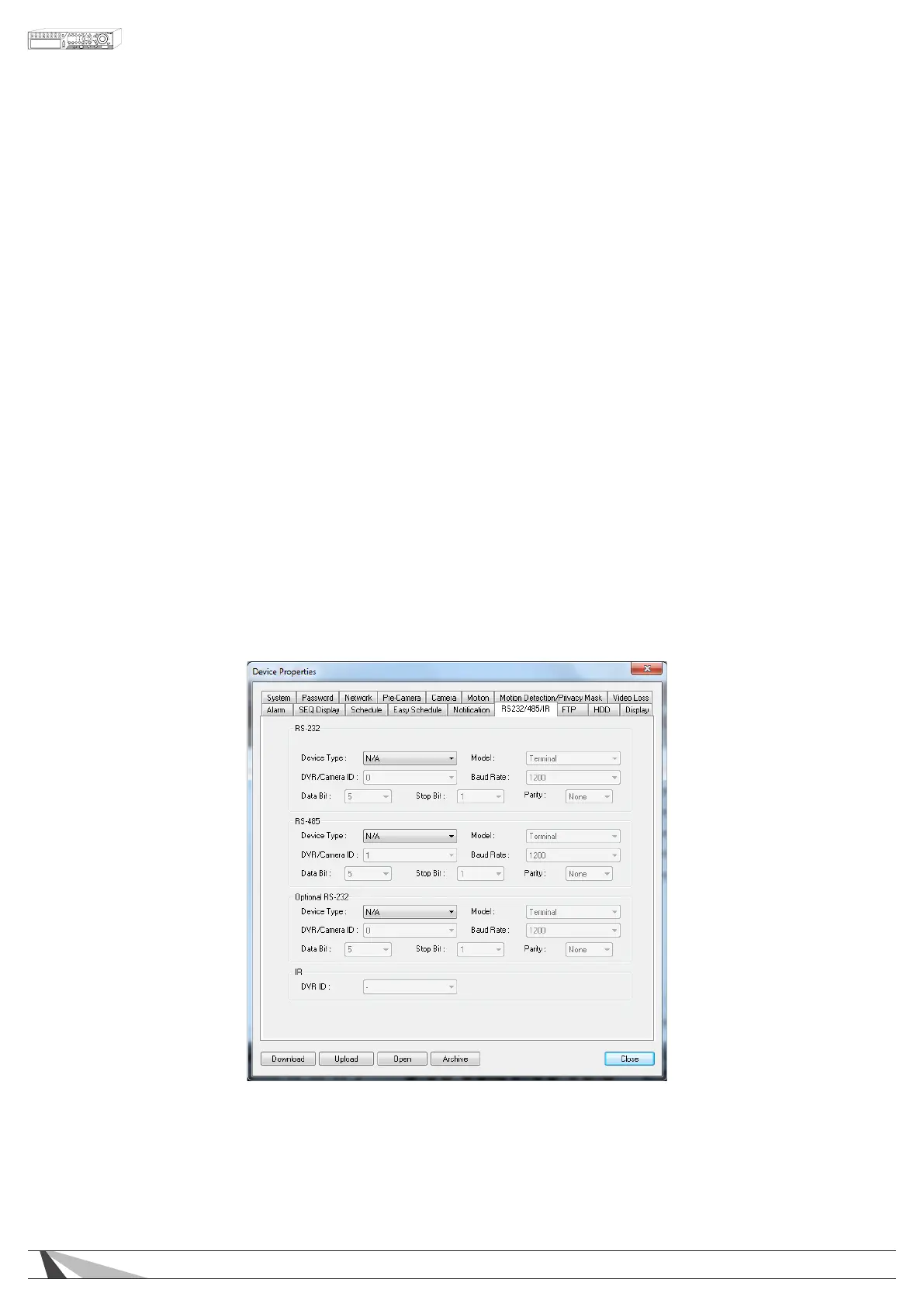
The RS-232/485 Setup allows the administrator to setup the RS-232 DSUB connection for control via an
Automation System, and the RS-485 screw terminal connections for PTZ Camera operation. Please refer to the
manuals for the connected devices (typically PTZ cameras) to properly set the options in RS-232/485 Setup.
In the Setup menu display, press ▲▼◄► on the front panel of the DVR or on the remote to change the
highlighted option to RS-232/422/485, and then press enter to display RS-232/422/485 Setup as shown.
A list of available commands and syntax can be found in the RS-232 Protocol document located in the support
tab on the product page.
RS-232/OPTIONAL RS-232
ThefollowingisabriefdescriptionforeachitemintheRS-232MENUanditsspecicoperations:
NOTE: Only the Baud Rate should be congured for RS-232. All other settings should be set to the recommended
settings below.



 To Next Page