109
WPS-365-DVR-9CH & 16CH Installation and Users Manual
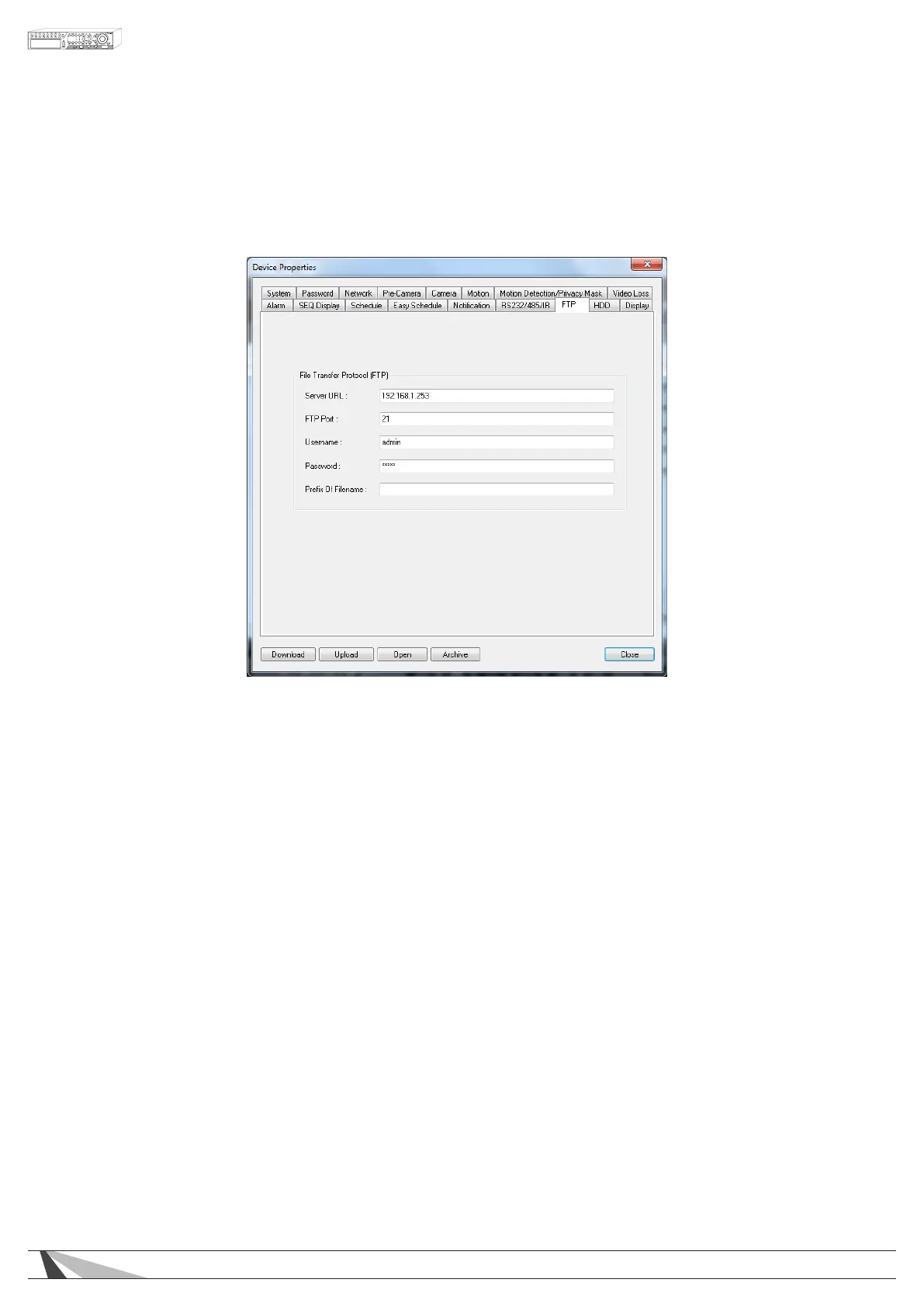
9.3.15. FTP
FTP Setup allows the administrator to set FTP-related parameters. When an event occurs and FTP is enabled for
the action, the recorded video and audio for that event will be sent to the FTP server based on the parameters
set in this menu.
Thefollowingisabriefdescriptionforeachiteminthismenuanditsspecicoperations:
•SERVERURL
Enter the FTP server web/IP address.
•FTPPORT
Enter the FTP port number. The default value is 21.
•USERNAME
Enter the username for the FTP server.
•PASSWORD
Enter the password for the FTP server.
•PREFIXOFFILENAME
Enter the prex of the lenames for les sent to the FTP server. If this box is left empty, the lenames will
start with “cam” If a prex such as “Prex” is entered, the lenames will be “Prex-cam” For another
example, if the prex is “DVR01”, then the lenames will begin with “DVR01-cam.”



 To Next Page