89
WPS-365-DVR-9CH & 16CH Installation and Users Manual
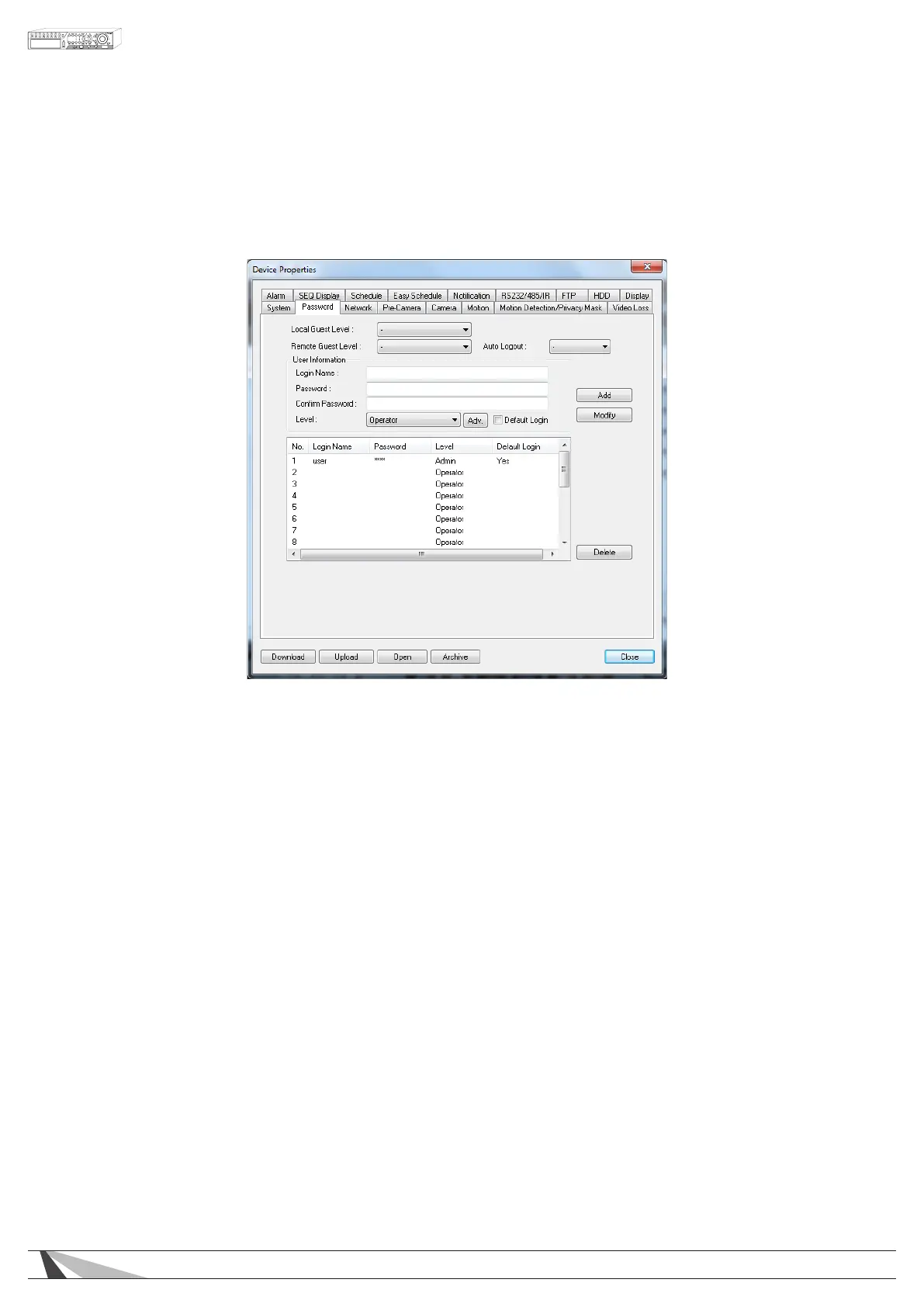
9.3.2. PASSWORD
The Password Setup allows the administrator to add new users, delete existing users, and/or modify the
user names, password, and levels of access
The DVR allows up to 18 user accounts. There are three default user levels in the system:
•OPERATOR
The lowest level, an Operator can only view live video and audio.
•SUPERVISOR
In addition to live video viewing, a Supervisor can review playback video and audio and has permission
to archive les.
•ADMINISTRATOR
The highest level is Administrator and has access to all options.
•USERNAME
In addition to the three default levels, an administrator can also set Customized levels of access for each
user as described in the following paragraphs.
Thefollowingisabriefdescriptionforeachiteminthismenuanditsspecicoperations:
WARNING – The following 2 features could allow unwarranted access to the DVR. Caution is strongly advised
when enabling these features.
Important Note: The following 2 features were added in software v7.77.53 and were listed as Guest Level in
previous versions. When the DVR is updated, the setting previously set in Guest Level will show as Remote Guest
Level. Verify that it is set to the desired level.



 To Next Page