57
WPS-365-DVR-9CH & 16CH Installation and Users Manual
6.11. NETWORK SETUP
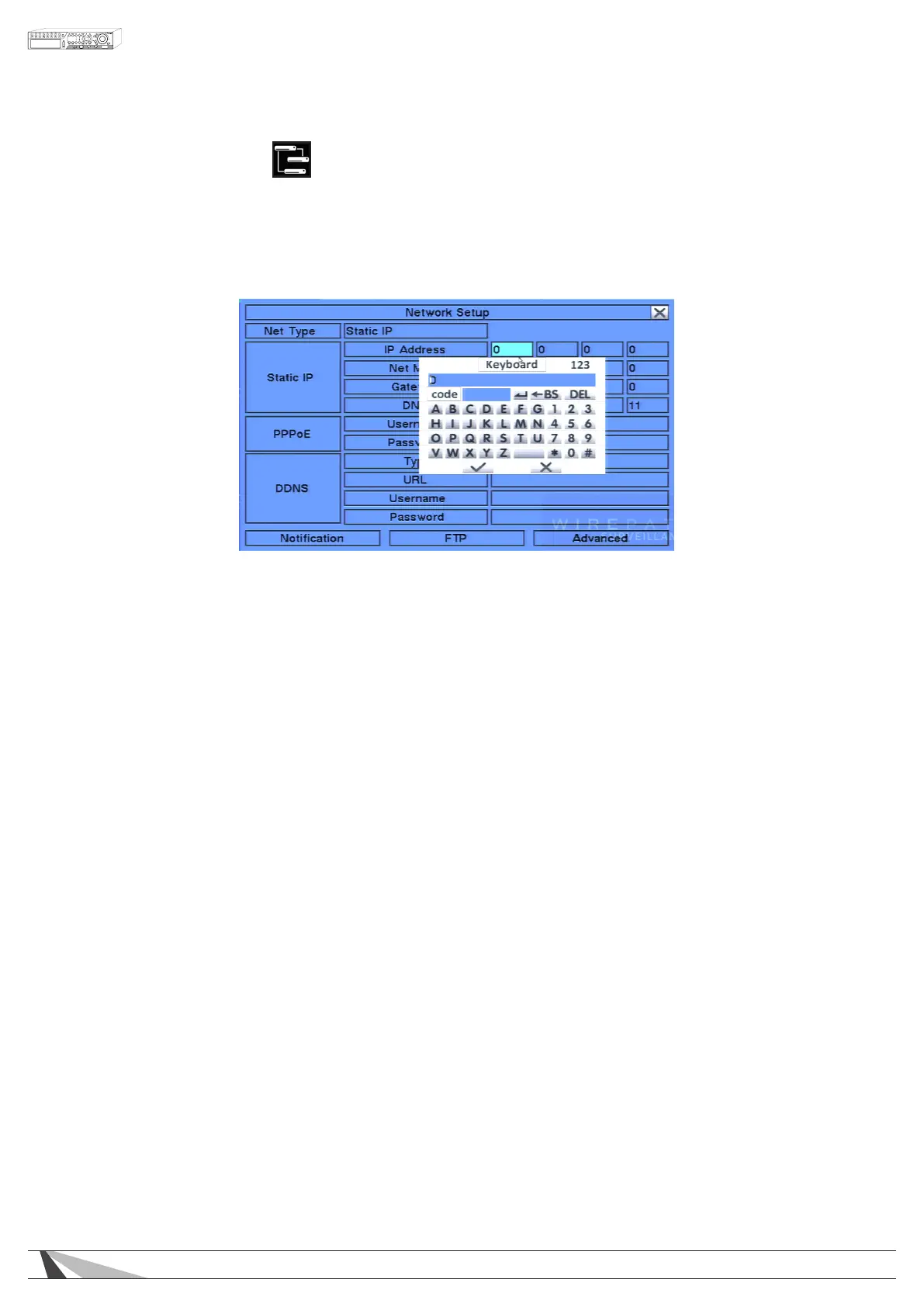
The Network Setup allows the administrator to setup all Ethernet network related parameters. Consultation with
the network administrator may be required to set these parameters correctly.
In the Setup Menu display, press ▲▼◄► on the front panel of the DVR or on the remote to change the
highlighted option to Network, and then press ENTER to display Network Setup as shown.
To navigate and operate this menu:
• ▲▼◄►
Press these buttons on the front panel of the DVR or remote control to select an item.
Alternatively use the mouse to select an item.
•ESC
Press the ESC button on the front panel of the DVR or remote control to escape from this menu and return
to the main menu. Alternatively use the mouse to exit the sub menu by clicking on the “X.” If the contents
in this menu have been modied, a Save dialog box will be displayed requesting the user to save the
changes. Press ENTER on the front panel of the DVR or remote control to exit and save, ESC to exit with out
saving. Another method to escape is to use the mouse to “right-click” and exit the sub menu.
Thefollowingisabriefdescriptionforeachiteminthesubmenuanditsspecicoperations.
Please follow the Text Input method described in Section 4.1 to modify these items. Alternatively use the
mouse and the pop-up keyboard to enter these settings. Consultation with the network administrator may
be required for these settings.
•NetType
Press +/- buttons on the front panel of the DVR or on the remote control to change the Net Type.
Alternatively use the mouse to change this setting. Options include: Static IP, PPPoE, or DHCP. DHCP can
only be used for intranet (LAN) access, while Static IP and PPPoE can be used for both internet & intranet
access. The default setting is DHCP.
•IPAddress
Enter an Ethernet IP Address for the DVR. This address should be static and not conict with any other IP ad
dress on the LAN.
• Net Mask
Enter the Net Mask for the IP address.
• Gateway
Enter the Gateway IP address for the system.
•DNS
If using DNS, enter the Domain Name Server address for the system. (Same address as Default Gateway)
• Username
If PPPoE is used, enter the Username for the system.



 To Next Page