111
WPS-365-DVR-9CH & 16CH Installation and Users Manual
9.3.17. DISPLAY
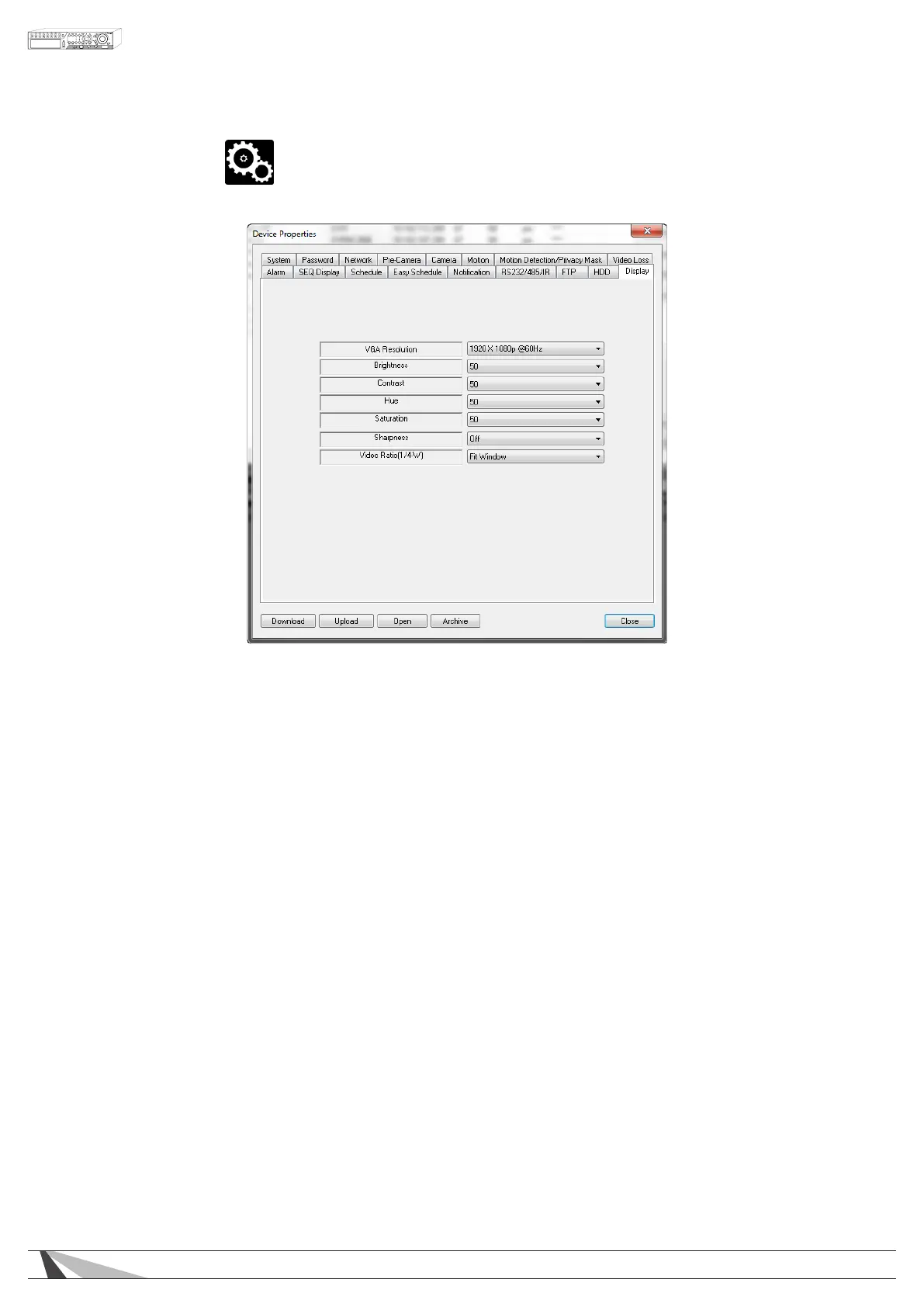
The Display settings adjust the video output options as viewed through the VGA and HDMI connections.
•VGA/HDMIRESOLUTION
Select the desired screen resolution from the drop-down. It is recommended to match the native resolution
of the video display being used. Please refer to the video display documentation for specic information.
OPTIONS: 1024 x 768, 1280 x 1040, 1920 x 1080.
•BRIGHTNESS
Select the desired brightness setting from the drop-down. This setting will determine the black level in the
video output. OPTIONS: 0-100
•CONTRAST
Select the desired contrast setting from the drop-down. This setting will determine the white level in the
video output. OPTIONS: 0-100
•HUE
Select the desired hue setting from the drop-down. This setting will determine the red, green and blue color
level in the video output. OPTIONS: 0-100
•SATURATION
Select the desired saturation setting from the drop-down. This setting will determine the overall color
intensity in the video output. OPTIONS: 0-100
•SHARPNESS
Select the desired sharpness setting from the drop-down. This setting will dene the edge detail in the video
output. OPTIONS: On, Off



 To Next Page