94
WPS-365-DVR-9CH & 16CH Installation and Users Manual
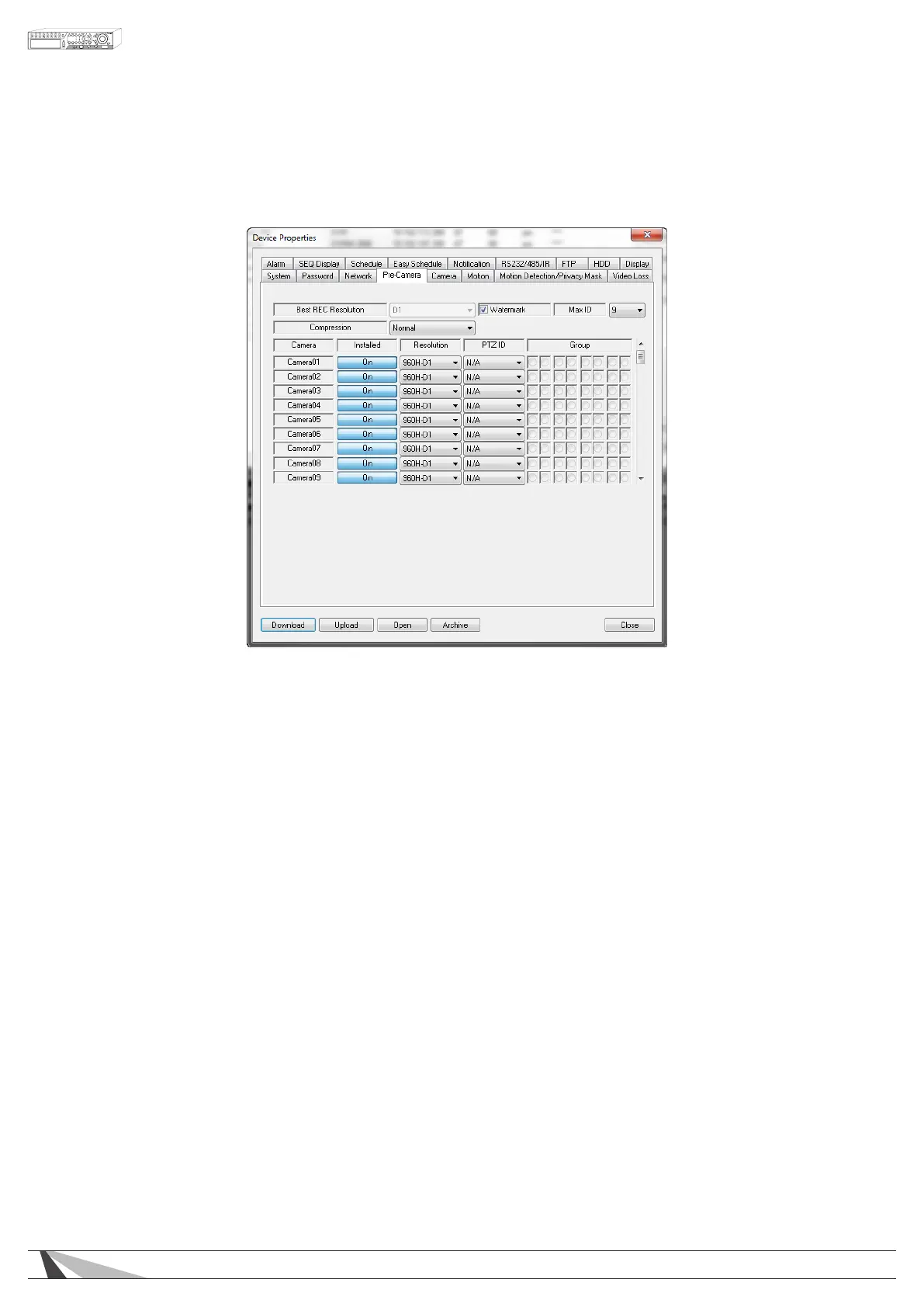
9.3.4. PRE CAMERA
Pre-Camera setup allows the administrator to dene fundamental attributes for connected cameras.
Thefollowingisabriefdescriptionforeachiteminthismenuanditsspecicoperations:
•RESOLUTION
Allows individual camera channels to be set for their appropriate recording resolution. Allows for 960H
(960x480), D1 (720x480), Half 960H (960x240), Half D1 (720x240), 480x240, and CIF (360x240).
Note:Whilehigherresolutionoffersmoredetail,itdoesrequiremoreharddrivestoragespaceandhigher
networkbandwidthcapacityforstreaming.
•WATERMARK
An invisible, digitally embedded security feature to protect against tampering of recorded content.
If a downloaded .h.264 clip has been altered, the PC-based playback software will alert the user with
a message upon playback. The default setting is enabled.
•MAXID
Select the maximum number of cameras connected to the DVR.
•COMPRESSION
This DVR uses the latest compression format (.h.264) for the most efcient use of storage space and
streaming exibility. The Compression setting allows the administrator to further compress streaming
video to account for slow or bandwidth-limited networks. Choose Normal for normal compression or
select High to enable the second stream of the Video Streaming (See Section 9.5). The High setting will
reduce the resolution of the second stream to one of the four QCIF levels as set in the Video Stream setting
in the Network tab (Section 9.3.3).
•INSTALLED
Enable or disable cameras in the system. The default setting is enabled.
•PTZID
Enter the Pan/Tilt/Zoom ID of corresponding camera if it’s a PTZ camera. The PTZ ID should be unique
and must be consistent with the setting in the PTZ-capable camera. Please refer to the manual for the
camera regarding the proper PTZ ID setting.



 To Next Page