51
WPS-365-DVR-9CH & 16CH Installation and Users Manual
•Password
Enter a unique Password (numbers only) for each user. Follow the Text Input method described in Section 4.1
to enter this information.
• Level
Select the appropriate access level (Administrator, Supervisor, Operator, or Customized) for each user. Press
+/- buttons on the front panel of the DVR or on the remote control to change this level. Alternatively use the
mouse to set the level.
“-“ (Default) No Guest Access Allowed
Administrator Provides full access to the DVR allowing for viewing of all cameras and modication to all
settings. Use this setting with caution.
Supervisor Provides access to view all control all cameras, Search, and modication of basic settings.
Operator Provides access to view all control all cameras, No access to Search or settings is provided.
Customized Provides access to the features dened in the Advanced Settings for the user. See Adv: below
for more information.
• Adv .
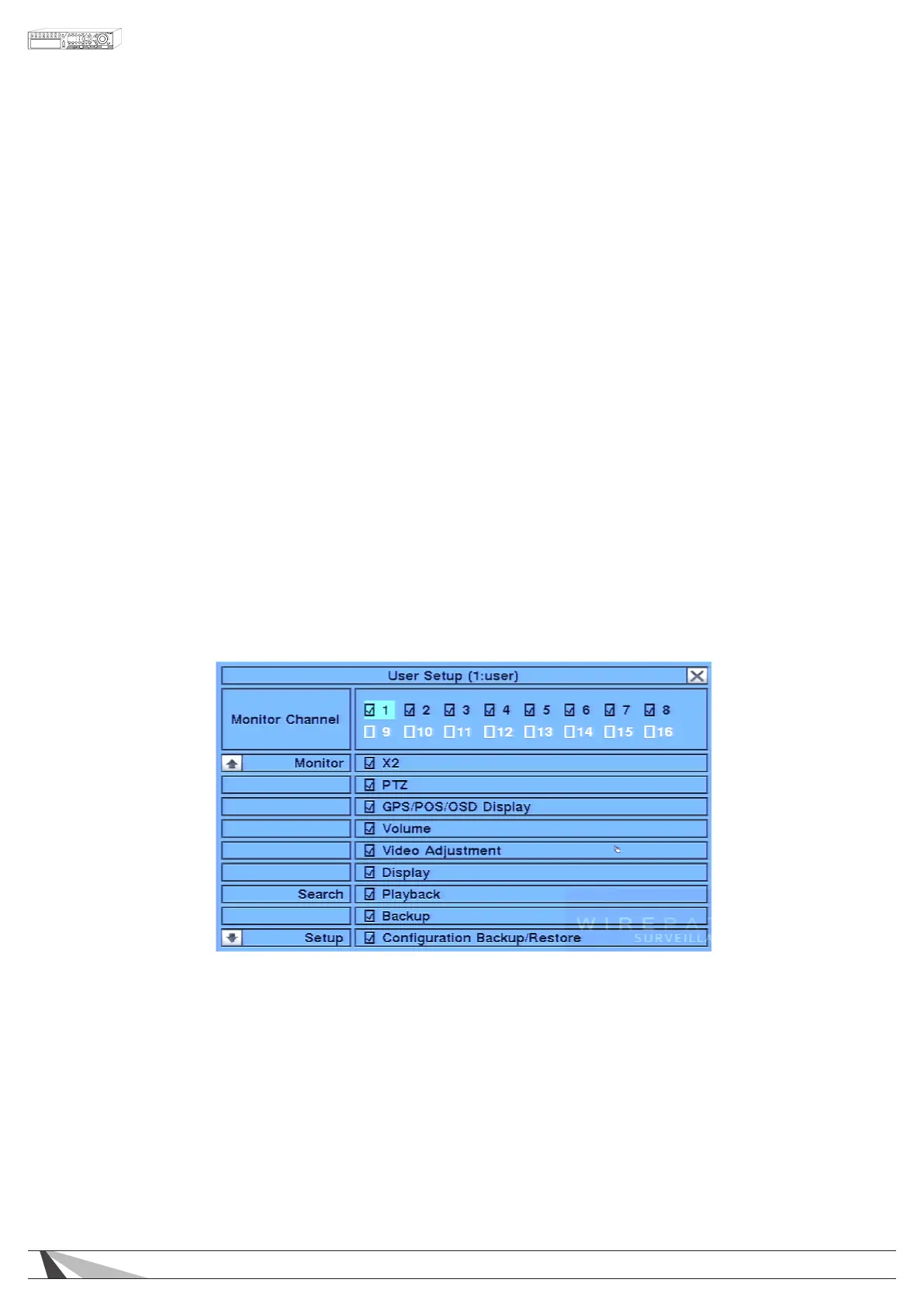
For Customized access per user, press ENTER on the front panel of the DVR or on the remote control to display
t he Advanced User Setup as shown in Section 6.8.1 below.
6.8.1. ADVANCED USER SETUP
The Advanced User Setup allows the administrator to setup each user’s detailed access rights to the system.
To navigate and operate this menu:
•▲▼◄►
Press these buttons on the front panel of the DVR or on the remote control to move the focus
box. If the selected item is not shown on the screen, the screen will scroll up or down by pressing
the corresponding button. Press the ENTER button to enable or disable a feature.
•ESC
Press the ESC button on the front panel of the DVR or on the remote control to escape from this
screen and return to Password Setup display. Alternatively right-click the mouse. User Setup
contents will be updated accordingly.



 To Next Page