Relio 4.2.x User Manual – 07/2015
Page 15
Head Office : Parc d’activites Kennedy - 20, avenue Neil Armstrong – 33700 Bordeaux-Merignac (France)
Tel +33 (0)5 57 928 928 – Fax +33 (0)5 57 928 929 – contact@worldcastsystems.com – www.worldcastsystems.com
3.6. Licensing
A specific license is required in order to operate the ScriptEasy configuration software on the Audemat Relio. The
unit you have purchased should already have all of the necessary software and licenses installed. Should there be
any problems or questions, contact WorldCast Systems Technical Support: support@worldcastsystems.com or
ussupport@worldcastsystems.com. You will need to provide some information about your unit.
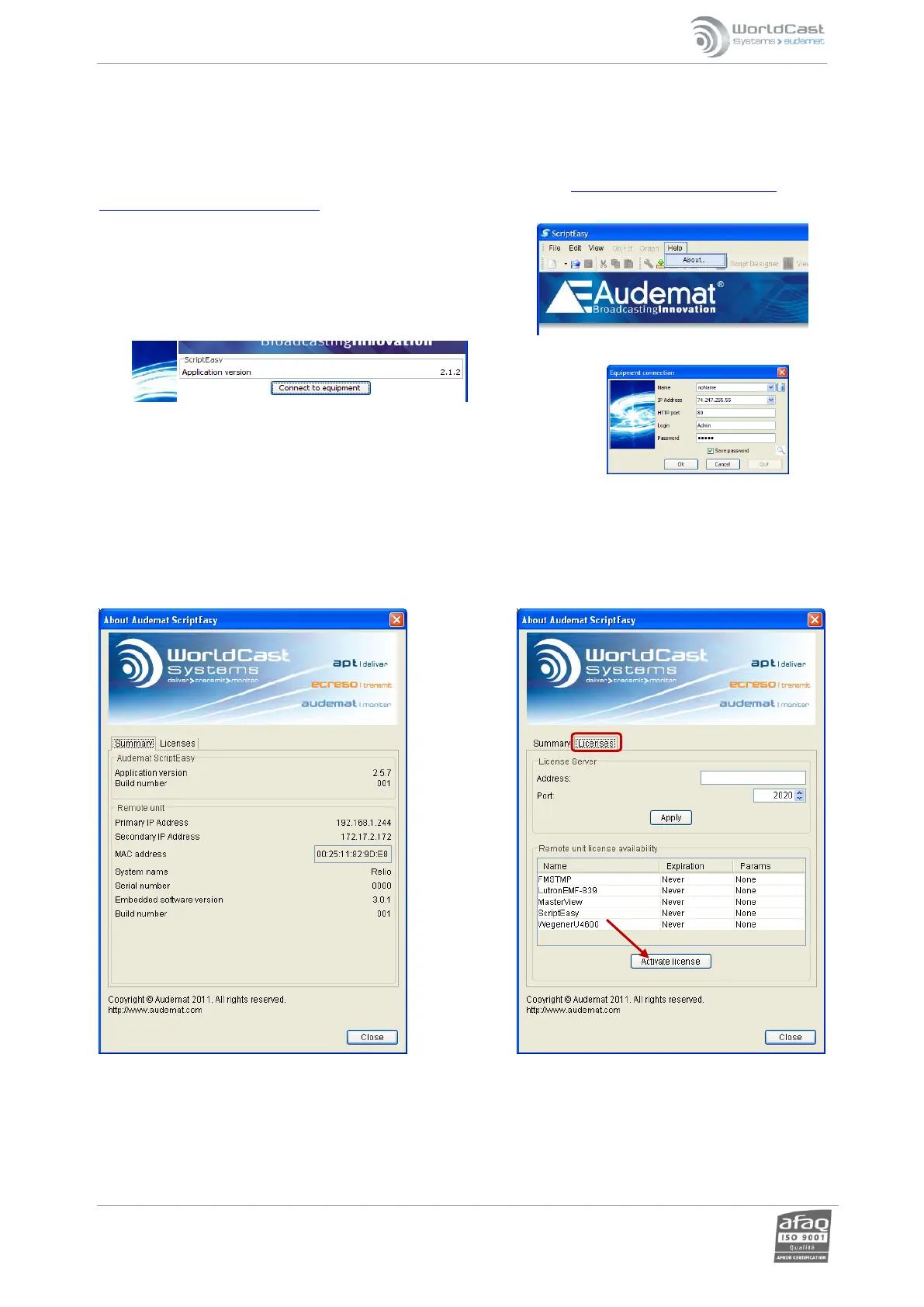
To obtain this information, launch the ScriptEasy software
(available on the Downloads page of the embedded website of the
unit, see section 4 for details), and click on the ‘Help/About’ menu
item.
In the page that opens, click on ‘Connect to equipment’, enter the IP address
and login information of your Relio and click ‘OK’.
A window will open displaying the configuration of your Relio on the Summary tab. Make note of the serial
number, MAC address and embedded software version on your equipment. Pass this information along to
WorldCast Systems Technical support to obtain your license key. You will then return to this page of the software
and display the License tab to enter your key and activate your ScriptEasy license.



 To Next Page