Relio 4.2.x User Manual – 07/2015
Page 35
Head Office : Parc d’activites Kennedy - 20, avenue Neil Armstrong – 33700 Bordeaux-Merignac (France)
Tel +33 (0)5 57 928 928 – Fax +33 (0)5 57 928 929 – contact@worldcastsystems.com – www.worldcastsystems.com
3.21. Support
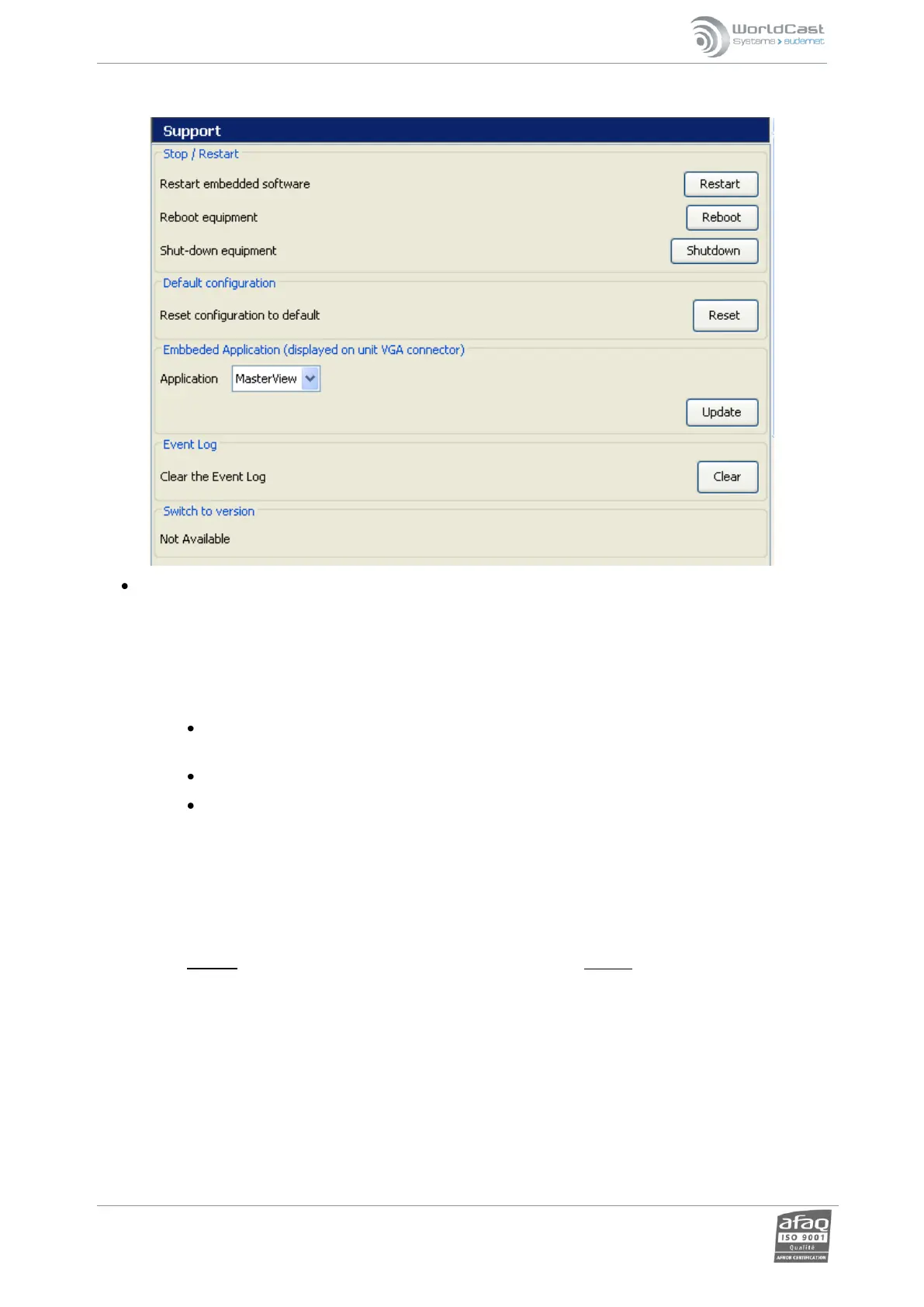
Configuration of support system:
System software update: Used for updating the RELIO with software patches. This method has been largely
supplanted by the Easy Patch updater application. The old method works by uploading the patch files to the unit,
then entering the patch filename in the window provided and clicking “Apply”. More detailed instructions are
available from technical support.
Stop / Restart RELIO:
“Restart application”: this function enables the application to be shut down and started again,
reinitializing the operations. The user simply clicks ‘Restart’ and confirms.
“Reboot equipment”: this function enables the Relio to be restarted.
“Power off”: enables the equipment to be switched off remotely.
! Save your script before rebooting the unit from the ScriptEasy application, you will not be prompted to do
it.
The equipment cannot be switched on again remotely.
Default configuration: this function deletes the present configuration and resets the Relio to the original factory
default configuration (everything except IP settings).
Caution: All configuration as well as scripts and log files will be deleted with this function!
Embedded application. Select the application (ScriptEasy or MasterView) to be available on a screen connected to
the unit VGA port.
Event log. Logs can be viewed in MasterView or ScriptEasy (see chapter 6).
Switch to version. This function is only available when the unit has been upgraded. It makes it possible to
downgrade it back to its previous version. After clicking “Switch”, the user will need to close and restart the
application.
Remember to click the ‘Update’ button in each section to lock in any changes.



 To Next Page