Relio 4.2.x User Manual – 07/2015
Page 31
Head Office : Parc d’activites Kennedy - 20, avenue Neil Armstrong – 33700 Bordeaux-Merignac (France)
Tel +33 (0)5 57 928 928 – Fax +33 (0)5 57 928 929 – contact@worldcastsystems.com – www.worldcastsystems.com
3.18. IP Router and Ports translation
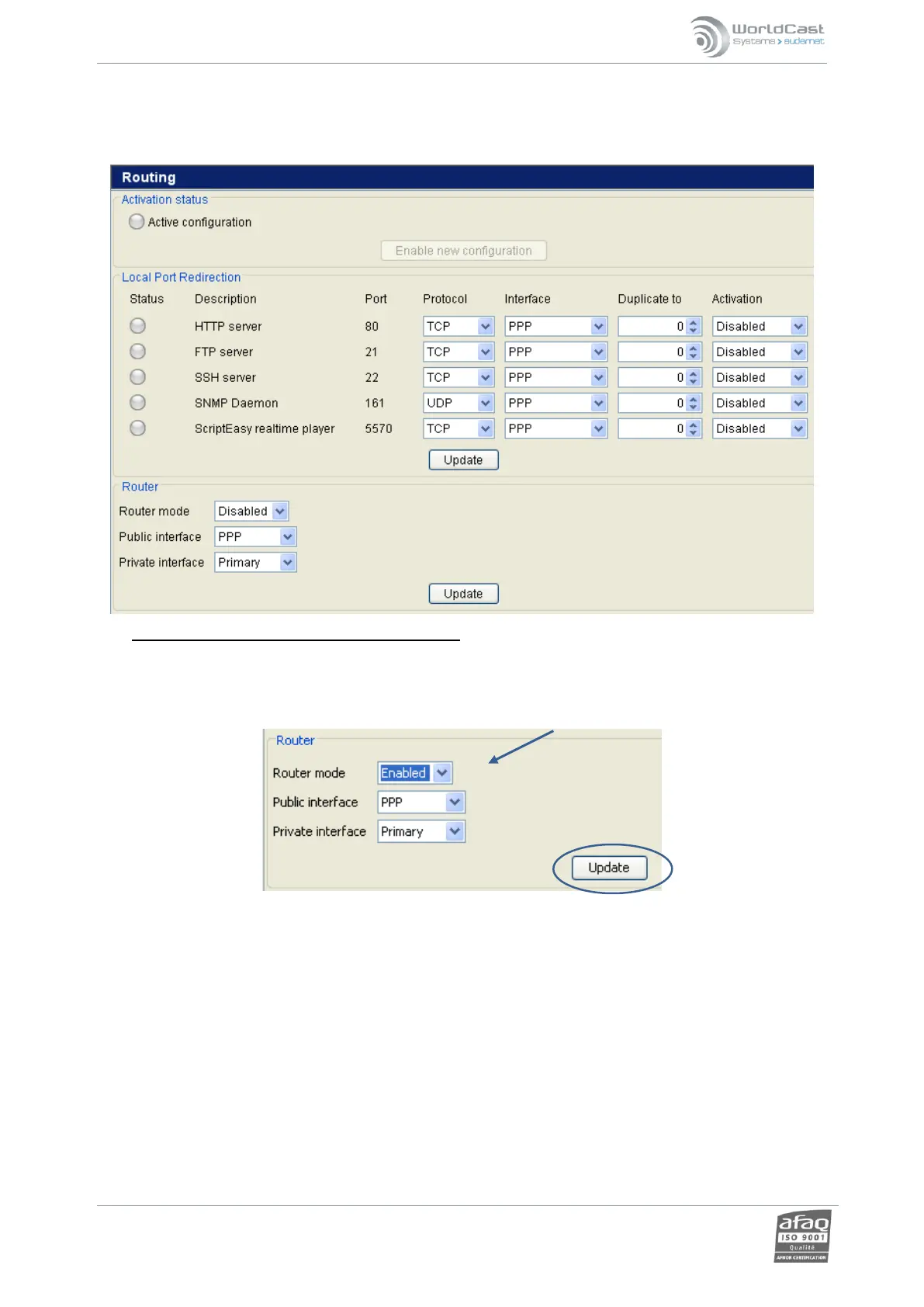
RELIO configuration as a router on a local network:
This function allows a user to communicate with all of the equipment on the local network shared by the RELIO
(Ethernet) from a PC connected to the RELIO by modem (PPP).
To configure this function, select “Enabled” on the “Router mode” line, and then click on “Update”.
The input and output interfaces of the router can be configured by the options « Public interface » (Input)
and « Private Interface » (output). Once configured, activate the option by clicking on the button “enable
new configuration” at the top of the page.



 To Next Page