Relio 4.2.x User Manual – 07/2015
Page 10
Head Office : Parc d’activites Kennedy - 20, avenue Neil Armstrong – 33700 Bordeaux-Merignac (France)
Tel +33 (0)5 57 928 928 – Fax +33 (0)5 57 928 929 – contact@worldcastsystems.com – www.worldcastsystems.com
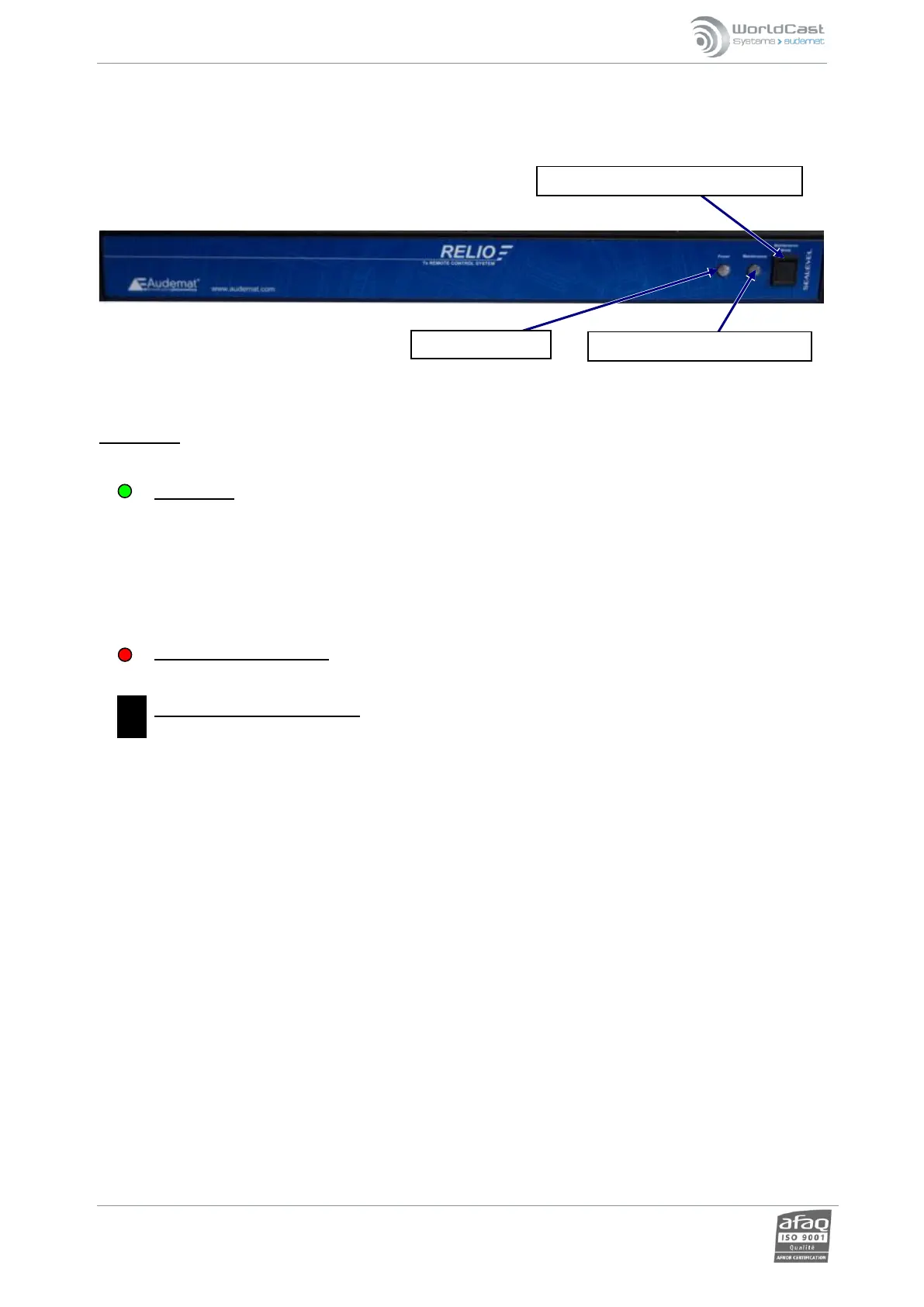
2.3. Front panel
Explanation:
POWER LED:
On : RELIO has power.
Off : RELIO does not have power. Note: this does not indicate that the Relio itself is running,
it only indicates presence of the +12 V at the rear panel power connector.
MAINTENANCE MODE LED: indicates maintenance mode has been activated.
MAINTENANCE MODE BUTTON: Activates maintenance mode, which suspends all alarms and automatic
actions by the Relio.



 To Next Page