Relio 4.2.x User Manual – 07/2015
Page 40
Head Office : Parc d’activites Kennedy - 20, avenue Neil Armstrong – 33700 Bordeaux-Merignac (France)
Tel +33 (0)5 57 928 928 – Fax +33 (0)5 57 928 929 – contact@worldcastsystems.com – www.worldcastsystems.com
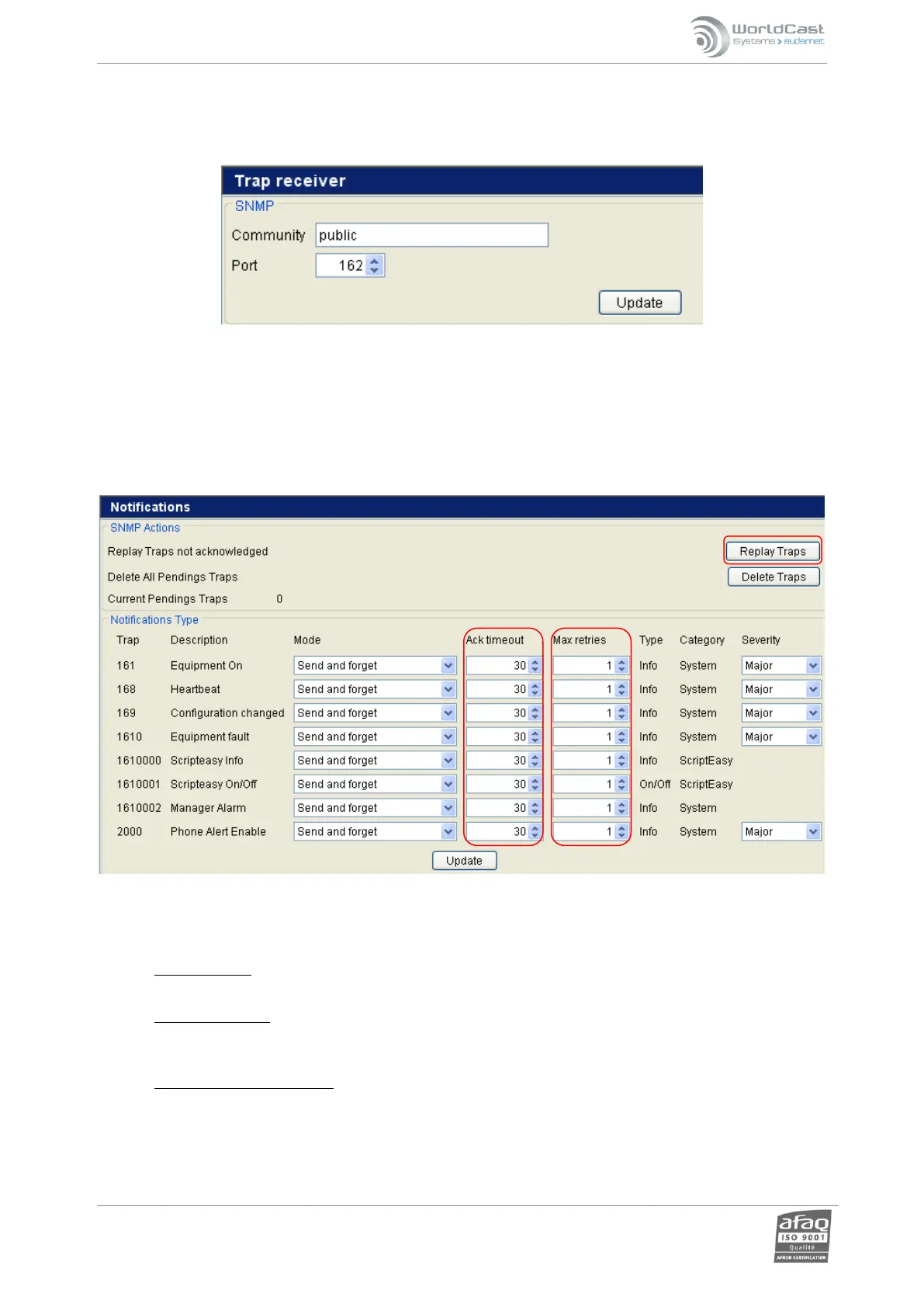
3.24. Trap Receiver
Set the port on which the Relio can receive traps. See your network administrator for details.
3.25. Notifications
Enables each configuration type to be configured individually (see chapter SNMP agent, 4.7.2)
o “Do not send”: Useful if some alerts have to be temporarily suspended.
o “Send and Forget”: standard SNMP mode, no acknowledgement expected, notifications are destroyed
immediately after being sent.
o “Resend until acknowledged”: standard mode of standalone Relio alarms. Notifications are re-transmitted
until acknowledgement has been received. Acknowledgement mode as such depends on the sending mode:
automatic acknowledgement for sending in INFORM
manual acknowledgement for V1 Traps and V2c Traps



 To Next Page