Relio 4.2.x User Manual – 07/2015
Page 29
Head Office : Parc d’activites Kennedy - 20, avenue Neil Armstrong – 33700 Bordeaux-Merignac (France)
Tel +33 (0)5 57 928 928 – Fax +33 (0)5 57 928 929 – contact@worldcastsystems.com – www.worldcastsystems.com
3.16. PPP Dialin
! Enabling PPP connections will suspend Phone Alert and Voice/DTMF functions!
When configuring from ScriptEasy, enabling one function will disable the other function’s tab. After disabling
a function, you’ll need to close the system configuration pages and open them again to enable the tab you
need.
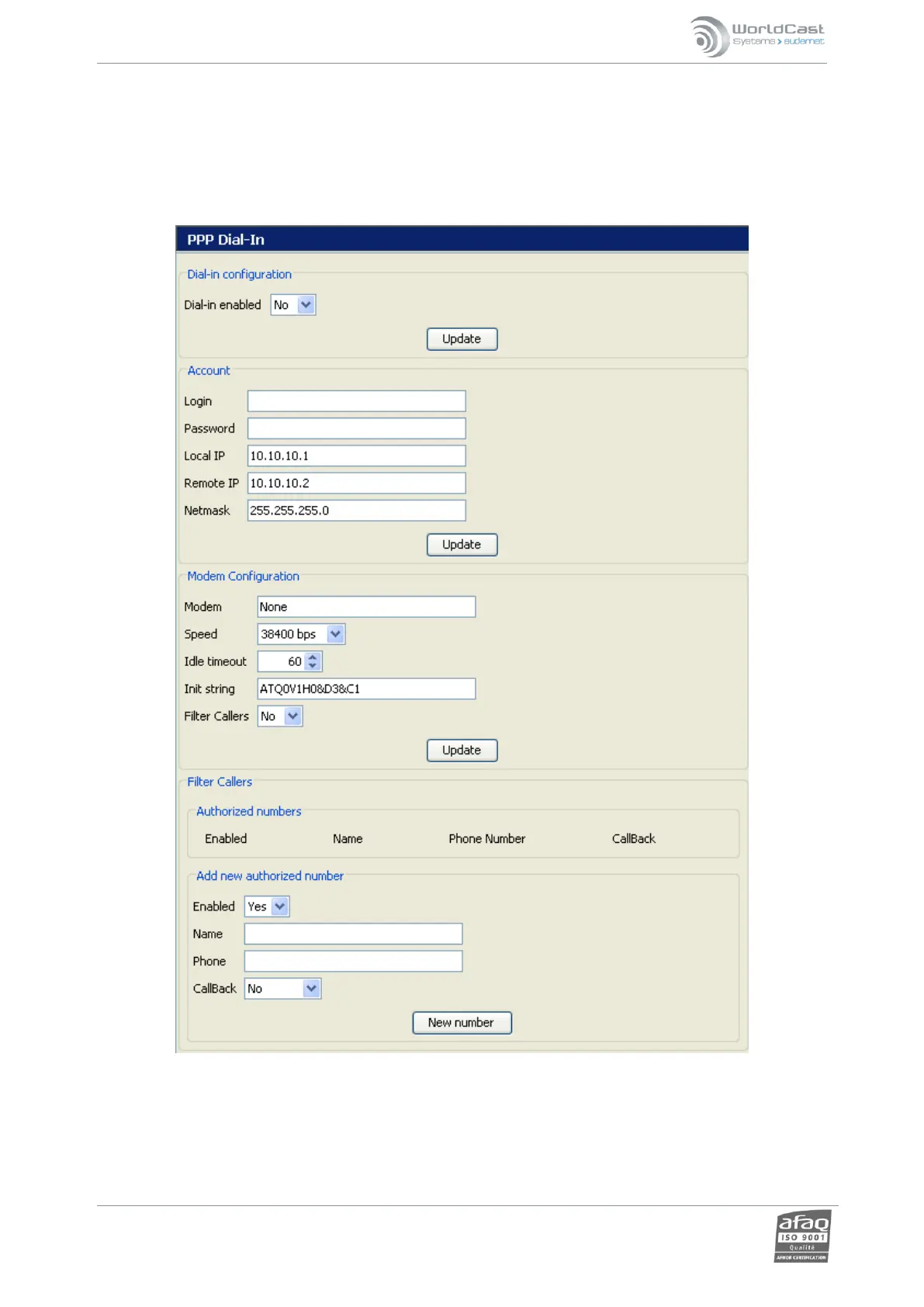
Enables a remote server to call in and establish a PPP connection:
o Dialin configuration: controls the “incoming calls” function. NOTE: This parameter also
controls dial in access for Voice/DTMF functions!
o Account: configures the account information.
o Modem configuration: the user selects the modem used (if necessary) and its features.



 To Next Page