Relio 4.2.x User Manual – 07/2015
Page 27
Head Office : Parc d’activites Kennedy - 20, avenue Neil Armstrong – 33700 Bordeaux-Merignac (France)
Tel +33 (0)5 57 928 928 – Fax +33 (0)5 57 928 929 – contact@worldcastsystems.com – www.worldcastsystems.com
3.15. PPP Dialout
! Enabling PPP connections will suspend Phone Alert and Voice/DTMF functions!
When configuring from ScriptEasy, enabling one function will disable the other function’s tab. After disabling
a function, you’ll need to close the system configuration pages and open them again to enable the tab you
need.
! Ethernet back up and PPP Dialout are mutually exclusive.
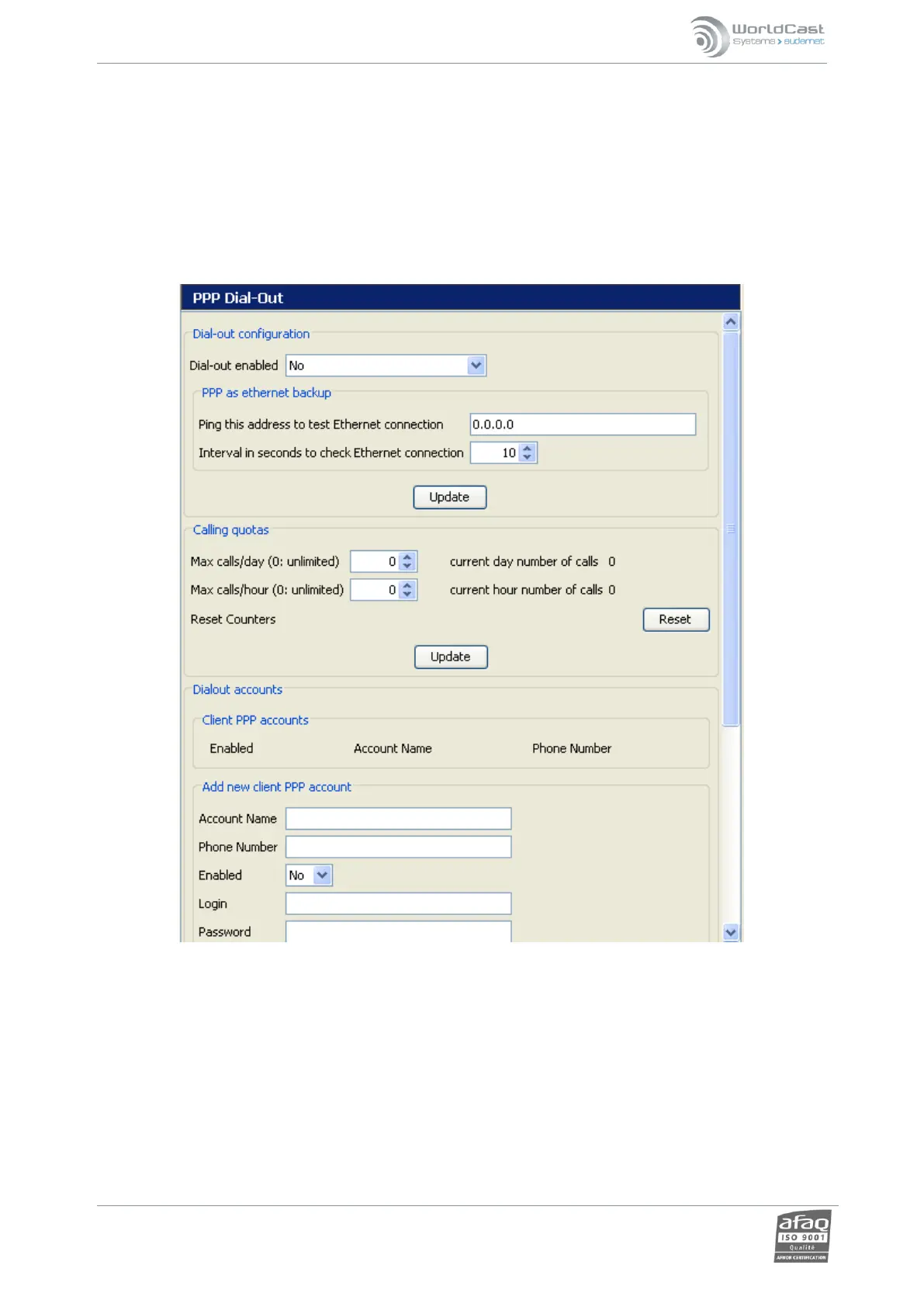
Enables outgoing calls to connect to a network over a phone line (PPP connection):
o Dialout configuration: controls the “outgoing network calls” function
o Ethernet <-> PPP backup configuration
The Ethernet <-> PPP backup configuration allows the unit to switch to the PPP interface to send alarms if the
primary Ethernet interface loses connectivity (when a reference IP address doesn’t respond to a ping request). This
verification is done at a regular interval that can be set by the user:
To activate the PPP as a backup Ethernet connection, in the "Dial out enabled" menu, select "Yes only if Ethernet
goes down".



 To Next Page