Ci7XX0 BENCHTOP SPECTROPHOTOMETER
46
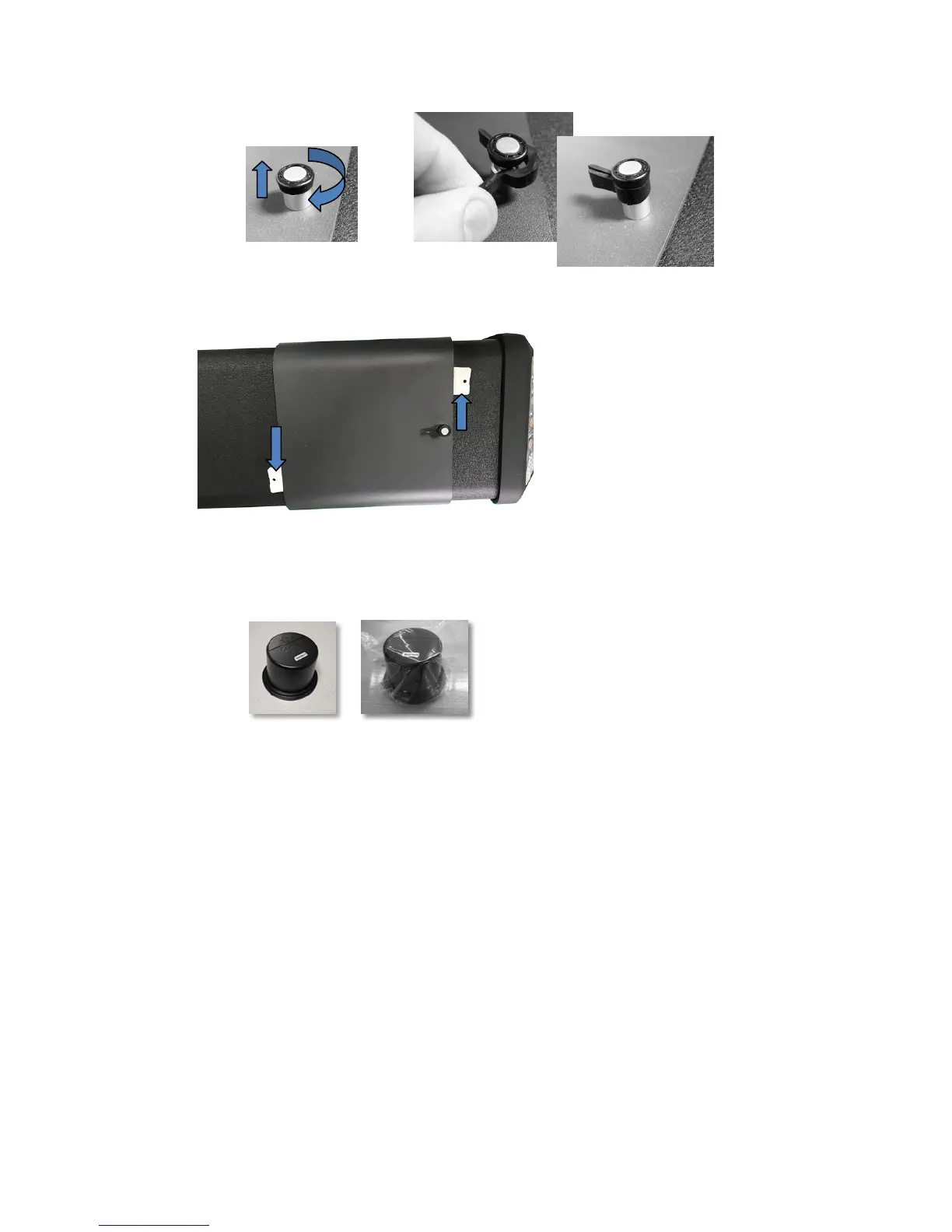
h. Insert the white shipping wedges under the edges of the instrument cover as shown
below (if available from original packaging).
i. Package black trap.
i. Remove black trap from instrument drawer.
ii. Place black trap into plastic bag (if available from original packaging).
j. Prepare accessory drawer.
i. Open accessory drawer.
ii. Ensure all apertures and black trap are removed (see steps above).
iii. Return white calibration standard into drawer.
iv. Return green calibration standard into drawer.
v. Place UV calibration standard into its small bag (if available from original
packaging) and insert UV calibration standard into front of drawer (near handle).



 To Next Page