RM200QC User Manual
42
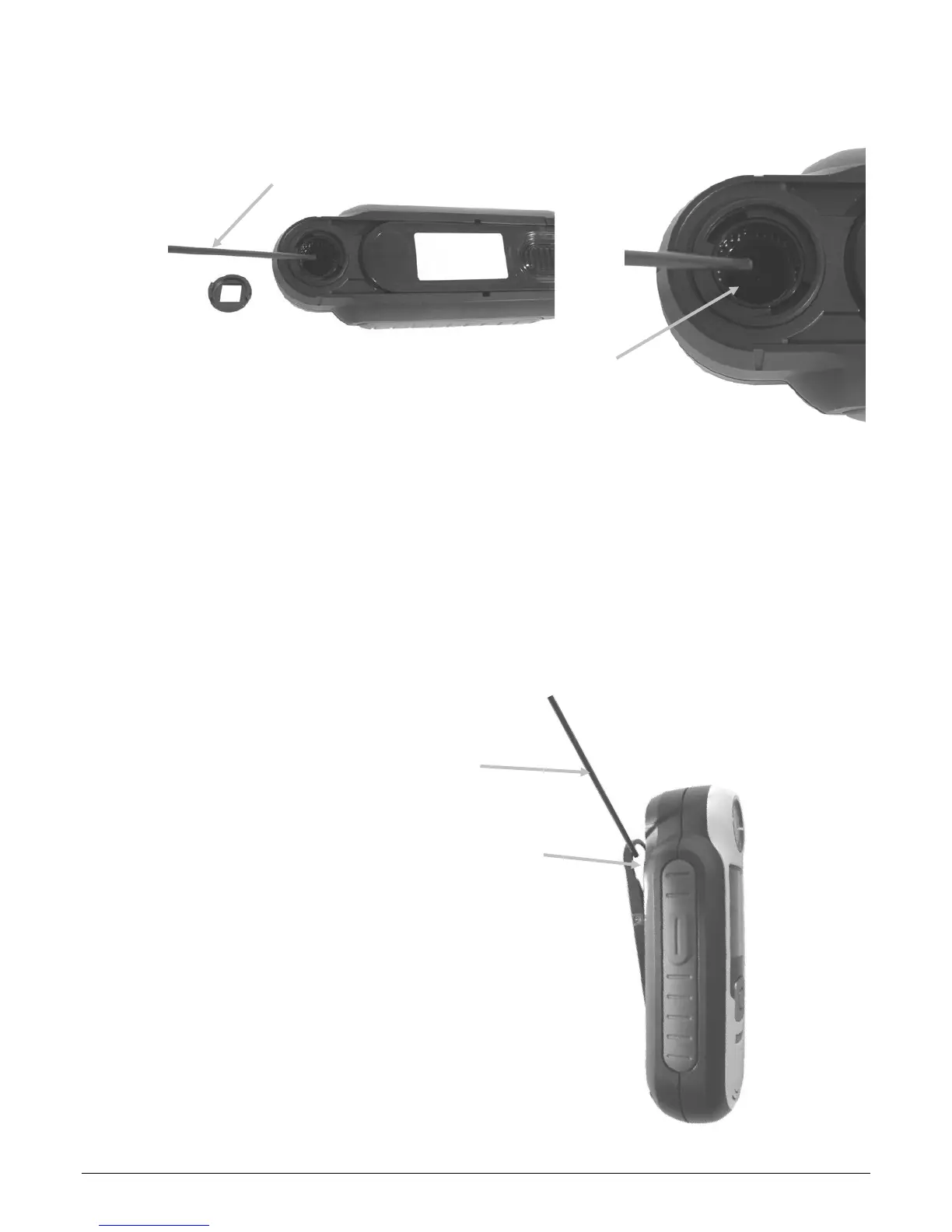
3. Blow short bursts of clean, dry air into the optics port. This should remove any accumulated
debris from the optics.
4. Reposition the aperture over the optics housing and turn 45° clockwise to lock into place.
Cleaning the Calibration Reference
The calibration tile is imbedded in the underside of the white reference slider.
1. Opening reference slider to a halfway position.
2. Blow short bursts of clean, dry air onto the calibration tile. This should remove any
accumulated debris.














 To Next Page