XAG AUSTRALIA
Emergency Control
Emergency Control via APP
Hover: Command the RPA to Hover.
These following Control could be found in “MORE”
Land: Command RPA to force Land at its current location.
Return: Command RPA to Return and Land.
Tap & Go: Command RPA to move to location specified by Pilot.
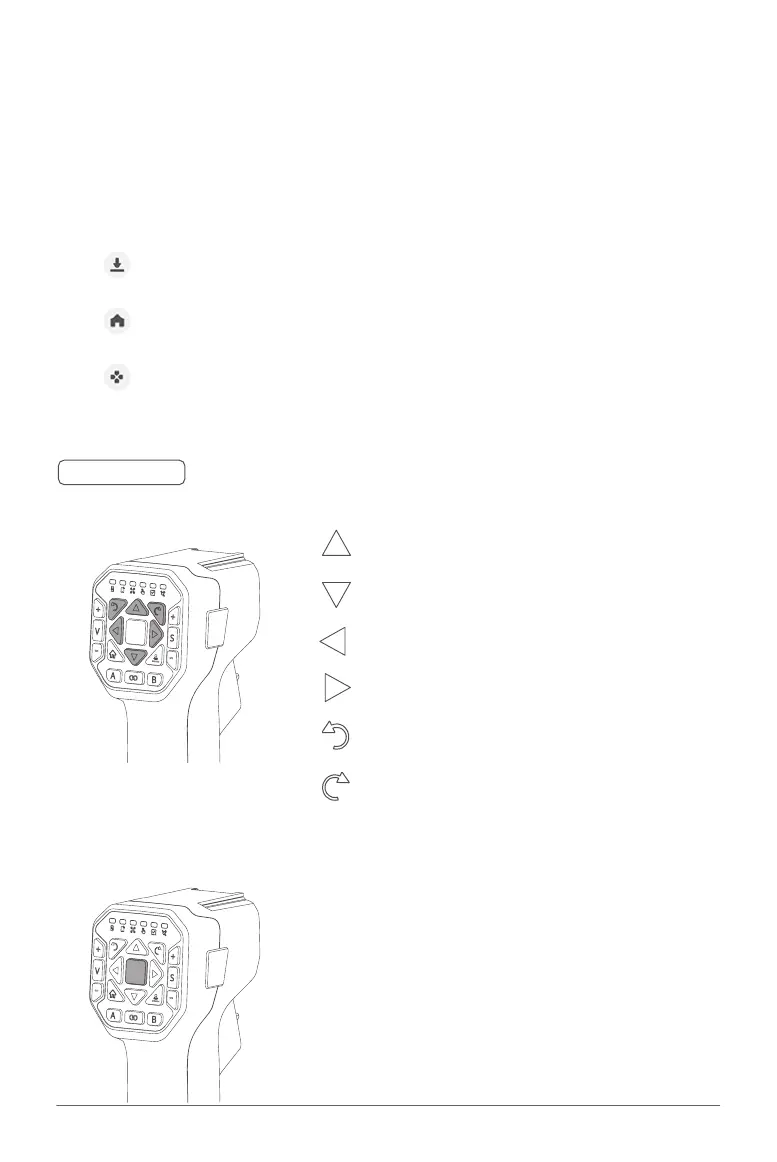
Emergency Control via ACS2G Remote Controller
Motion Control
Hover / Switch Mode
Hover: Press the Hover Button to command the
UAV to Hover
Switch Mode: Press and Hold the Hover Button to
switch Mode. The Remote Controller
will exit Manual Control and enter
Autonomous Mode, the Controller will
also broadcast Autonomous Mode
Move the UAV Forward
Move the UAV Backward
Move the UAV Sideway to the Left
Move the UAV Sideway to the Right
Rotate the UAV Counter-Clockwise (CCW)
Rotate the UAV Clockwise (CW)
🧷
IMPORTANT



 To Next Page