CAMERA SYSTEM (LooksCAM2) 11 www.xenosys.co.kr
Use for remote controller pairing set up (refer to Page 14)
Output port for recoded video to external device.
Store recorded video files.
Possible recording time is less than 2 hours: 1 warning beep signal
Possible recording time is less than 30 minutes: 1 warning beep signal
Possible recording time is less than 10 minutes: Warning beep signal for every 2 minutes
Connect DC Power Supply to charge the battery pack.
Connect to battery pack charging points
If it’s connected to DC power supply – Green light On.
If it’s battery charging status – Orange light On.
WARNING:
Battery input Pin on main body USB slot is quite vulnerable on external shock, so please be careful
on assembling or disassembling with battery pack. If this charging pin has been damaged, the
main body will NOT work properly and not possible to use.
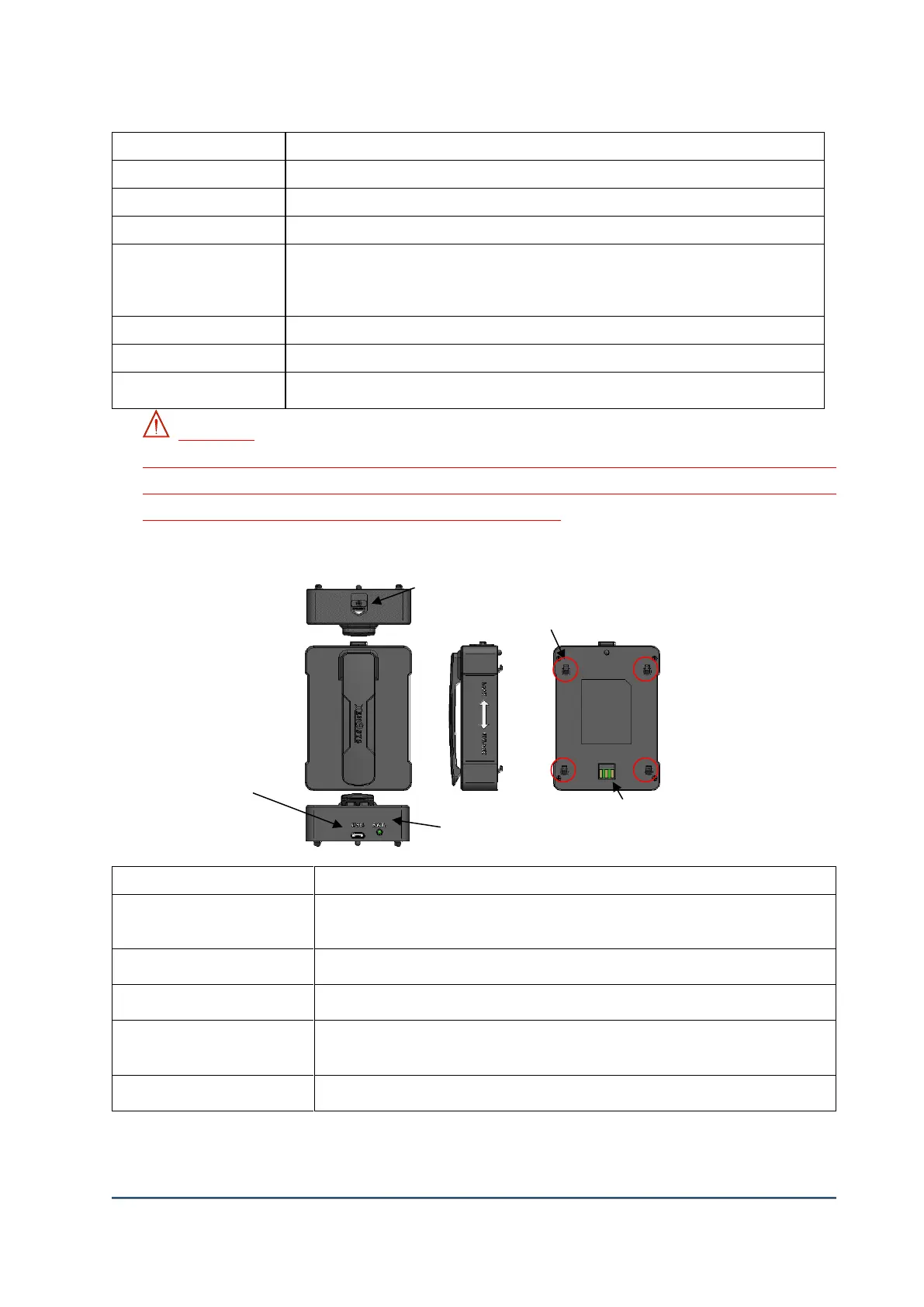
2. Battery Pack (BTP-LC2)
Push to arrow pointed direction to assemble or disassemble the main body and battery
pack.
To connect main body (LC2-CU) and battery pack
Connect DC Power Supply to charge the battery pack.
Shows the charging status of battery pack
Fully Charged – Green, In process of Charging – Orange
⑤ Battery power output pin
Connected to charging pin of main body.
④ Battery power output pin



 To Next Page