CAMERA SYSTEM (LooksCAM2) 26 www.xenosys.co.kr
THE VIEWER
1. WiFi Connection
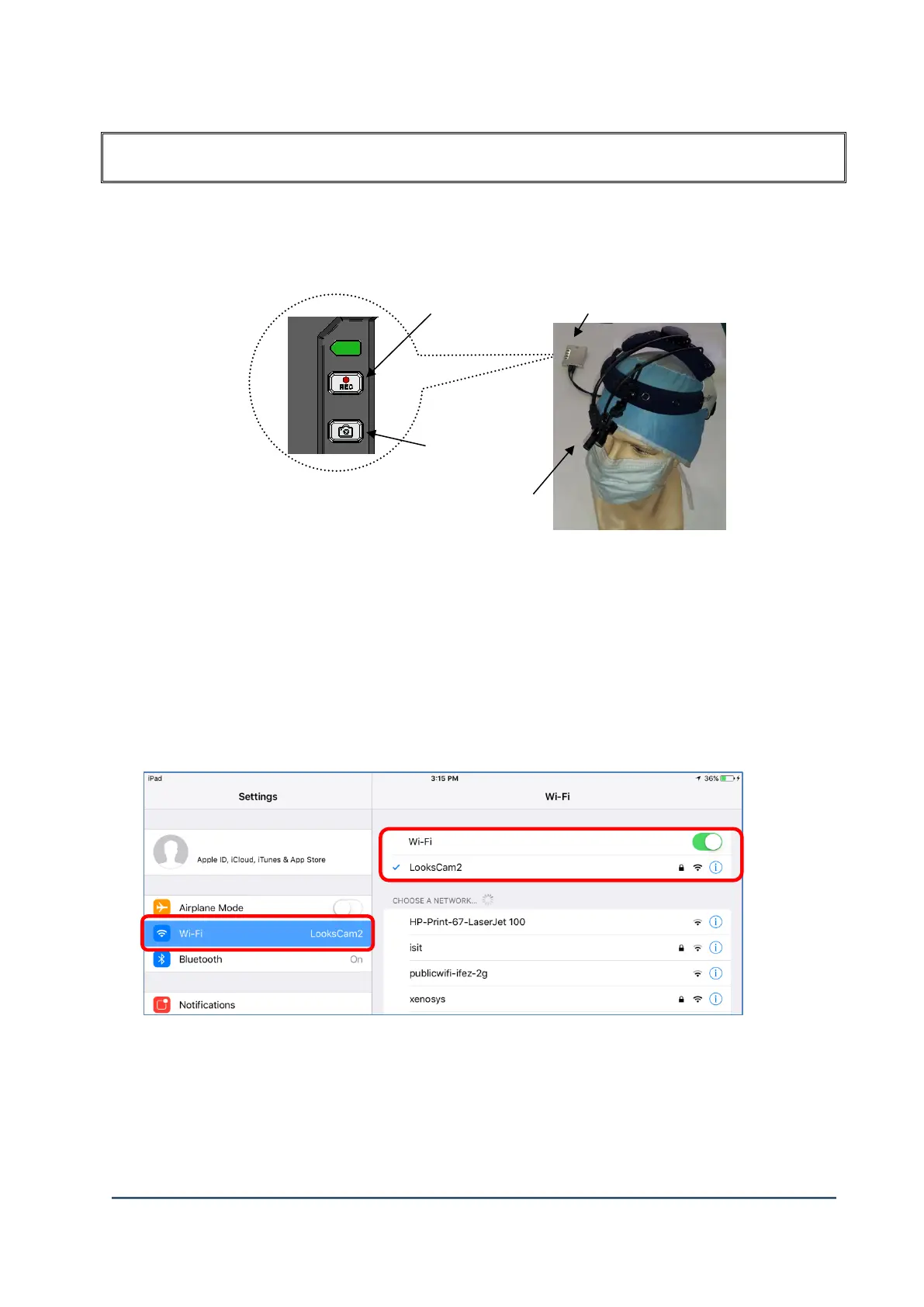
Connect the main body (LC2-CU) to tablet PC (Android/iOS) by WiFi follwing below procedure.
1) Connect the head assembly unit to ①main body, and turn on while Micro SD card is inserted.
2) If the battery power is enough, system initialization will proceed.
3) LED on ② [REC] button will come up which is completed system initialization.
4) After the system initialization, ③Snapshot button of LED should be turned on.
5) If ③Snapshot button of LED is not turned on, it shows WIFI connection is wrong or error.
In this case, start the procedure “1)” again.
6) Connect WIFI name “LooksCam2”.
Default password is”1234567890”.



 To Next Page