CAMERA SYSTEM (LooksCAM2) 16 www.xenosys.co.kr
INSTALLATION
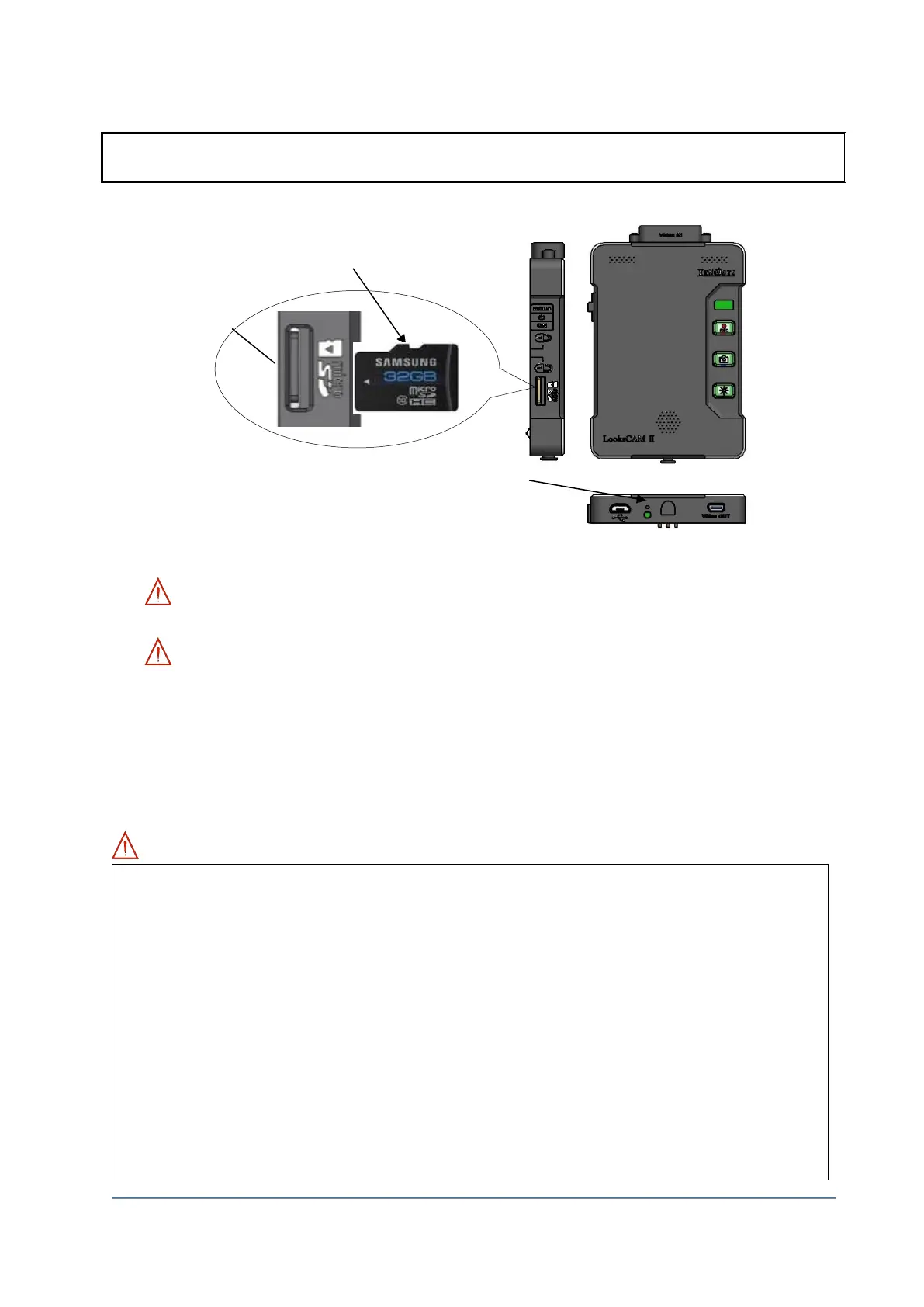
1. Insert & Removal of Micro SD Card (FORMAT)
1) Prepare Micro SD card with formatted by FAT32 (File allocation size=32KB)
2) ① Insert Micro SD to main body.
WARNING: Make sure the direction of ①Micro SD card is correct when inserting to ②Card
Slot. If not, it may cause the breakage of ①Micro SD card.
WARNING: Warranty period of Micro SD card is 6 months from the date of purchase. Please
exchange Micro SD card immediately if you find problem in recorded video as it is expendables.
Periodical checkup for the recorded file is needed.
3) Press Micro SD card slightly to remove from the main body.
4) Format: When Micro SD card is inserted, then press this format key more than 5 seconds, all
files will be DELETED and formatted with FAT32.
WARNING: Check below contents before using Micro SD card.
Micro SD card is expendables with certain period of lifespan, so it needs periodical check up and
exchange.
Recommended using Xenosys provided Micro SD card. If there is any defective happen while
using non-Xenosys provided one, we don’t have the responsibility for that defective.
Make sure to remove Micro SD card after turn off the main body. The opposite way may cause
the defective and malfunction.
Prevent the loss of recorded files (i.e. important data) by downloading recorded files from Micro
SD card to move personal computer.
Normal recording process is possible after formatting with FAT32 (File Allocation Size=32KB).
If the file allocation size is NOT 32KB, SD card may not perform in best condition. You
may see “format warning message” in TV screen if you are connected to Video-Out cable.
Firstly, you should back up important files, and then you may format.
If OS is Window XP, the file allocation size may not fit to 32KB. You can format SD card at
different computer with OS – i.e. Window 7.



 To Next Page