CAMERA SYSTEM (LooksCAM2) 22 www.xenosys.co.kr
automatic file restoration program will activate. However, it is not always guaranteed to
restore files because of SD card damage and SD card cannot be used.
4. Turn on LED
1) Connect the head assembly unit to main body, and turn on while Micro SD card is inserted. If
the battery power is enough, system initialization will proceed, and then LED on [REC] button
will come up which is completed system initialization.
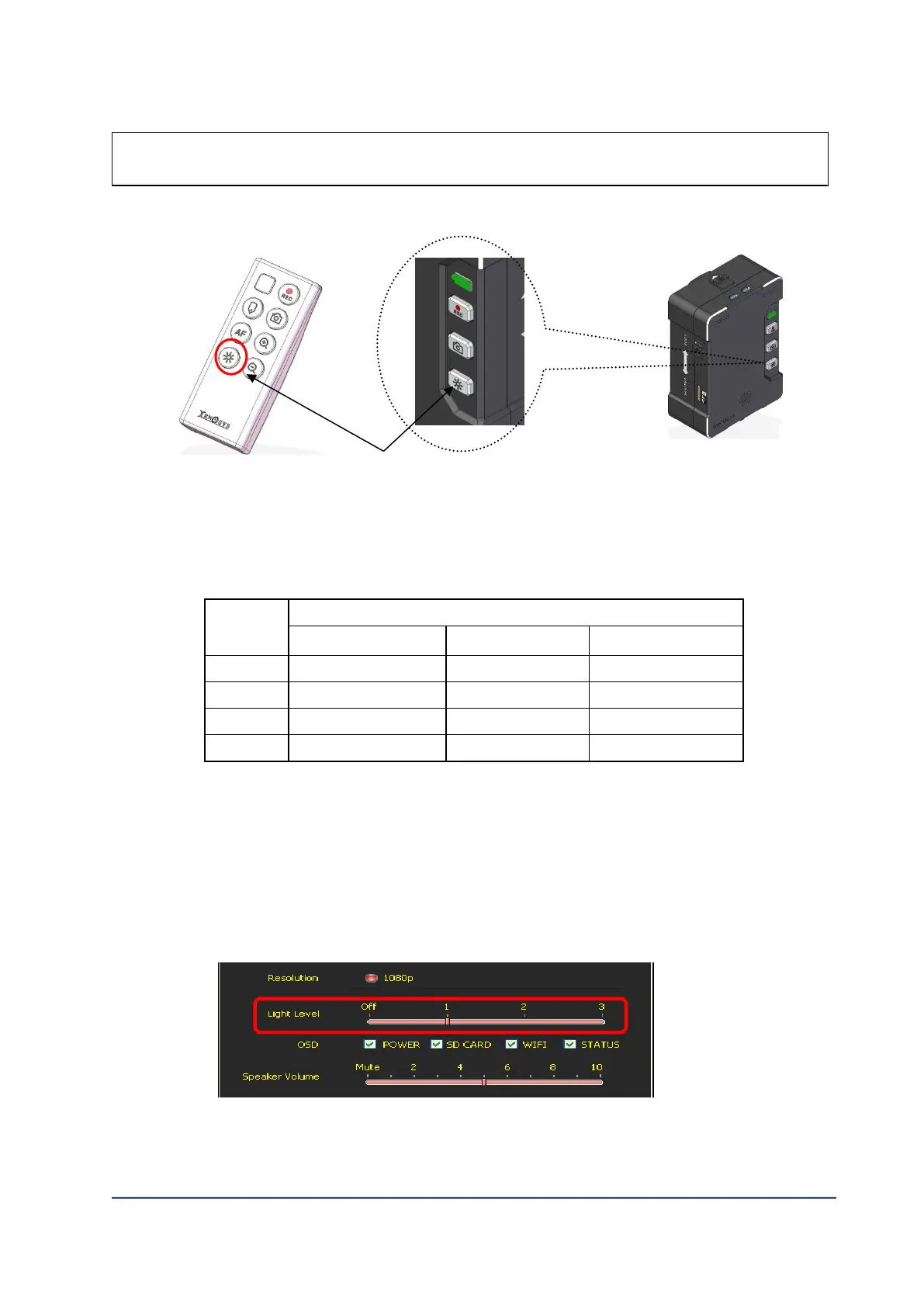
2) LED Light Button: LED On/Off Button
3) LED brightness level can be controlled 4 steps 1, 2, 3, OFF.
After booting is completed, default setting of LED light brightness can be changed by running
config.exe file inside of SD card. The default level is one step.
4) Run config.exe file to change “Light Level” on desired level and press “Save Config” to save
the configuration.
5) New setting can be used after turn off & reboot the main body.



 To Next Page