CAMERA SYSTEM (LooksCAM2) 20 www.xenosys.co.kr
- Do NOT stop power or turn off while doing the firmware update which may cause fatal damage
to system.
- Make sure to move all recorded files & snapshots before firmware update.
OPERATING INSTRUCTIONS
1. Power On/Off
WARNING:
- Turn on power after connecting head assembly unit cable to main body and check Micro
SD card is inserted.
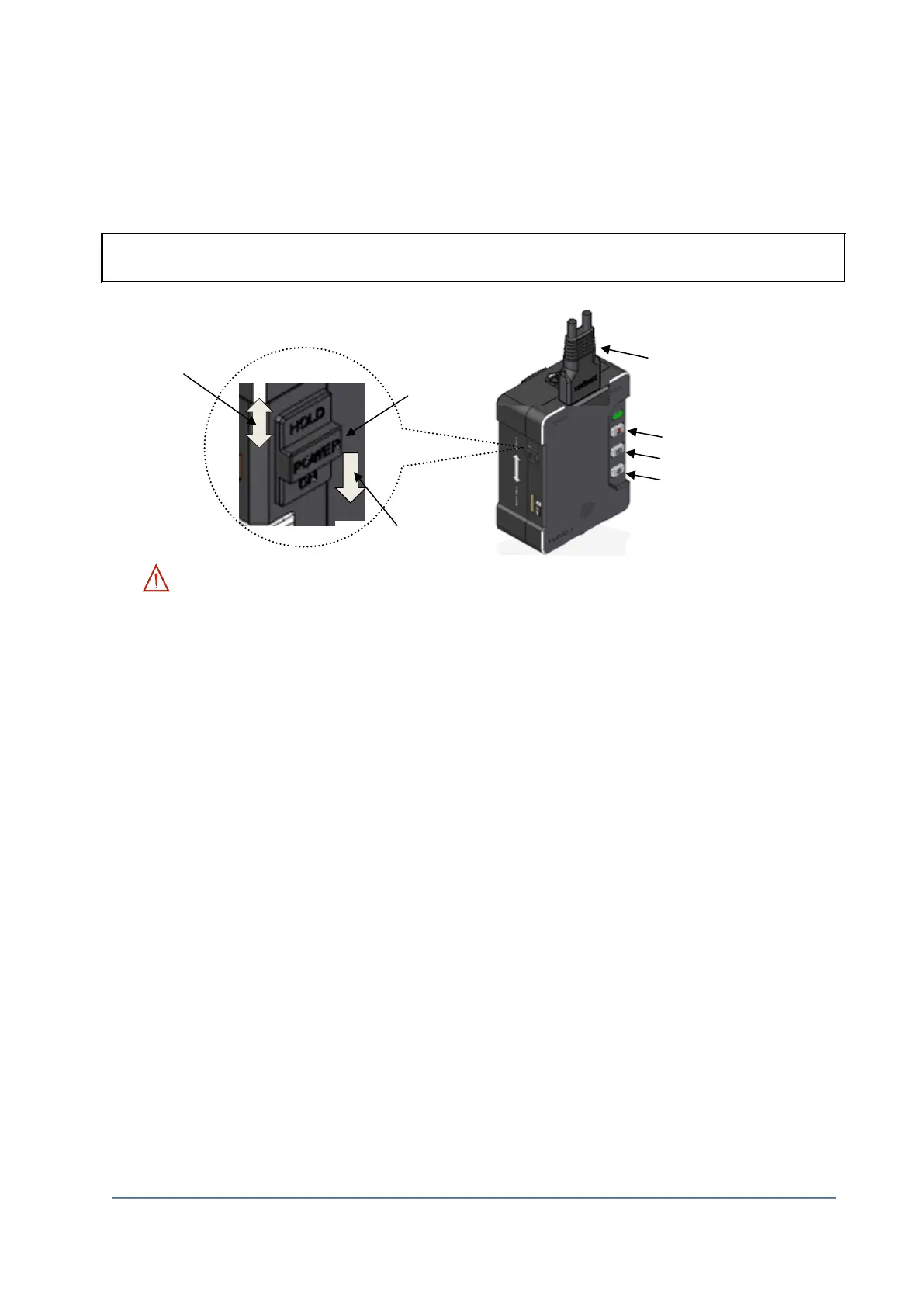
1) ②Power ON: Press power switch to downward (1 second), then system initialization (booting)
will proceed.
Power on will start with the sound of “DingDongDeng” and the battery status LED will blink green
light while booting. When the system initialization will complete, LED sign on Record Button will
come with the sound of “DingDong”
2) ②Power OFF: Press power switch to downward and hold 2 seconds to turn off.
3) ①Hold ON/OFF: After booting, if you press Hold button to upward, all buttons will NOT work,
but all buttons from remote controller will work. This function is to prevent any unexpected
(unwanted) button press while doing on procedure.
4) If you press record button without Micro SD card, the error message "Memory card s empty" will
come out.
Snapshot Button
LED light Button



 To Next Page