CAMERA SYSTEM (LooksCAM2) 21 www.xenosys.co.kr
2. Video Recording
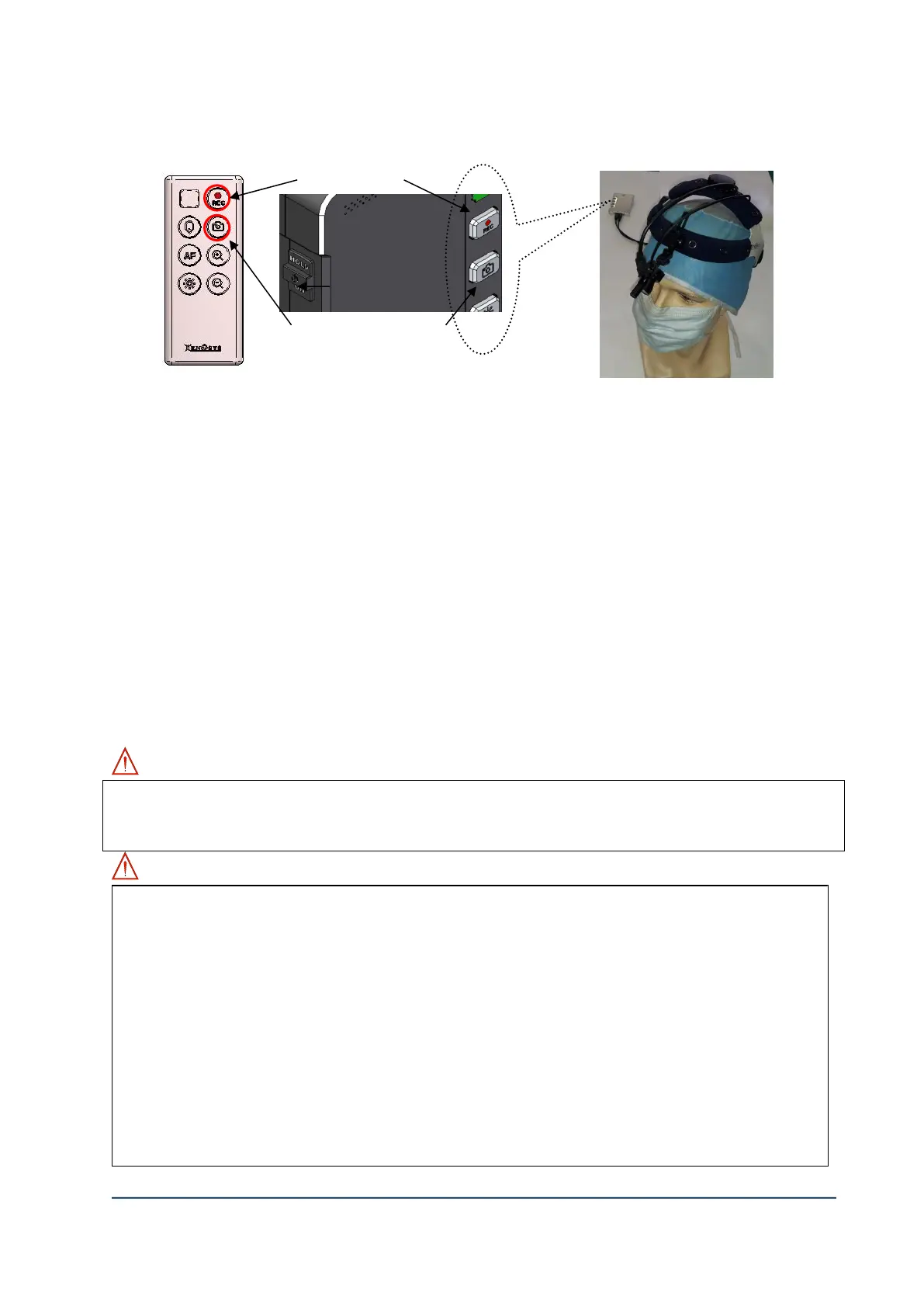
1) Connect the head assembly unit to main body and insert Micro SD card before turn on the power.
Turn on main body and make sure battery is enough to operate.
When LED on ②[REC] button will come, the system initialization completed (Record is ready).
2) Recording will NOT start automatically. You have to press ②[REC] button and the video
recording will start with [REC] button LED on.
3) If you press ②[REC] button again while doing recording, LED will stop blinking and [REC] LED
sign will be on.
4) MIC setting is always ON, voices also be recorded on files.
3. Snapshot
1) Press quickly will make a snapshot.
2) Press and hold the button will make continuous shots (5 shots with 1 second)
3) Continuous shots will not work while recording is in process.
WARNING: SD card memory capacity warning sound
WARNING:
Video recording & snapshot function is possible with Micro SD card inserted status.
If Micro SD card is pull out or eliminated when power is on (during recording), some of
recorded videos can be deleted or SD card can be damaged not possible to use.
If the battery status is LOW, LED will blink then shut down the power automatically.
One file will be generated with 30 minutes recording video.
Recorded files will be stored in <sd card:d> d:/DCIM/YYYYMMDD/.
Extended file format is mp4 and encoding mode is H.264.
Example of recorded file: YYYYMMDD_hhmmssXX.mp4 (Year-Month-Date_Time-Minutes-
Seconds-Sequence number.mp4)
One file with 30 minutes will be about 2.5GB and then another file will be generated.
If SD card or camera sensor plug has been pull out during the video recording, the
1 beep sound: Possible recording time is less than 1 hour
1 beep sound again: Possible recording time is less than 30 minutes
3 beep sound: Possible recording time is less than 10 minutes



 To Next Page