CAMERA SYSTEM (LooksCAM2) 13 www.xenosys.co.kr
Will provide last 3 digit number from camera serial number
Configuration will be input viewer set up option “LENS”
Ex) A180138 -> input 138 to activate the viewer
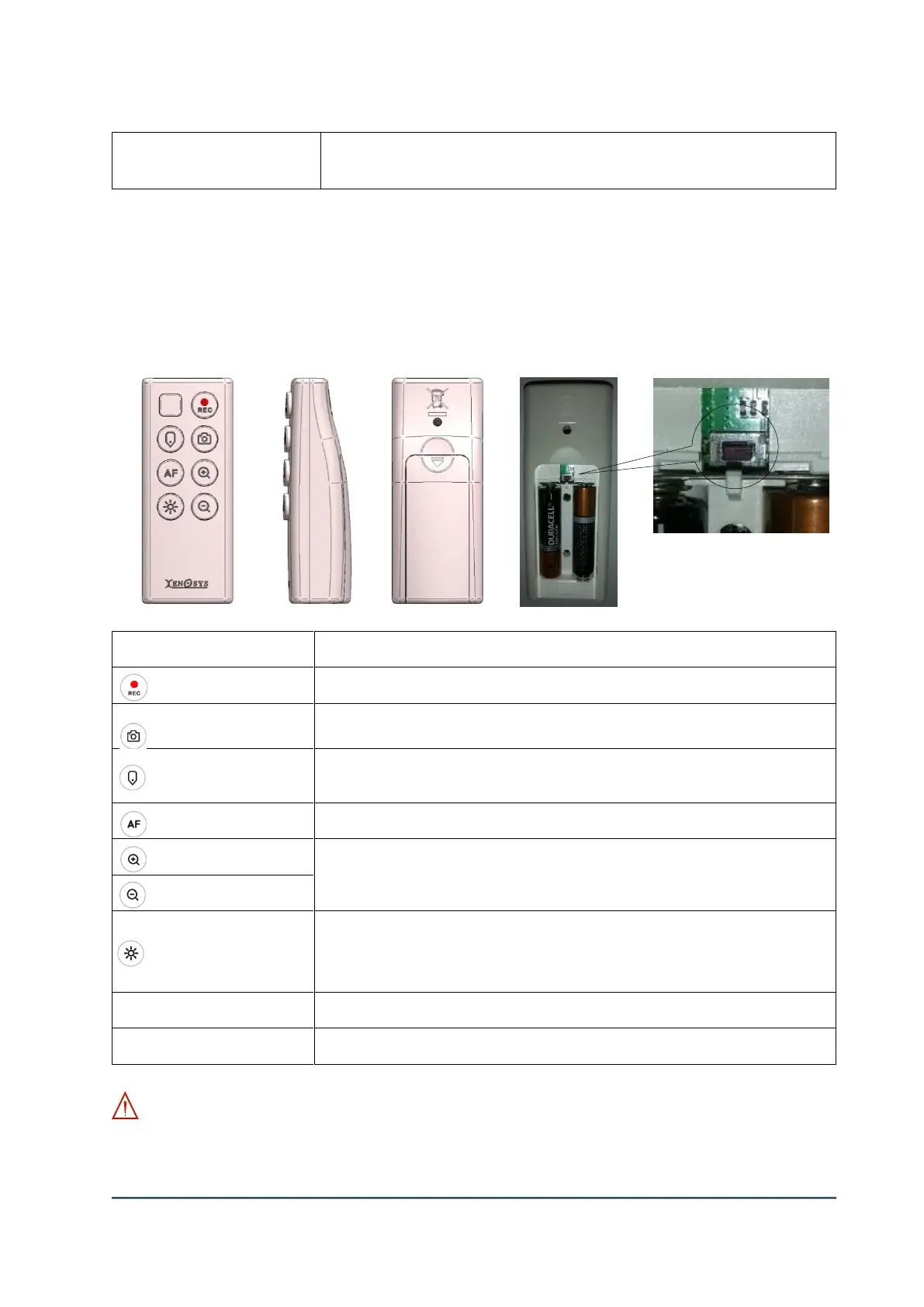
4. Remote Controller (LC2-RC)
Start or Stop video recording
Quick press for one snapshot, Hold for continuous shots
Continuous shots: 5 snapshots for 1 second and not feasible when video recording is on
Press this button if you want to Tag specific moment or time lapse while recording or playing
the video.
Focus on special subject automatically.
Digital zoom in and zoom out function
4 steps of magnifications: 1.0x, 1.5x, 2.0x, 3.0x
LED On/Off Button
LED brightness level can be controlled 4 steps 1, 2, 3, OFF in the "config.exe" file.
(See 21 page)
Reboot switch for control unit
Press this switch more than 5 seconds then LC-CU2 will reboot.
WARNING: The main body and remote controller are provided with pairing set up. The below table
is how to set up & release pairing. You should disconnect head assembly unit cable before setting up
the pairing.
battery



 To Next Page